> For the complete documentation index, see [llms.txt](https://docs.portainer.io/llms.txt). Markdown versions of documentation pages are available by appending `.md` to page URLs; this page is available as [Markdown](https://docs.portainer.io/user/docker/swarm/cluster-visualizer.md).
# Cluster visualizer
{% hint style="info" %}
This feature is only available to Docker Swarm environments.
{% endhint %}
The **Cluster visualizer** section gives you an overview of your cluster and the tasks on it.
## Cluster information
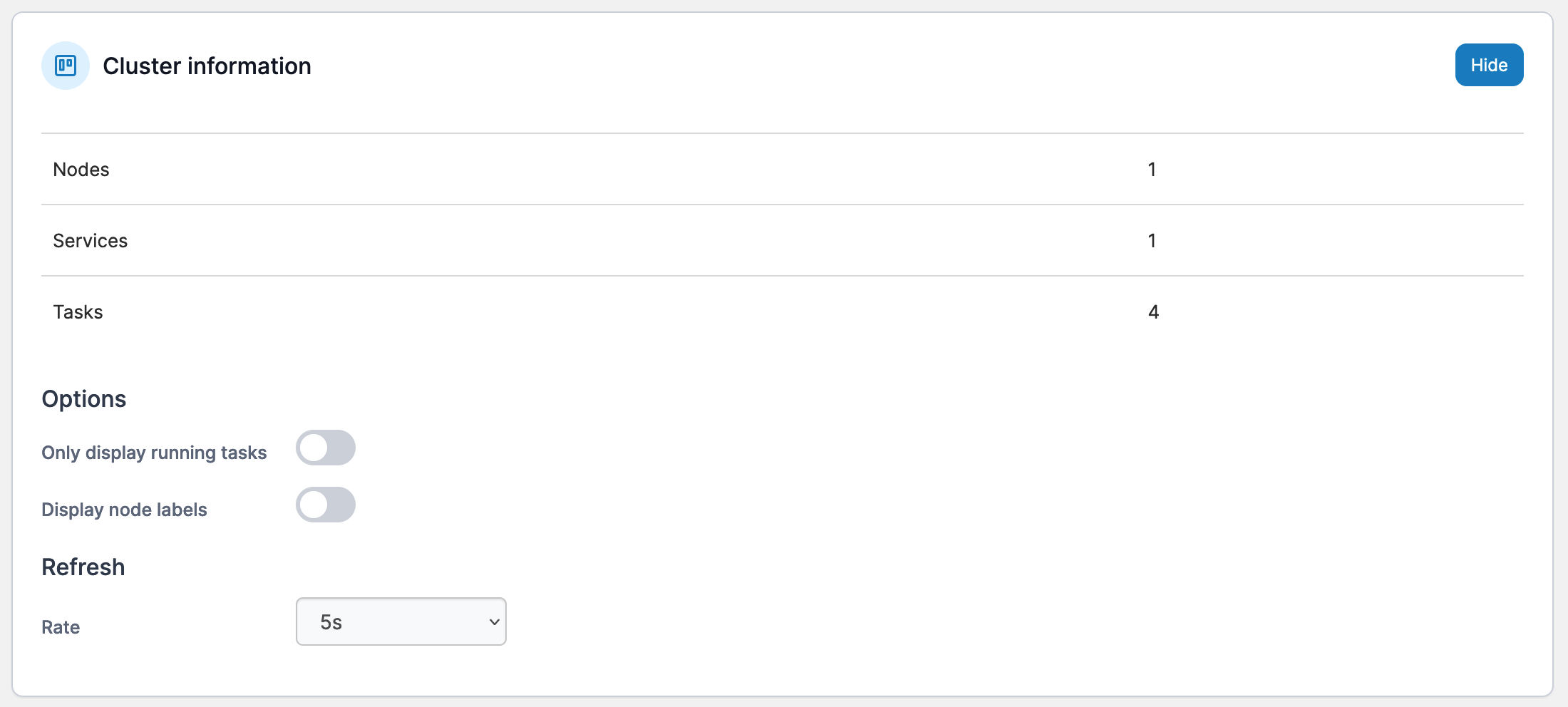
View the details about the cluster including the number of nodes, services and tasks. You can also adjust the visualizer display.
### Options
**Only display running tasks** filters the task list in the visualizer to only include running tasks.
**Display node labels** toggles the display of labels on the nodes in the visualizer.
### Refresh
Use this option to define the refresh rate of the visualizer (the default is every 5 seconds).
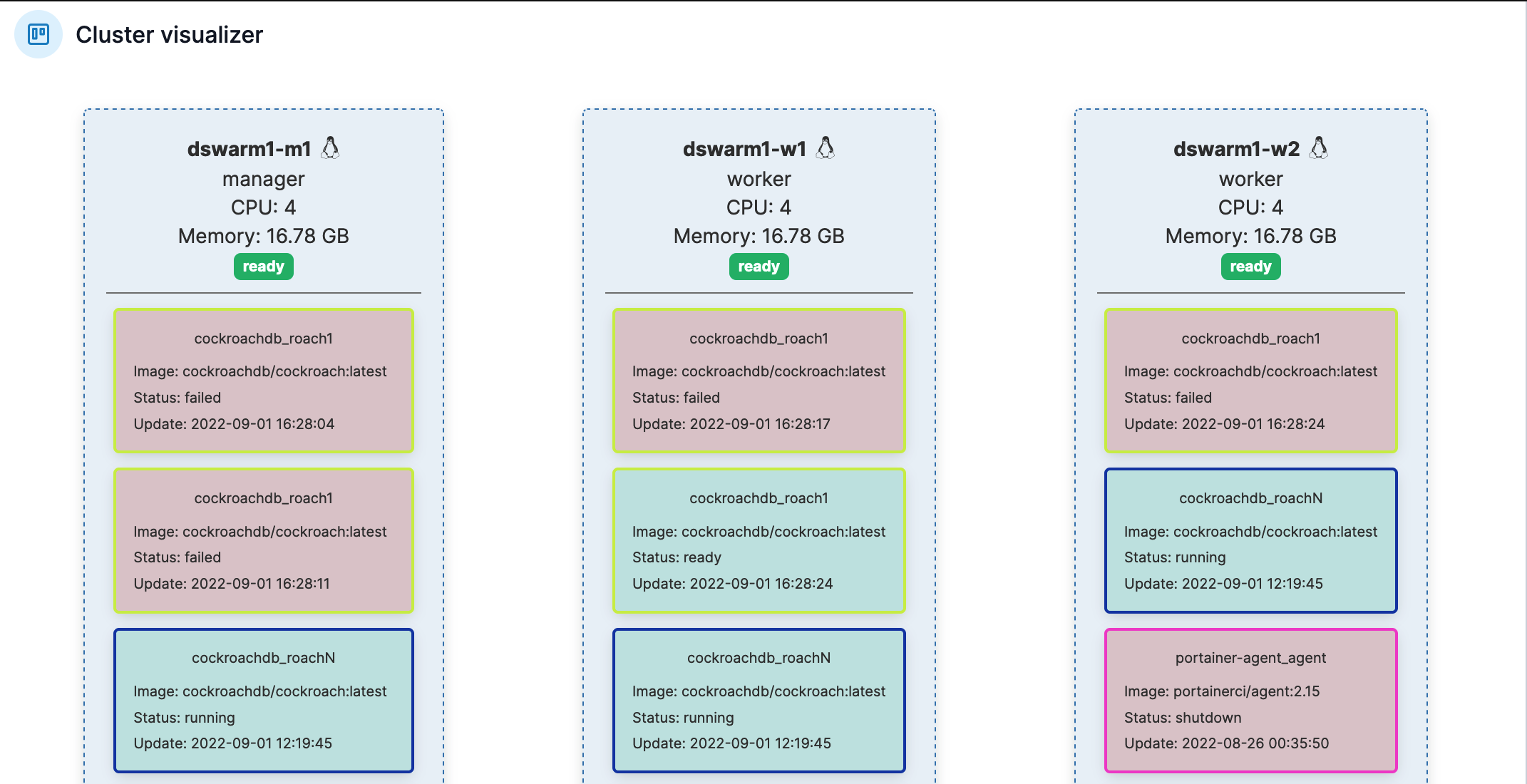
## Cluster visualizer
The **Cluster visualizer** section gives you a visual representation of the nodes in your cluster and the tasks on each node.