# Add a new network

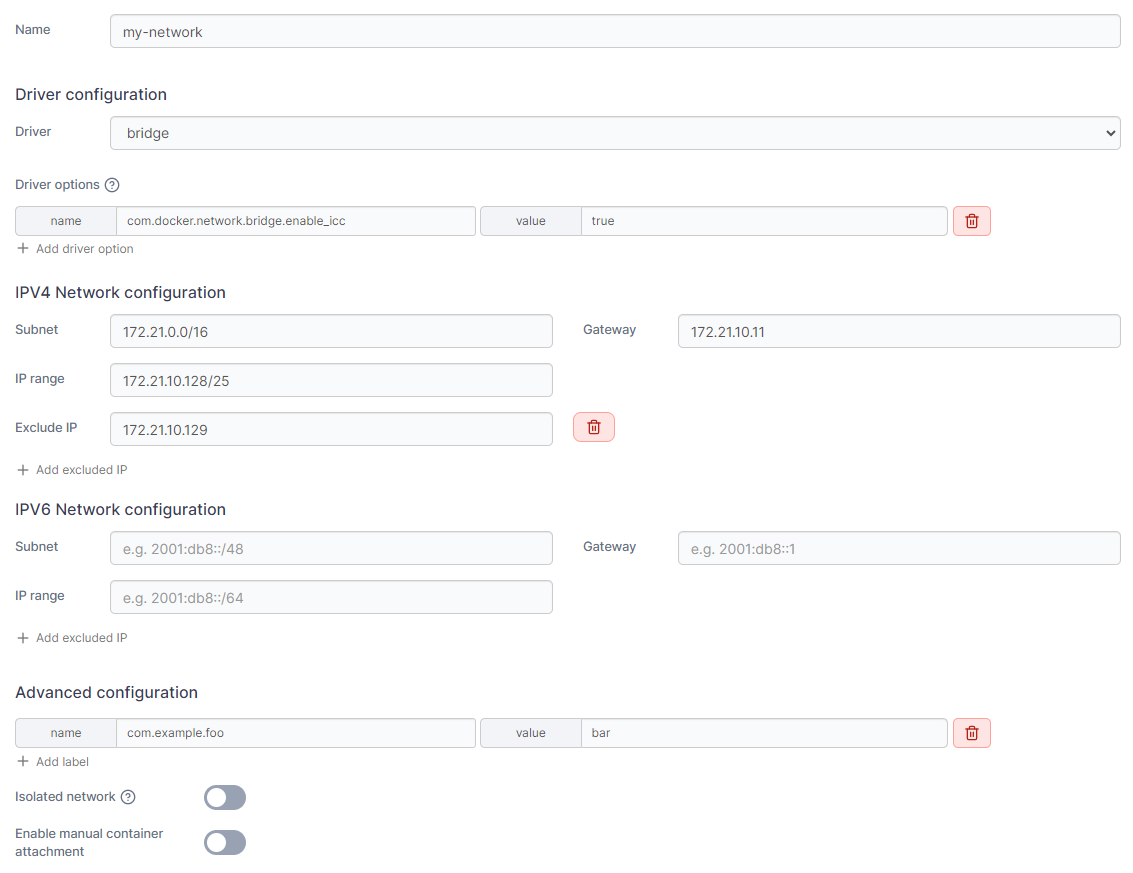
From the menu select **Networks** then click **Add network**.

<figure><img src="https://content.gitbook.com/content/xdTQRpMuktD2l0URtOJO/blobs/1YnhG7k7wfeBZKVHhBlm/Add-networks.gif" alt=""><figcaption></figcaption></figure>

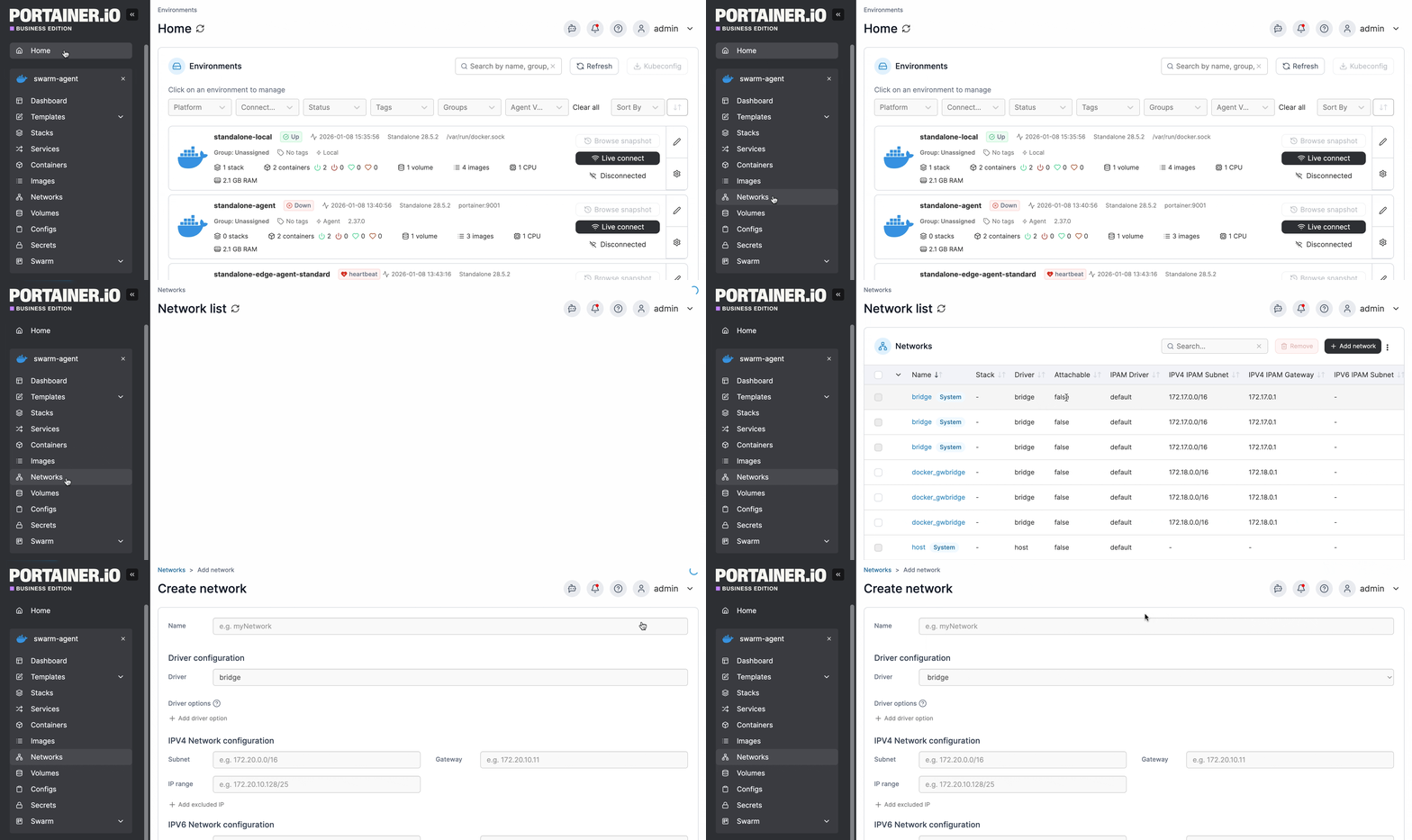
Define the new network, using the table below as a guide.

| Field/Option                       | Overview                                                                                                                                                                                                                                                  |
| ---------------------------------- | --------------------------------------------------------------------------------------------------------------------------------------------------------------------------------------------------------------------------------------------------------- |
| Name                               | Give the network a descriptive name.                                                                                                                                                                                                                      |
| Driver                             | Define the [type of network](https://docs.portainer.io/user/docker/networks/..#supported-network-types) you will use.                                                                                                                                     |
| Driver options                     | Set in place any options related to your network driver, if required.                                                                                                                                                                                     |
| IPv4 Network configuration         | <p>Define IPv4 range, subnet, gateway and exclude IP. If no information is entered here, Docker will automatically assign an IPv4 range.<br>If you need to exclude IPs from the range, click <strong>Add excluded IP</strong> and complete the field.</p> |
| IPv6 Network configuration         | <p>Define IPv6 range, subnet, gateway and exclude IP. If no information is entered here, Docker will automatically assign an IPv6 range.<br>If you need to exclude IPs from the range, click <strong>Add excluded IP</strong> and complete the field.</p> |
| Labels                             | Click **Add label** and complete the name and value fields to specify a label for the network.                                                                                                                                                            |
| Isolated network                   | Toggle this option on to isolate any containers created in this network to this network only, with no inbound or outbound connectivity.                                                                                                                   |
| Enable manual container attachment | Toggle this option on to allow users to attach the network to running containers.                                                                                                                                                                         |
| Deployment                         | On multi-node clusters, select the node where the network will be created.                                                                                                                                                                                |

<figure><img src="https://content.gitbook.com/content/xdTQRpMuktD2l0URtOJO/blobs/FLFlVm1EoYAvchXVqMZM/2.20-networks-add-details.png" alt=""><figcaption></figcaption></figure>

When you're finished, click **Create the network**.

---

# Agent Instructions: Querying This Documentation

If you need additional information that is not directly available in this page, you can query the documentation dynamically by asking a question.

Perform an HTTP GET request on the current page URL with the `ask` query parameter:

```
GET https://docs.portainer.io/user/docker/networks/add.md?ask=<question>
```

The question should be specific, self-contained, and written in natural language.
The response will contain a direct answer to the question and relevant excerpts and sources from the documentation.

Use this mechanism when the answer is not explicitly present in the current page, you need clarification or additional context, or you want to retrieve related documentation sections.