# Inspect a volume

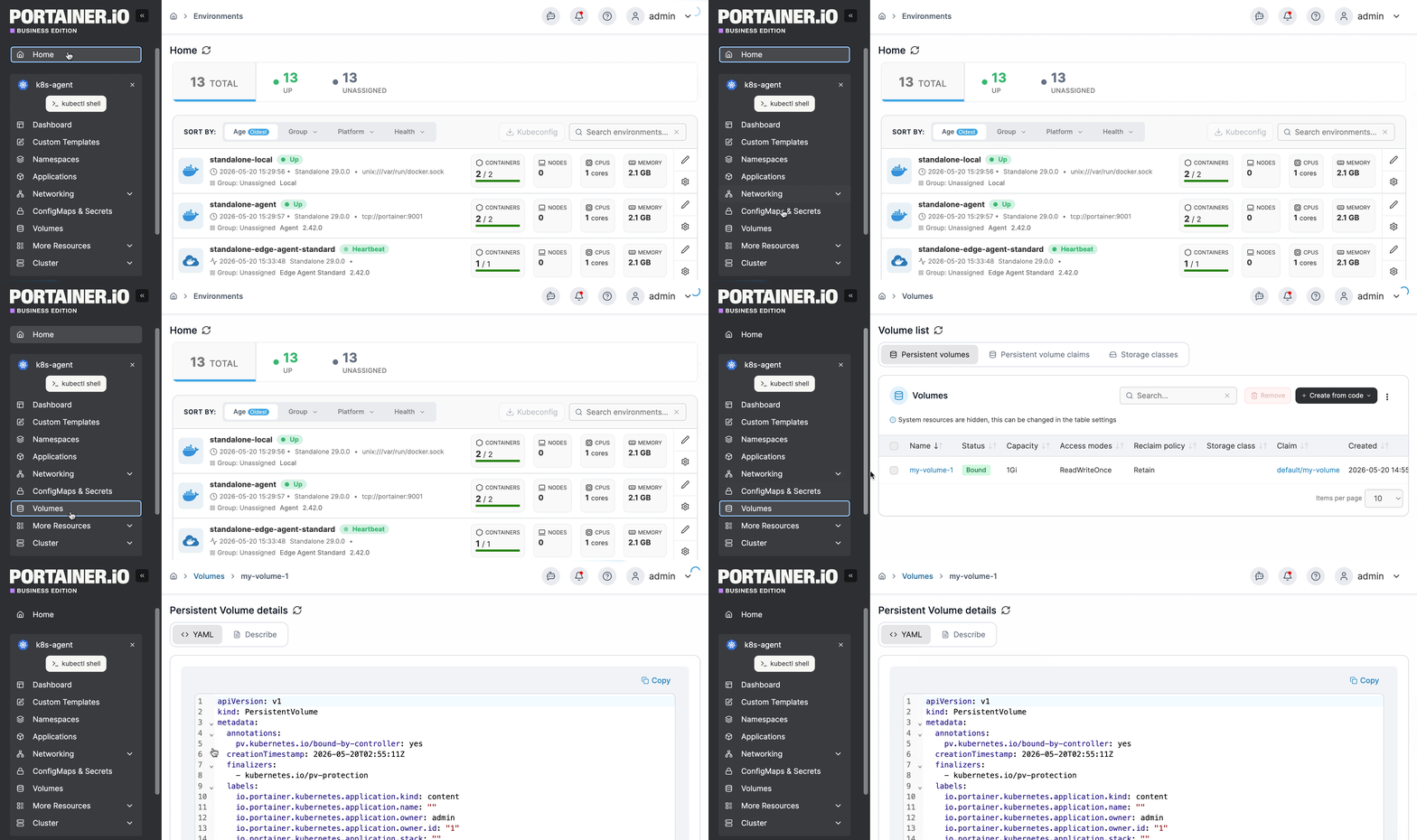
From the menu select **Volumes** then select the volume you want to inspect.

<figure><img src="https://content.gitbook.com/content/MdgxA76kWxcRmwybM8Ft/blobs/D5D84i765s78fUYextoh/2.15-k8s_kubernetes_volume_inspect.gif" alt=""><figcaption></figcaption></figure>

When you select a volume, the screen will divide into three sections, each described below.

## Volume section

Summarizes key information about the volume.

| Attribute            | Overview                                                                                                                                             |
| -------------------- | ---------------------------------------------------------------------------------------------------------------------------------------------------- |
| Name                 | The name of the volume.                                                                                                                              |
| Namespace            | The namespace that the volume belongs to.                                                                                                            |
| Storage              | The storage object that the volume uses.                                                                                                             |
| Shared Access Policy | The access policy configured for the volume.                                                                                                         |
| Provisioner          | The storage provisioner that provisions the volume.                                                                                                  |
| Creation date        | When the volume was created.                                                                                                                         |
| Size                 | The size of the volume. You can grow a volume by clicking the **Increase size** button and adjusting the value. Shrinking a volume is not supported. |

<figure><img src="https://content.gitbook.com/content/MdgxA76kWxcRmwybM8Ft/blobs/RsjMjnEP1HcbowgJS1kj/2.15-kubernetes_volumes_volume_section.png" alt=""><figcaption></figcaption></figure>

## Events section

Shows information about volume-related events.

<figure><img src="https://content.gitbook.com/content/MdgxA76kWxcRmwybM8Ft/blobs/4H0NLqaoeOniGm1pbINP/2.15-k8s-volumes-inspect-events.png" alt=""><figcaption></figcaption></figure>

## YAML section

This displays the YAML generated from the volume deployment. Use it to create backups of the configuration.

<figure><img src="https://content.gitbook.com/content/MdgxA76kWxcRmwybM8Ft/blobs/72lu4TTtsGbhZZXKOKIl/2.15-kubernetes_volume_volume_yaml.png" alt=""><figcaption></figcaption></figure>