> For the complete documentation index, see [llms.txt](https://docs.portainer.io/llms.txt). Markdown versions of documentation pages are available by appending `.md` to page URLs; this page is available as [Markdown](https://docs.portainer.io/admin/registries/add/azure.md).
# Add an Azure registry
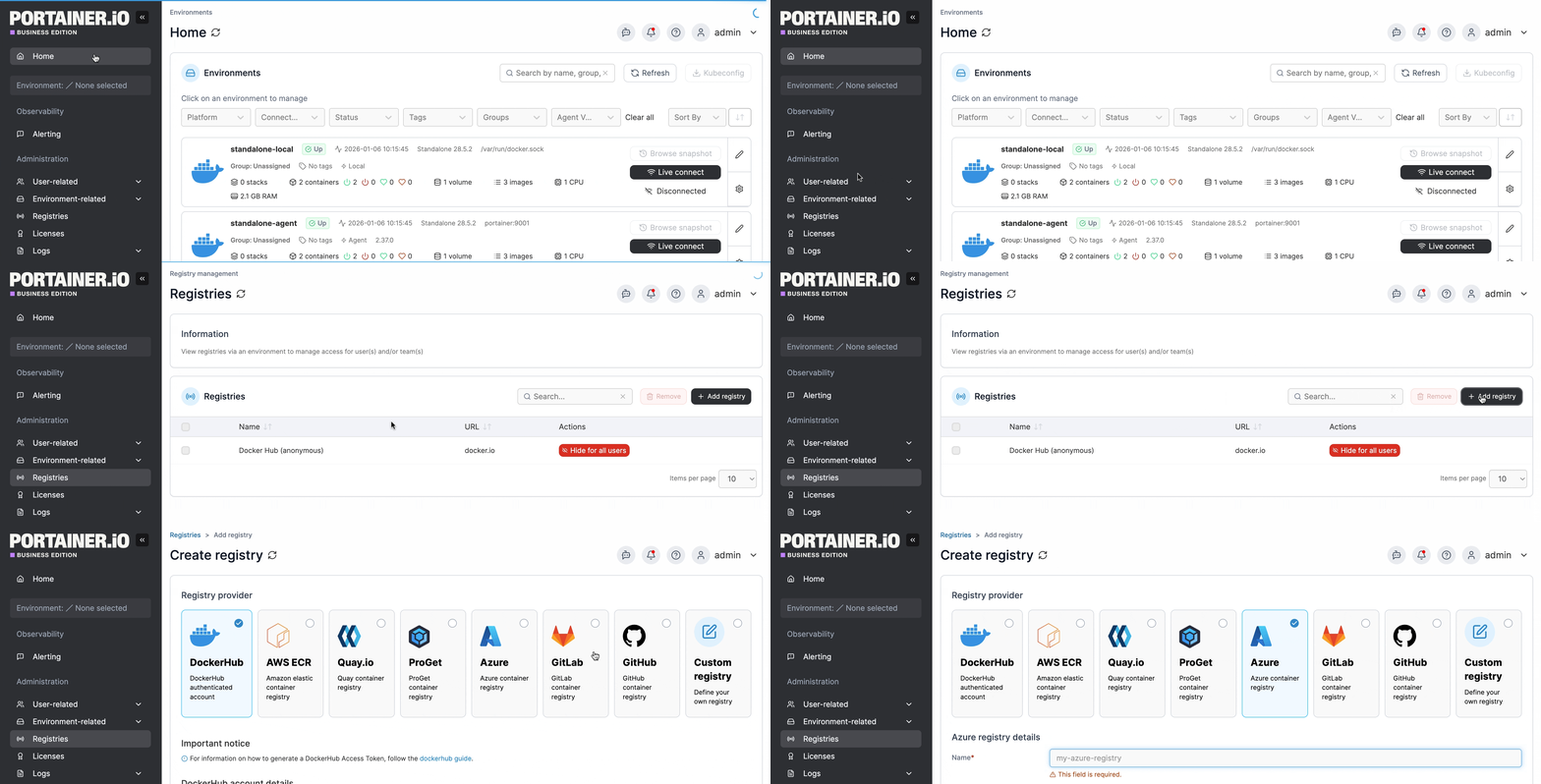
From the menu select **Registries** then click **Add registry** and select **Azure** as the registry provider.
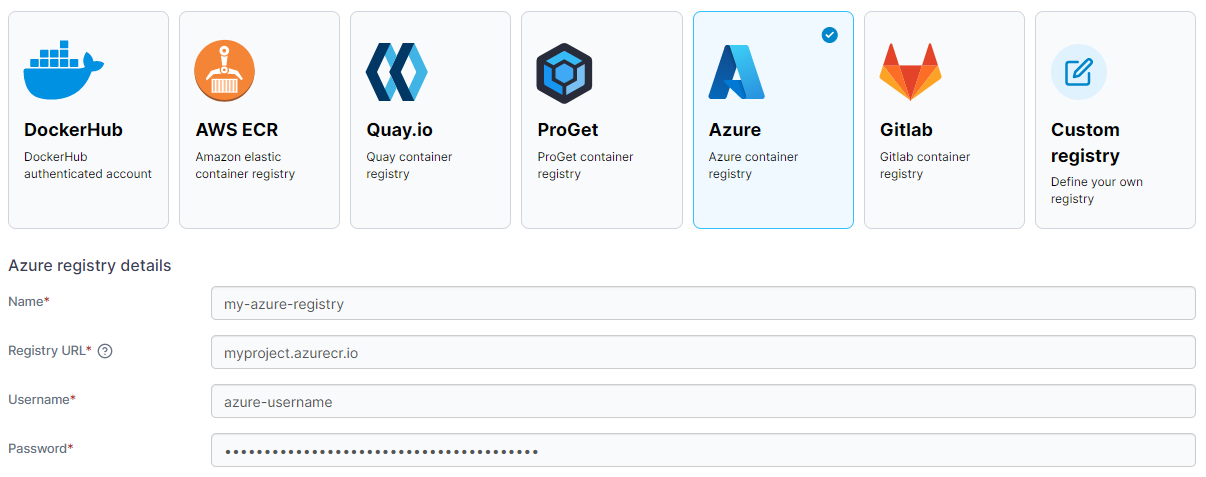
Complete the form, using the table below as a guide.
| Field/Option | Overview |
| ------------ | ---------------------------------------------------------------- |
| Name | Enter the name you'd like to use in Portainer for your registry. |
| Registry URL | Enter the URL of your Azure registry. |
| Username | Enter the username you use to log into your Azure registry. |
| Password | Enter the password that corresponds to the username above. |
When the form is complete, click **Add registry**.