

Service Accounts
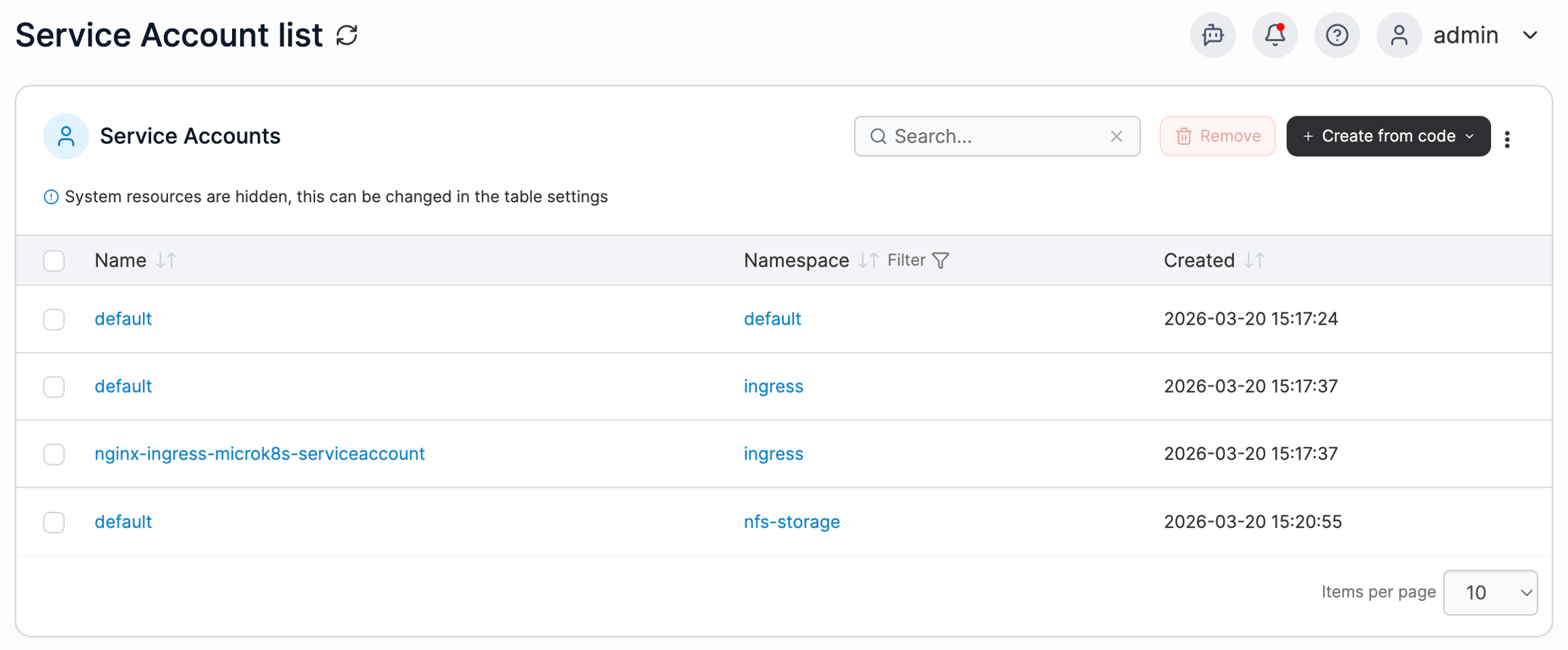
This section lists the Service Accounts on your Kubernetes cluster. The list can be filtered by namespace. You can create a new Service Accounts via a manifest or Helm chart by clicking Create from code. Remove Service Accounts by checking the box next to the Service Account and clicking Remove.
Service Account details
You can view the details of a Service Account by clicking its name from the Service Account list.
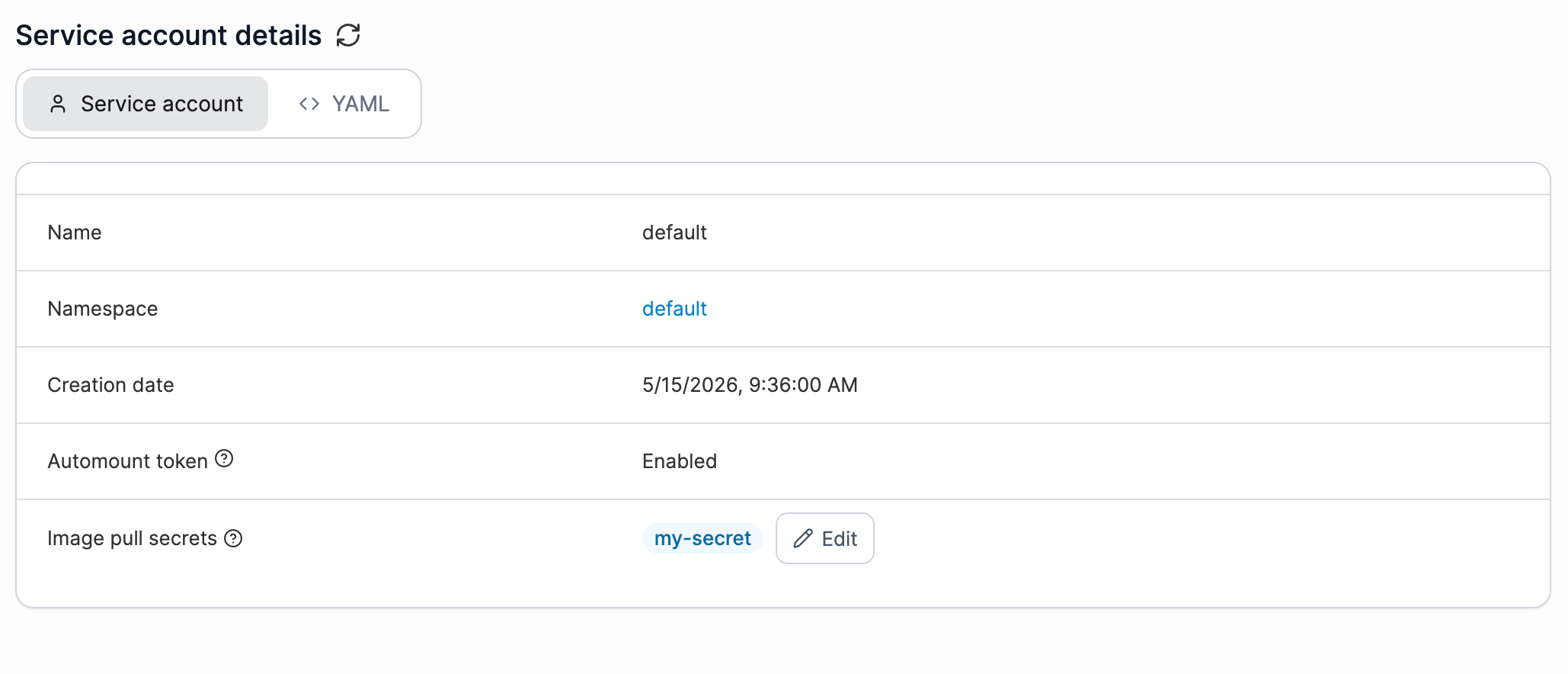
The Service account tab displays details for the selected account. From this view you can also directly add and remove your Image pull secrets by selecting the Edit button next to your secrets.
To modify the resource, switch to the YAML tab where you can edit the manifest directly. Once you have made your changes, click Apply changes.
Was this helpful?