

Kubeconfig
Portainer can act as a proxy for other Kubernetes management tools, providing access to the Kubernetes cluster while still retaining the security and governance that Portainer provides. A user can download their own kubeconfig file and use it with their favorite tool to access the Kubernetes cluster with only the permissions afforded to that user.
To generate and download your kubeconfig file, from the Home page click the kubeconfig button.
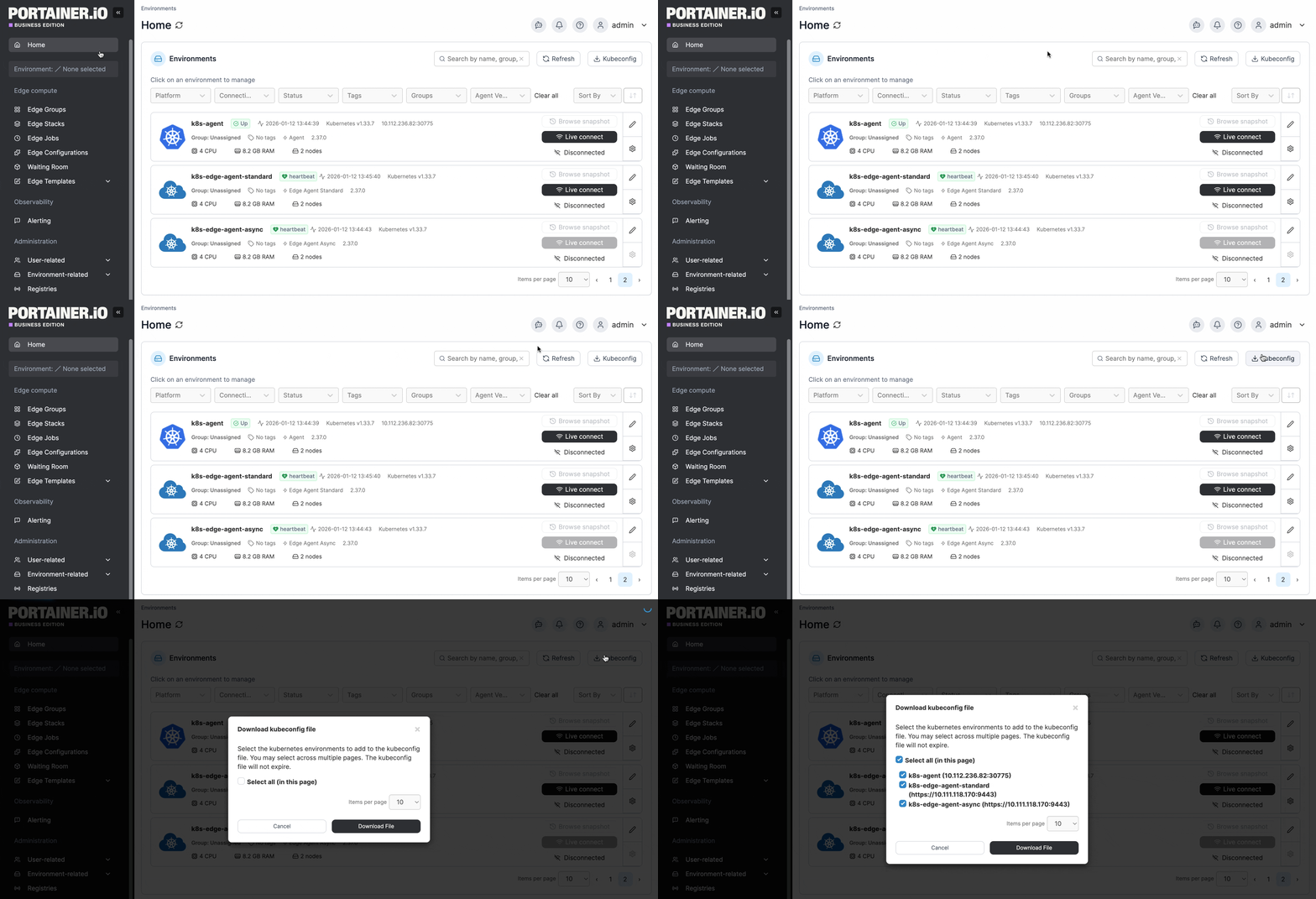
You will be asked to select the Kubernetes environments that you would like in your kubeconfig file. If you have configured a kubeconfig expiry value, this will also be shown.
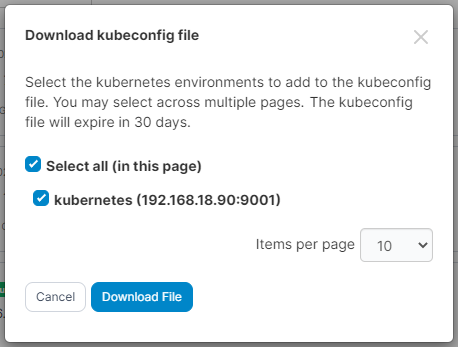
Tick the boxes for the environments you need and click Download File.
A downloaded kubeconfig file will look something like the example below.
Each environment in the kubeconfig will be accessible via contexts. Access is set based on the specific user that created the kubeconfig file.
Each environment's context has its own token, generated separately for that environment. A token is only valid for proxying Kubernetes API requests to the environment it was issued for - it cannot be used to access any other environment in the kubeconfig, and it cannot be used to call the Portainer API directly.
Each user entry in the kubeconfig file is named after your Portainer service account, followed by the ID of the environment its token is issued for.
If a kubeconfig token is used to call the Portainer API, the request returns a 403 response with the message Access denied and the details The token scope is not allowed on this route. To use the Portainer API from a script or tool, create an access token instead.
Unless set to never expire, tokens will expire after the defined period, at which point a new kubeconfig file will need to be generated. An administrator can adjust the token expiry behavior on the Settings page.
Was this helpful?