> For the complete documentation index, see [llms.txt](https://docs.portainer.io/llms.txt). Markdown versions of documentation pages are available by appending `.md` to page URLs; this page is available as [Markdown](https://docs.portainer.io/portainer-documentation/3.0-sts/user/kubernetes/dashboard/kubeconfig.md).
# Kubeconfig
Portainer can act as a proxy for other Kubernetes management tools, providing access to the Kubernetes cluster while still retaining the security and governance that Portainer provides. A user can download their own `kubeconfig` file and use it with their favorite tool to access the Kubernetes cluster with only the permissions afforded to that user.\
\
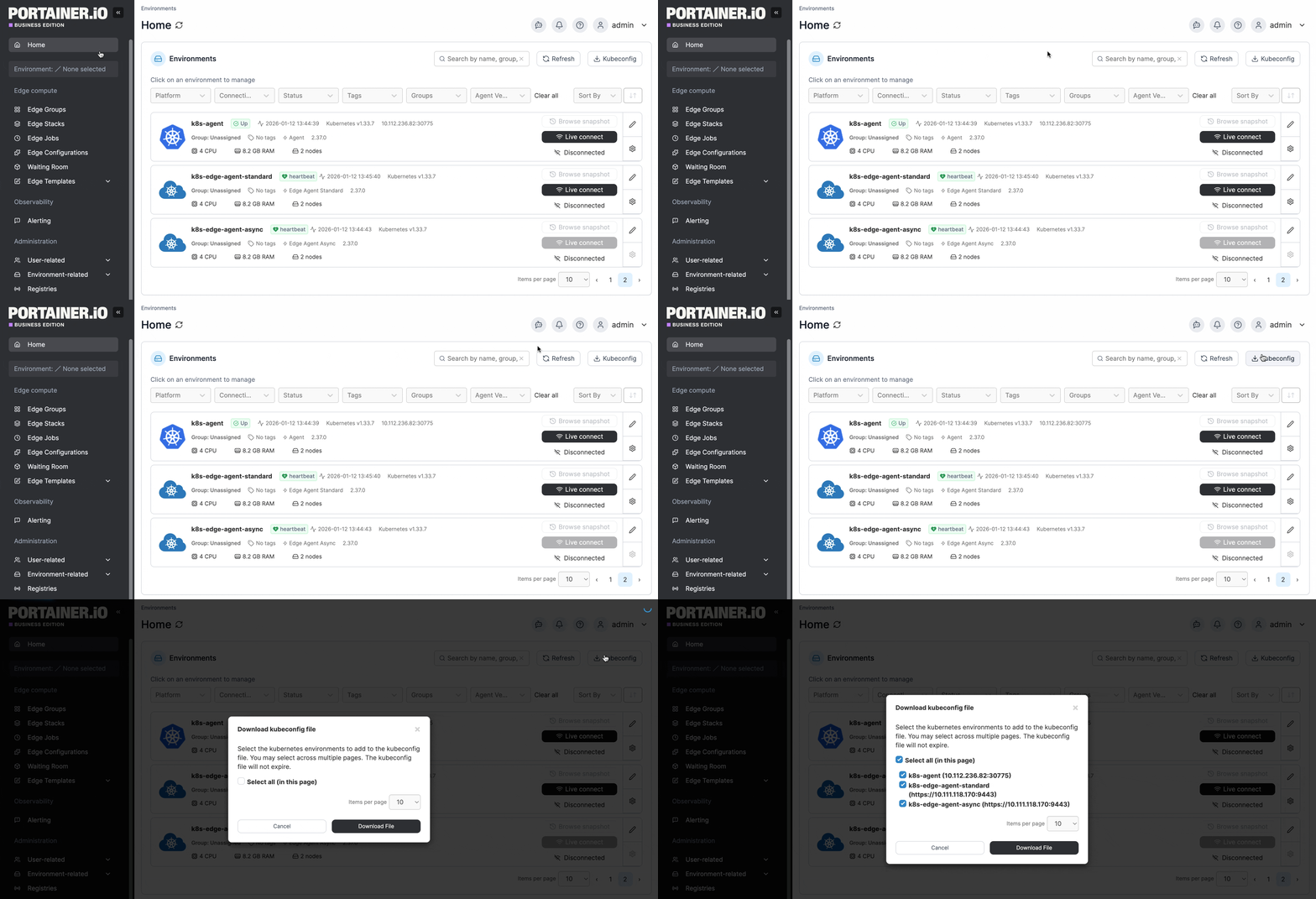
To generate and download your `kubeconfig` file, from the Home page click the **kubeconfig** button.
{% hint style="info" %}
You must be accessing Portainer via HTTPS for the kubeconfig button to appear. If you are logged in with HTTP, you will not see the option.
{% endhint %}
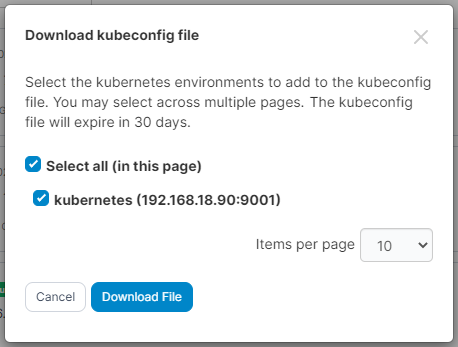
You will be asked to select the Kubernetes environments that you would like in your `kubeconfig` file. If you have configured a [kubeconfig expiry](/portainer-documentation/3.0-sts/admin/settings/general.md#kubeconfig) value, this will also be shown.
Tick the boxes for the environments you need and click **Download File**.
A downloaded `kubeconfig` file will look something like the example below.
{% hint style="info" %}
Note that the server URL is set to the Portainer Server instance, not the Kubernetes cluster.
{% endhint %}
```yaml
apiVersion: v1
clusters:
- cluster:
insecure-skip-tls-verify: true
server: https://my-portainer-server:9443/api/endpoints/1/kubernetes
name: portainer-cluster-kubernetes
contexts:
- context:
cluster: portainer-cluster-kubernetes
user: portainer-sa-clusteradmin
name: portainer-ctx-kubernetes
current-context: portainer-ctx-kubernetes
kind: Config
preferences: {}
users:
- name: portainer-sa-clusteradmin
user:
token: xxxxxxxxxxxxxxxxxxxxxxxxxxxxxxxxxxxxxxxxxxxxxxxxxxxxxxxx
```
Each environment in the `kubeconfig` will be accessible via contexts. Access is set based on the specific user that created the `kubeconfig` file.
Each environment's context has its own token, generated separately for that environment. A token is only valid for proxying Kubernetes API requests to the environment it was issued for - it cannot be used to access any other environment in the kubeconfig, and it cannot be used to call the Portainer API directly.
Unless set to never expire, tokens will expire after the defined period, at which point a new `kubeconfig` file will need to be generated. An administrator can [adjust the token expiry behavior](/portainer-documentation/3.0-sts/admin/settings/general.md#kubeconfig) on the **Settings** page.
{% hint style="info" %}
Adjusting the token expiry will not affect previously generated `kubeconfig` files.
{% endhint %}