> For the complete documentation index, see [llms.txt](https://docs.portainer.io/llms.txt). Markdown versions of documentation pages are available by appending `.md` to page URLs; this page is available as [Markdown](https://docs.portainer.io/portainer-documentation/3.0-sts/user/edge/groups.md).
# Edge Groups
The Edge Groups feature lets you group together Edge environments either by manually selecting them or based on their [tags](/portainer-documentation/3.0-sts/admin/environments/tags.md). This is useful if you manage multiple Edge environments in multiple zones.
{% hint style="info" %}
This functionality requires you to [enable Edge Compute](/portainer-documentation/3.0-sts/admin/settings/edge.md) features.
{% endhint %}
From the menu select **Edge Groups** then click **Add Edge group**.
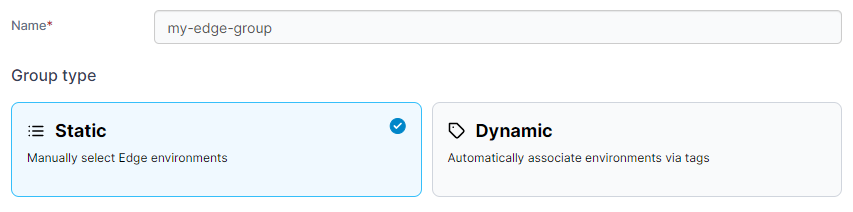
Give the group a descriptive name then select either **Static** or **Dynamic**:
### **Option 1: Static**
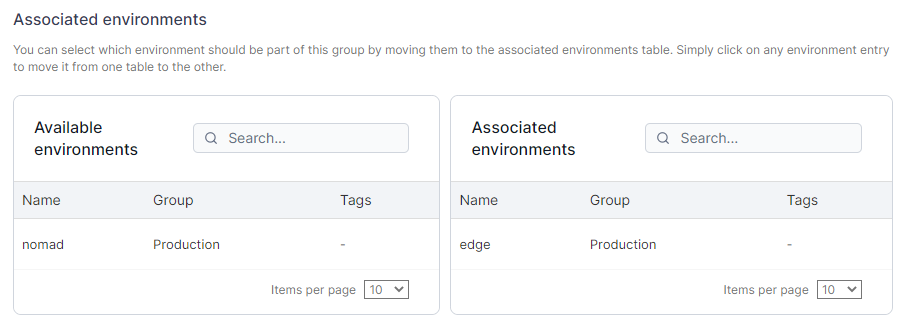
This option lets you manually add environments to the group from a list. Select the required environments then click **Add edge group**.
### Option 2: Dynamic
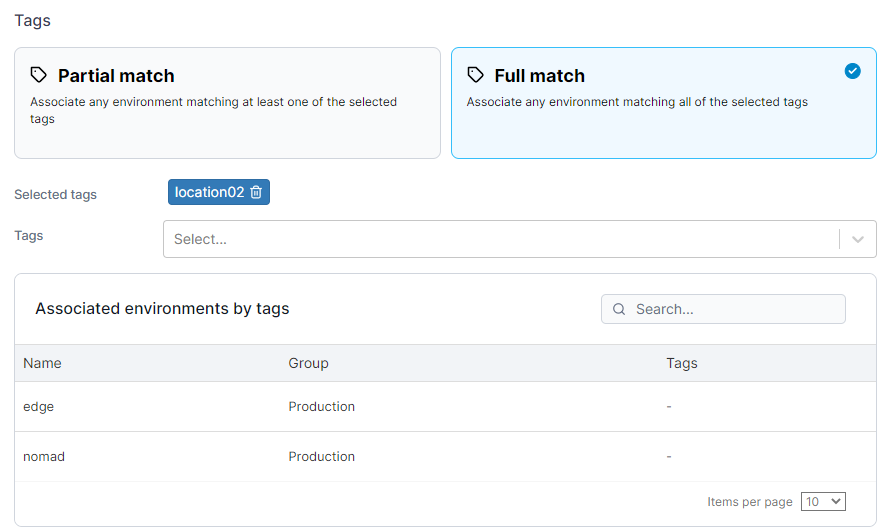
This option lets you automatically associate environments via their tags. If you choose this option you will need to refine how Edge environments are dynamically associated.
| Option | Overview |
| ------------- | --------------------------------------------------------------------------------------------------------------------- |
| Partial Match | Will associate any environments matching at least one of the selected tags (environments can have more than one tag). |
| Full Match | Will associate any environments matching all of the selected tags. |
When you select a tag from the dropdown, environments with that tag will appear in the results.
Click **Add edge group** to associate the environments to the group.