> For the complete documentation index, see [llms.txt](https://docs.portainer.io/llms.txt). Markdown versions of documentation pages are available by appending `.md` to page URLs; this page is available as [Markdown](https://docs.portainer.io/faqs/installing/how-can-i-ensure-portainers-configuration-is-retained.md).
# How can I ensure Portainer's configuration is retained?
#### Docker Standalone
The commands in our [installation guide](/start/install/server.md) include the creation of a `portainer_data` volume for Portainer to store data, and using this will ensure that the configuration remains even when the Portainer container is restarted, upgraded or removed.
#### Docker Swarm
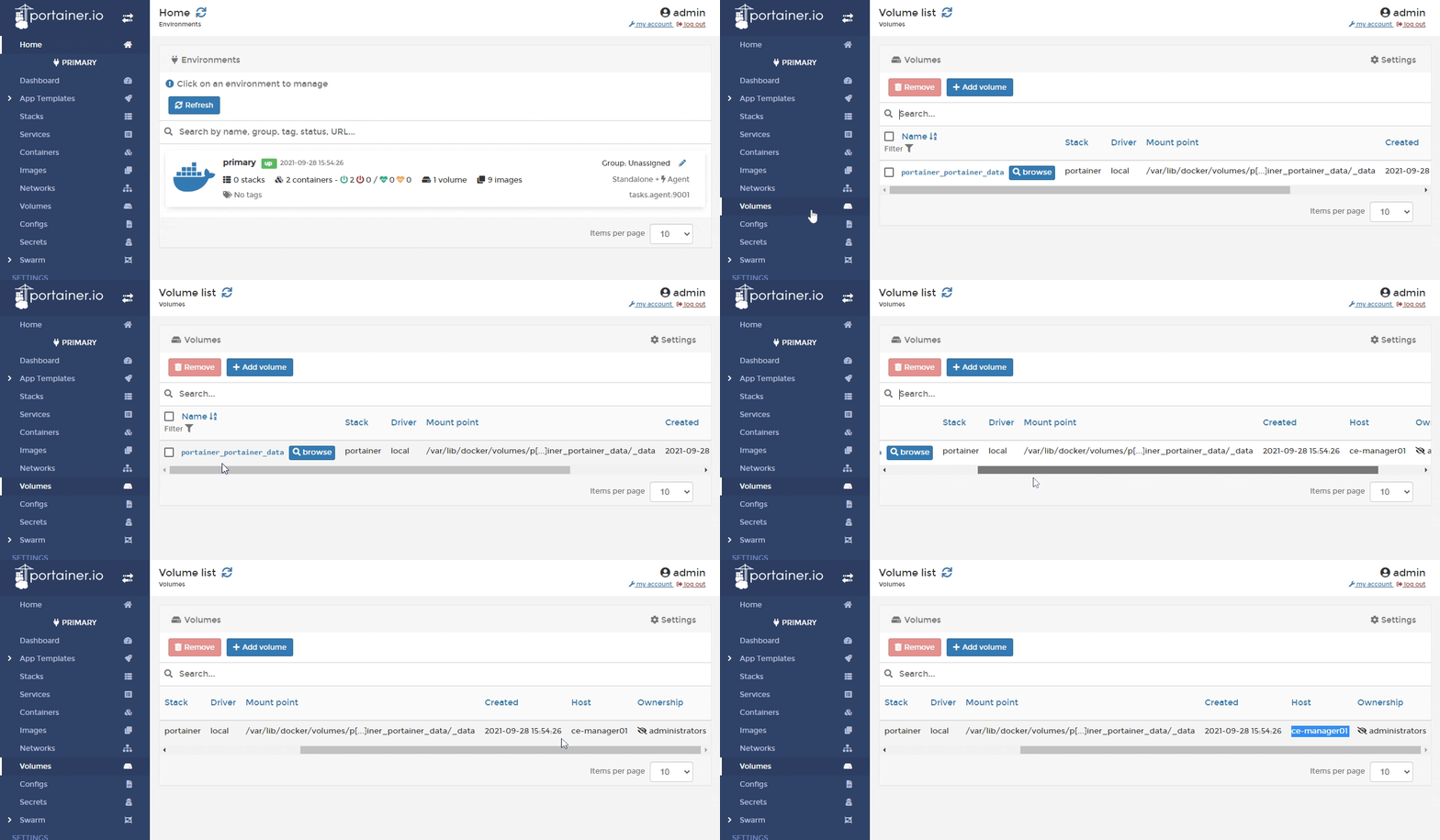
Our [recommended deployment](/start/install/server/swarm.md) stack file constrains Portainer to a manager node, which will work well if you have a single manager node. If you have multiple managers however this will potentially become a problem. Each stack or service update action could move the Portainer container between manager nodes, and you may see Portainer appear as a fresh install. One solution is to constrain your Portainer container to the node where your Portainer data is being persisted. To do this, you will first need to find the hostname of the node where the Portainer volume is being persisted. Within Portainer, from the menu select **Volumes** and note down the value in the **Host** column for your Portainer volume (usually called `portainer_portainer_data`). In the below example, this is `ce-manager01`.
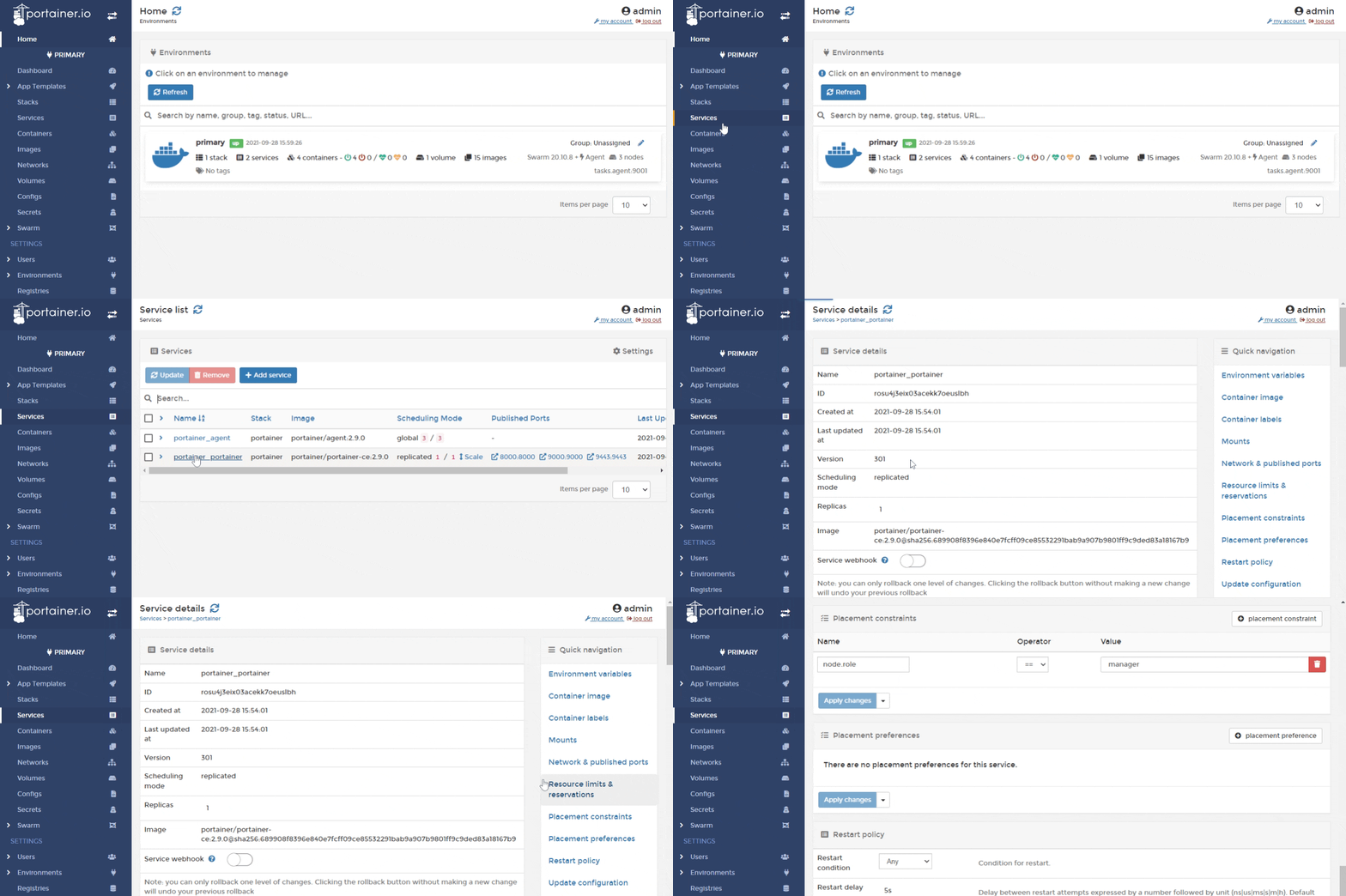
Next, from the menu select **Services** then the `portainer_portainer` service, then click **Placement constraints**.
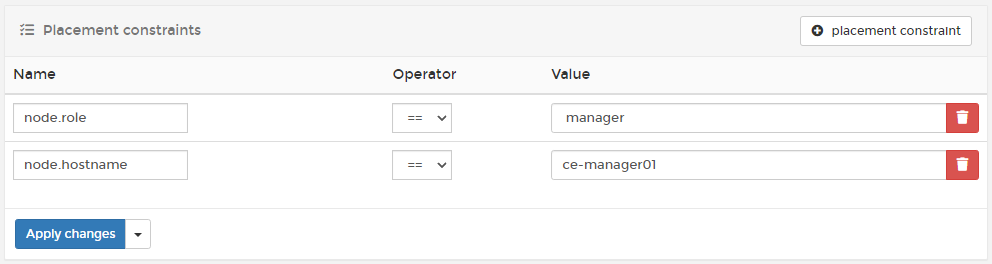
Click the **placement constraint** button to add a new constraint. Enter `node.hostname` for the **Name** and the hostname you gathered previously for the **Value**.
#### Kubernetes
For Kubernetes environments we recommend using a default StorageClass with cluster-available storage to avoid issues. Alternatively you can use a nodeSelector with your deployment to restrict the Portainer instance to a chosen node. This method is described in more detail in our [Kubernetes installation guide.](/start/install/server/kubernetes/baremetal.md)