> For the complete documentation index, see [llms.txt](https://docs.portainer.io/llms.txt). Markdown versions of documentation pages are available by appending `.md` to page URLs; this page is available as [Markdown](https://docs.portainer.io/admin/settings/credentials/omni.md).
# Add Sidero Omni credentials
Before you can add your Sidero Omni credentials to Portainer, you will need to create a service account within Omni for Portainer to use. You can either do this via the Omni web UI, or via `omnictl`.
## Create a service account with the Omni web UI
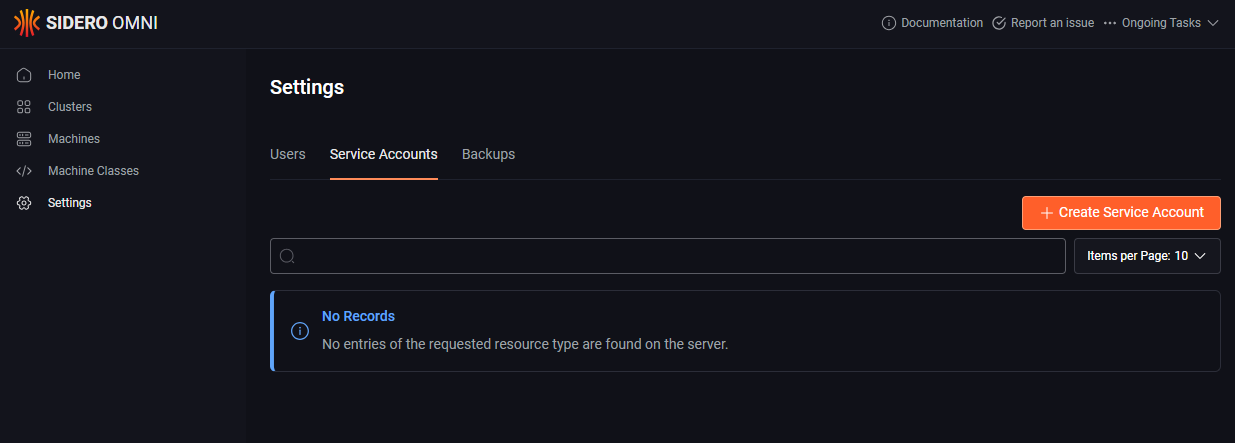
To create a service account for Portainer through the Omni web UI, first log into the web UI with an administrator user. Once logged in, click on **Settings** then select the **Service Accounts** tab.
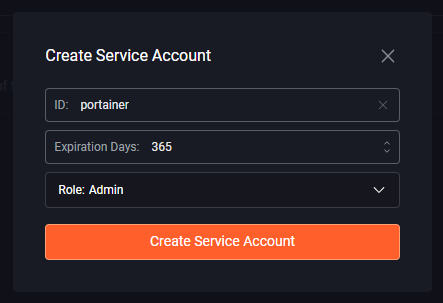
Next click the **Create Service Account** button and complete the fields as per the table below:
| Field/Option | Overview |
| --------------- | ------------------------------------------------------------------------------------------------------------------- |
| ID | Enter an ID for the service account. We suggest something like `portainer`. |
| Expiration Days | Set the number of days you want the service account to be valid for. |
| Role | Select the `Admin` role from the dropdown. Portainer needs Admin privileges in order to create and manage clusters. |
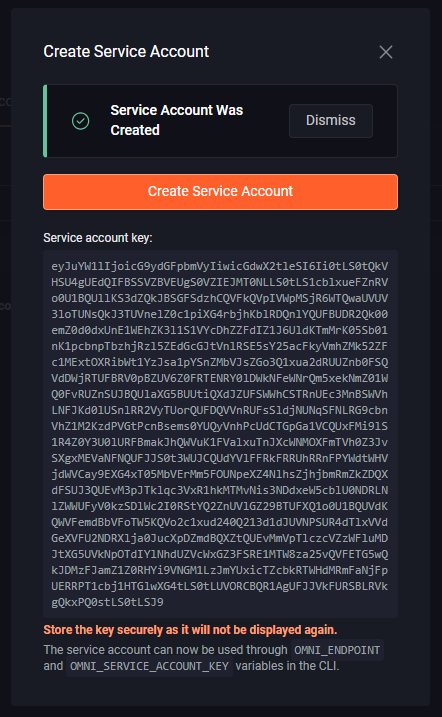
Once you have entered all the details click the **Create Service Account** button. The service account will be crated and you'll be shown the **Service account key**. Make a note of this key as it will not be shown again.
You can now proceed to [add your credentials](#adding-your-credentials).
## Create a service account with omnictl
To create a service account for Portainer using `omnictl`, you will first need an environment where `omnictl` is installed and configured to connect to your Omni installation with an Admin user. You can learn more on how to do this from [Sidero Omni's documentation](https://omni.siderolabs.com/how-to-guides/install-and-configure-omnictl).
Once you have `omnictl` installed and configured, you can run the following command to create a service account:
```
onictl serviceaccount create portainer
```
This will create a service account named `portainer` with a lifetime of 1 year and with the same role as the user that created it. The command will output the `OMNI_ENDPOINT` and `OMNI_SERVICE_ACCOUNT_KEY` values - note both of these as you will need them in the next step.
You can now proceed to [add your credentials](#adding-your-credentials).
## Adding your credentials
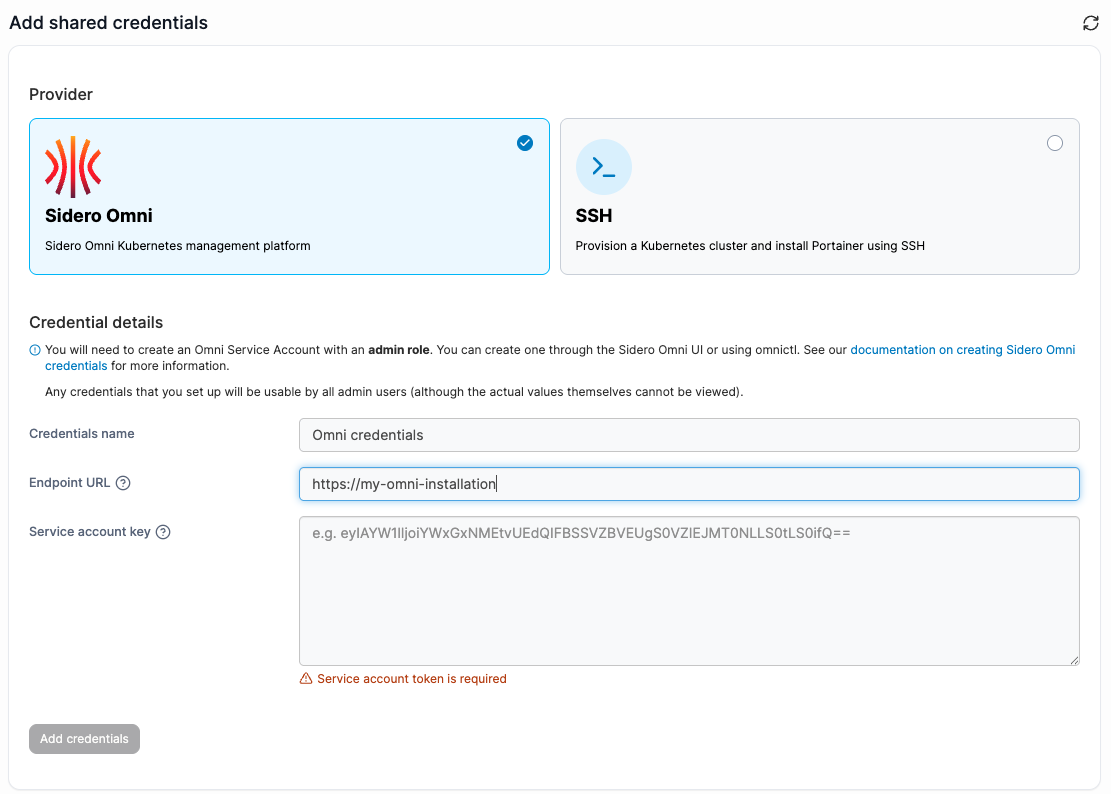
To add credentials for an Omni account, from the [Shared credentials](/admin/settings/credentials.md) page click **Add credentials**, then select the **Sidero Omni** option. Give your credential set a **name** and paste your **Endpoint URL** and **Service account key** into the respective boxes.
When you're ready, click **Add credentials**. Your credentials will now be available to you when [creating an Omni Talos cluster](/admin/environments/add/kube-create/omni.md).