> For the complete documentation index, see [llms.txt](https://docs.portainer.io/llms.txt). Markdown versions of documentation pages are available by appending `.md` to page URLs; this page is available as [Markdown](https://docs.portainer.io/admin/logs/authentication.md).
# Authentication
Within the Portainer Business Edition UI you can view a log of all authentication actions. The log is read-only and cannot be edited.
{% hint style="info" %}
Portainer also provides the ability to view [detailed activity logs](/admin/logs/activity.md).
{% endhint %}
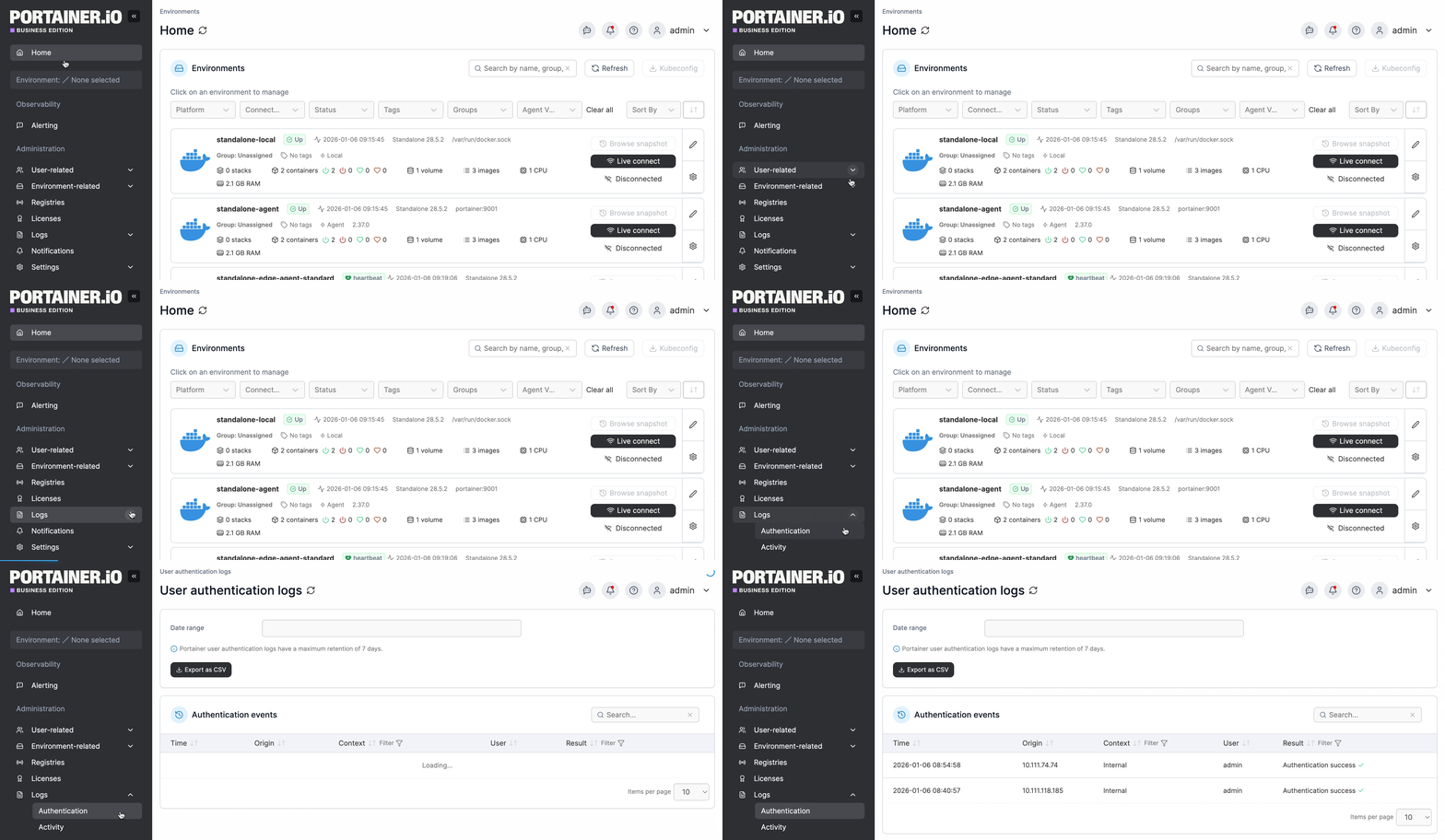
From the menu expand **Logs** and select **Authentication**.
If you want to export logs, filter by date range then click **Export to CSV**.
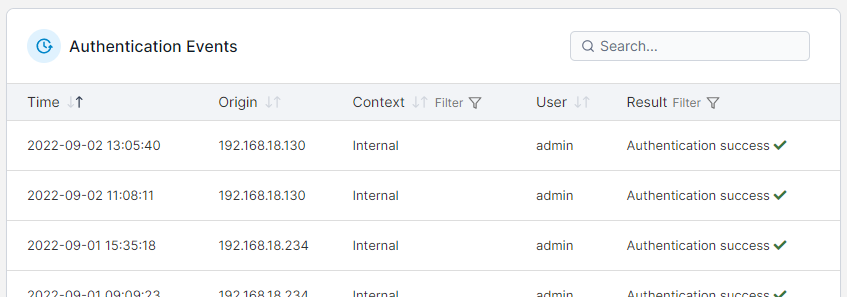
Authentication events are searchable and filterable, and the date and time, origin IP address, context, user and result are provided for each.
{% hint style="info" %}
If you are using a forwarding proxy in front of Portainer we recommend using the `--trusted-proxies` [CLI option](/advanced/cli.md) to ensure that `X-Forwarded-For` / `Forwarded` headers are read to show the real Origin IP address.
{% endhint %}