> For the complete documentation index, see [llms.txt](https://docs.portainer.io/llms.txt). Markdown versions of documentation pages are available by appending `.md` to page URLs; this page is available as [Markdown](https://docs.portainer.io/admin/environments/policies/kubernetes-policies/kubernetes-setup-policy.md).
# Create a Kubernetes setup policy
Define a policy by configuring cluster settings, resources, and deployment options for Kubernetes clusters.
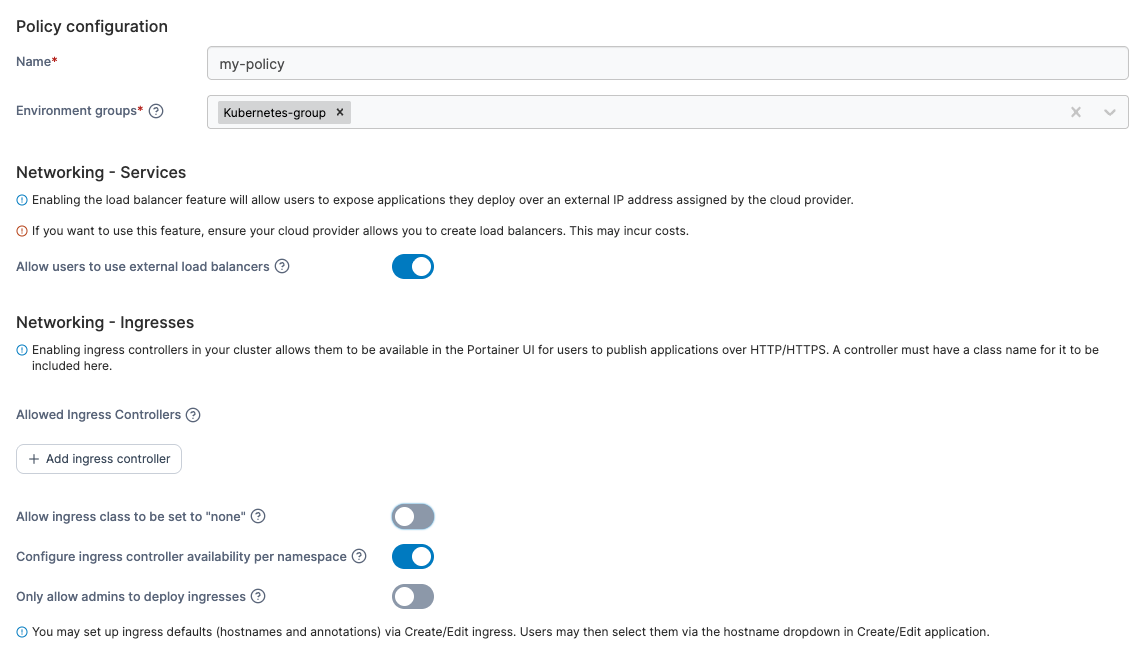
To create a Kubernetes setup policy, in the menu, under **Environment-related**, select **Policies** then select **Create policy**. From the policy type list, navigate to the **Kubernetes** > **Setup** section, select either a [predefined template](#policy-templates) or the **Custom** policy, then select **Continue** to begin configuring the policy.
| Field/Option | Overview |
| ------------------------------------------------------- | -------------------------------------------------------------------------------------------------------------------------------------------------------------------------------------------------------------------------------------------------------------------------------------------------------------------------------------------- |
| Name | Define a name for this policy. |
| Environment groups |
Select one or more Kubernetes environment groups from the dropdown menu. If the selected group is already included in an existing policy, a warning icon will appear next to the group name.
|
| Allow users to use external load balancers |
Enabling this feature will allow users to expose applications they deploy over an external IP address assigned by their cloud provider. Note: To use this feature, you need to ensure that your cloud provider allows you to create load balancers. Using this feature may incur costs from your cloud provider.
|
| Allowed Ingress Controllers | Define the list of allowed ingress controllers by adding them by name into the text box. The list of ingress controllers defined must be pre-installed in the cluster. |
| Allow ingress class to be set to "none" | Enabling this allows users to create ingress objects without specifying any Ingress Class. This is useful for Kubernetes implementations where there is no `IngressClass` defined in the cluster. |
| Configure ingress controller availability per namespace | Enabling this allows users to be able to control Ingress Class availability further at the namespace level. |
| Only allow admins to deploy ingresses | Enabling this restricts the deployment of ingresses to cluster administrators only, preventing standard users from creating new ingresses. |
| Enable Change Window | This setting allows you to specify a window within which [GitOps updates](/user/kubernetes/applications/manifest/create.md#gitops-updates) to your applications can be applied. |
| Allow resource over-commit |
Enabling this feature lets you allocate more resources to namespaces than are physically available in the cluster. Note This may lead to unexpected deployment failures if there are insufficient resources to meet the demand.
|
| Enable features using the metrics API | Enabling this feature will allow users to use specific features that leverage the metrics API component, such as the memory and CPU usage graphs at the cluster and node level. |
| Storage Classes | Select which storage options will be available for use when deploying applications. Take a look at your storage driver documentation to figure out which access policy to configure, and whether or not the volume-expansion capability is supported. |
When you have completed the form, click **Create policy.** A confirmation screen displays the changes being made and any existing policy that will be replaced. Click **Confirm** to acknowledge the changes and create the policy.
### Policy templates
Policy templates come with a pre-configured setup that you can adjust before creating the policy. The following Kubernetes setup templates are currently available:
| Policy template | Default setup description |
| --------------- | --------------------------------------------------------------------------------------------- |
| Production | A policy suitable for production Kubernetes clusters, for a controlled and predictable setup. |