> For the complete documentation index, see [llms.txt](https://docs.portainer.io/llms.txt). Markdown versions of documentation pages are available by appending `.md` to page URLs; this page is available as [Markdown](https://docs.portainer.io/2.39-lts/user/docker/secrets/add.md).
# Add a new secret
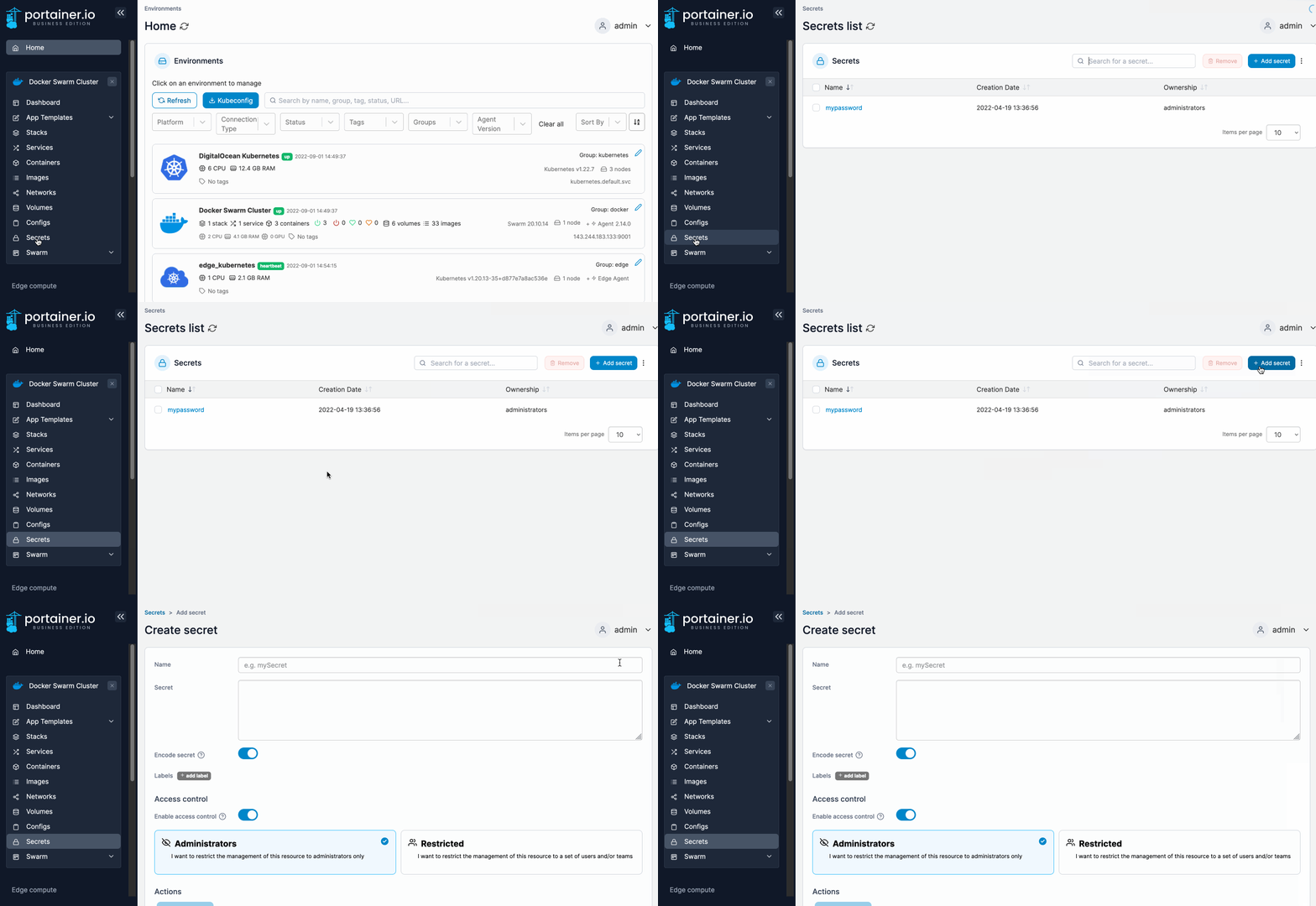
From the menu select **Secrets** then click **Add secret**.
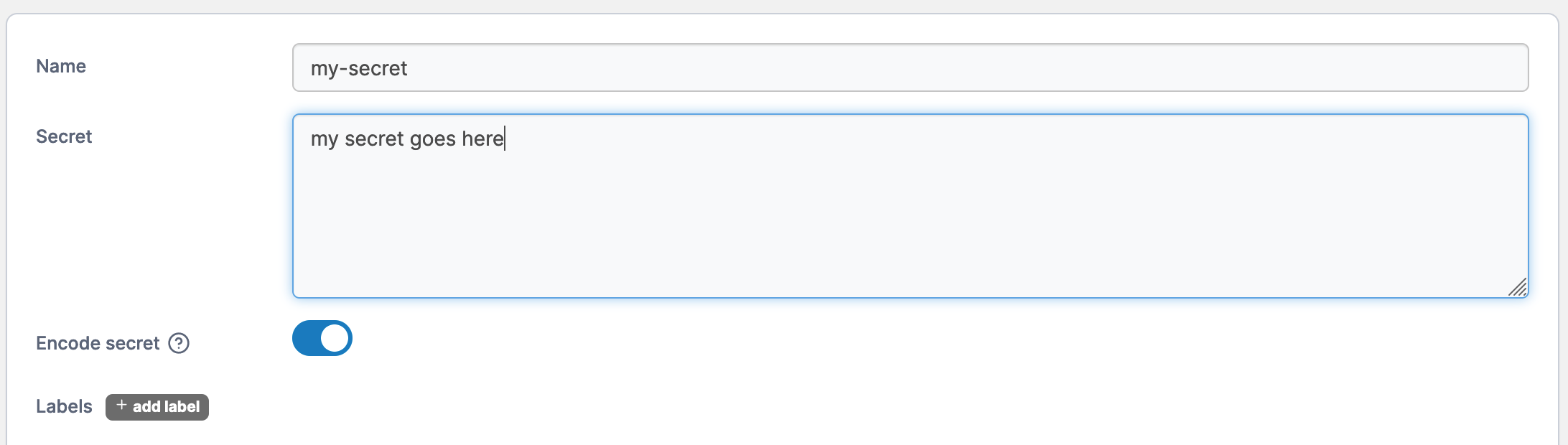
Next, give the secret a descriptive name and write a definition of the secret in the **Secret** field. Toggle **Encode secret** on if you want to encode the secret (useful when you use a plain-text password).
When you're finished, click **Create the secret**.