> For the complete documentation index, see [llms.txt](https://docs.portainer.io/llms.txt). Markdown versions of documentation pages are available by appending `.md` to page URLs; this page is available as [Markdown](https://docs.portainer.io/2.39-lts/user/docker/containers/remove.md).
# Remove a container
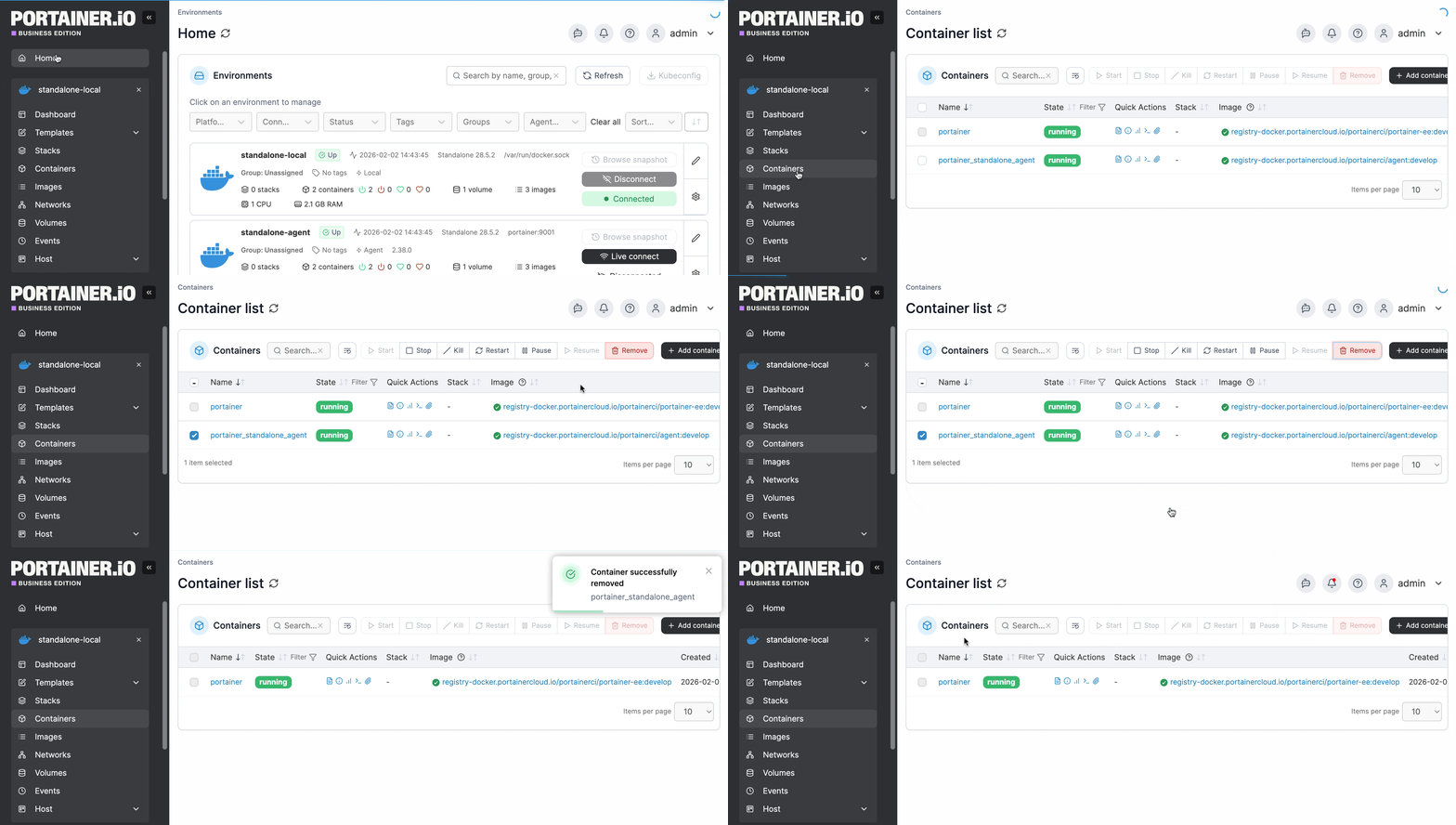
From the menu select **Containers**, tick the checkbox next to the container you want to remove then click **Remove**.
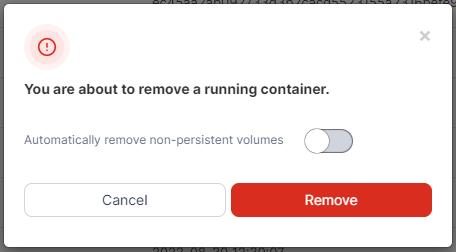
When the confirmation message appears, opt whether or not to automatically remove non-persistent volumes then click **Remove**.