# Remove a volume

{% hint style="warning" %}
You can only remove a volume that is free and has been [detached from any applications that use it](https://docs.portainer.io/2.33-lts/user/kubernetes/applications/detach-volume).
{% endhint %}

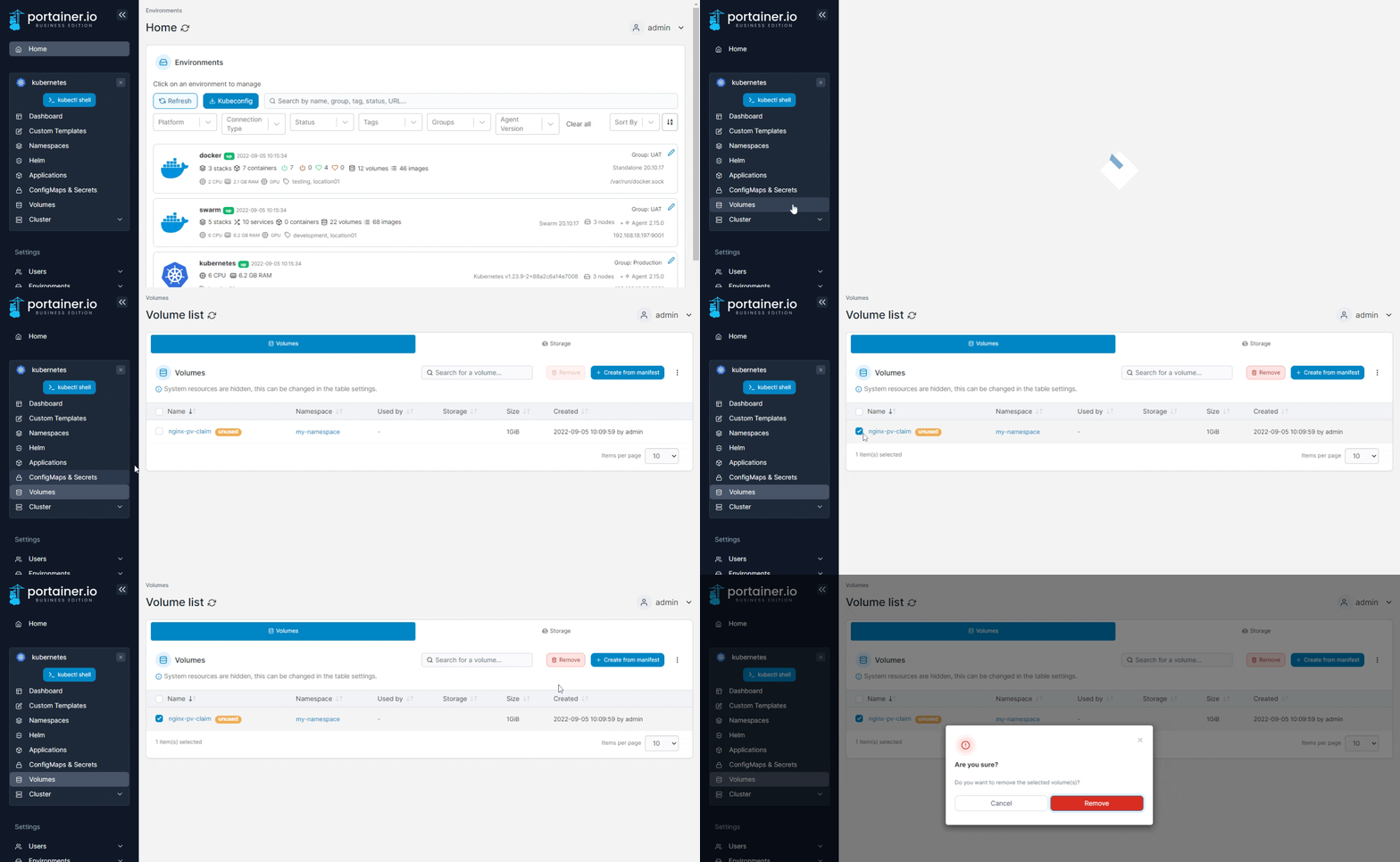
From the menu select **Volumes**, tick the checkbox next to the volume you want to remove then click **Remove**.

<figure><img src="https://3850702872-files.gitbook.io/~/files/v0/b/gitbook-x-prod.appspot.com/o/spaces%2FXI7douejaBgpZ6CP2zJf%2Fuploads%2Fgit-blob-bd86565693b11be0e7db78df86823dc8cd5609ef%2F2.15-k8s-volumes-remove.gif?alt=media" alt=""><figcaption></figcaption></figure>

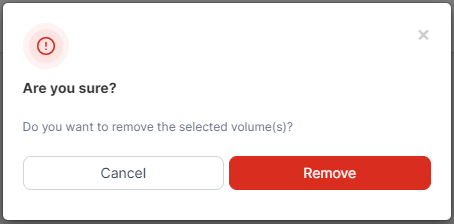
When the confirmation message appears, click **Remove**.
<figure><img src="https://3850702872-files.gitbook.io/~/files/v0/b/gitbook-x-prod.appspot.com/o/spaces%2FXI7douejaBgpZ6CP2zJf%2Fuploads%2Fgit-blob-2d2970bbecd9412283ddeb19b88a7c2402f4e13e%2F2.15-k8s-volumes-remove-confirm.png?alt=media" alt=""><figcaption></figcaption></figure>