# Add a Secret

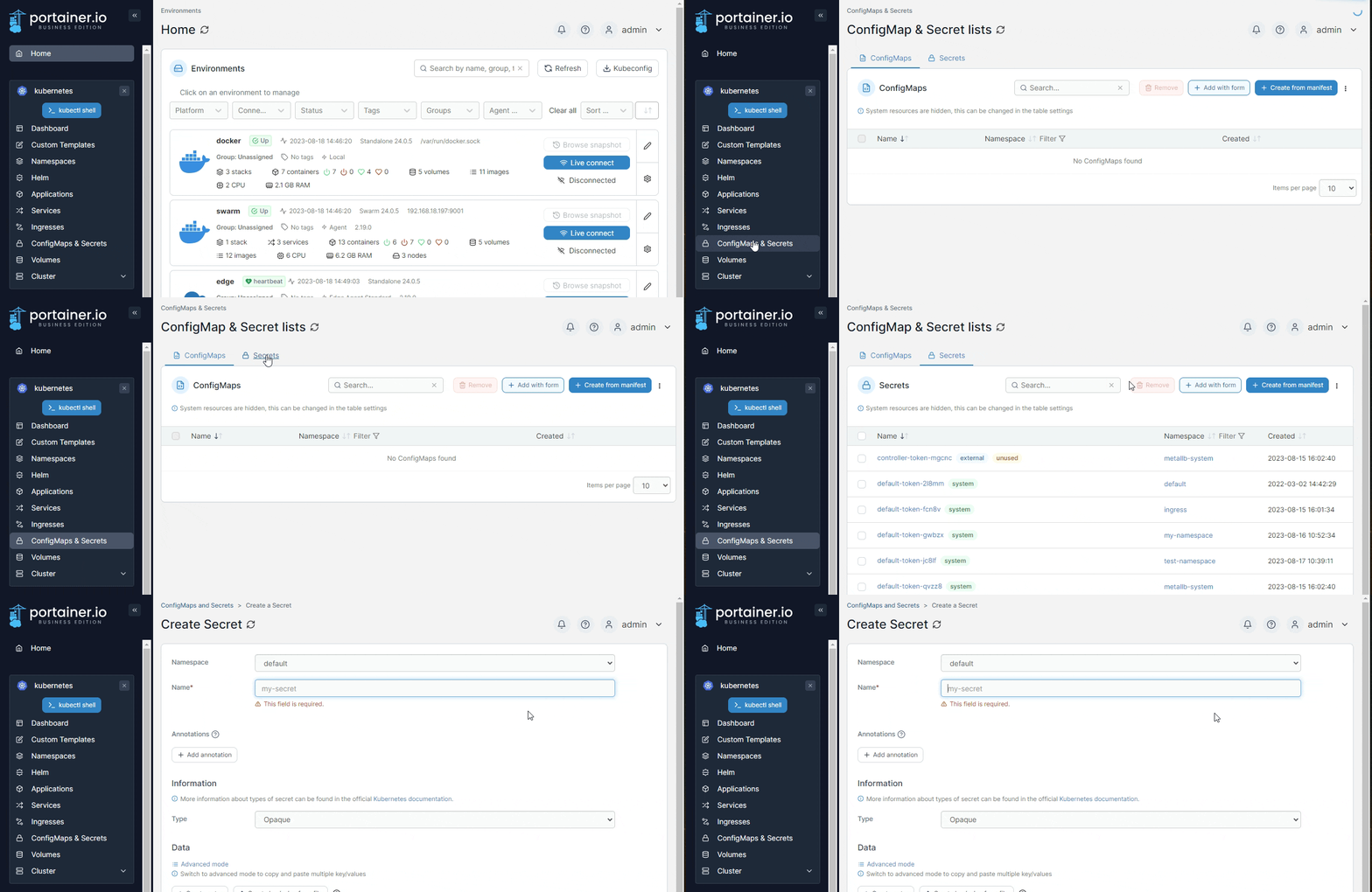
From the menu select **ConfigMaps & Secrets**, ensure the **Secrets** tab is selected, then click **Add with form**.&#x20;

{% hint style="info" %}
Secrets can also be added [using a manifest](https://docs.portainer.io/2.33-lts/user/kubernetes/applications/manifest) by clicking **Create from manifest**.
{% endhint %}

<figure><img src="https://3850702872-files.gitbook.io/~/files/v0/b/gitbook-x-prod.appspot.com/o/spaces%2FXI7douejaBgpZ6CP2zJf%2Fuploads%2Fgit-blob-e205d72c3f26b23364b702c7bbb875762ee3b12b%2F2.19-kubernetes-configurations-secrets-add.gif?alt=media" alt=""><figcaption></figcaption></figure>

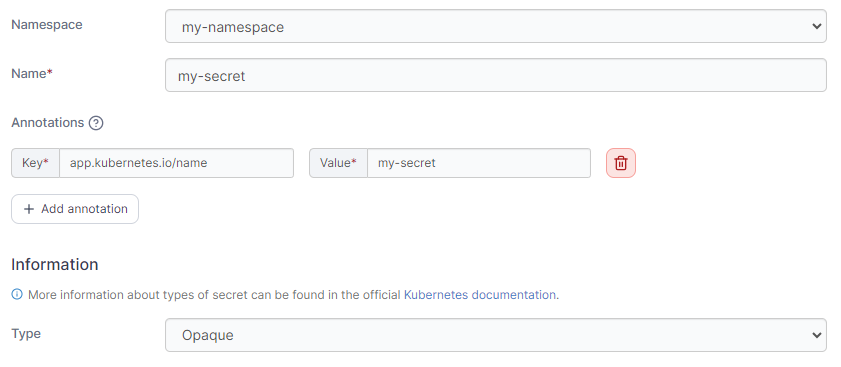
Define the secret, using the table below as a guide.

| Field/Option | Overview                                                                                                                           |
| ------------ | ---------------------------------------------------------------------------------------------------------------------------------- |
| Namespace    | Select the namespace where the secret will be saved.                                                                               |
| Name         | Give the secret a descriptive name.                                                                                                |
| Annotations  | You can add annotations to your secret as required by clicking **Add annotation** and filling in the **Key** and **Value** fields. |
| Secret Type  | Select from the list of available secret types or select **Custom** to define your own type.                                       |

<figure><img src="https://3850702872-files.gitbook.io/~/files/v0/b/gitbook-x-prod.appspot.com/o/spaces%2FXI7douejaBgpZ6CP2zJf%2Fuploads%2Fgit-blob-767cd5ed9a0c8e7e3ddea146bbcac6f8df0530e6%2F2.19-kubernetes-configurations-secrets-add.png?alt=media" alt=""><figcaption></figcaption></figure>

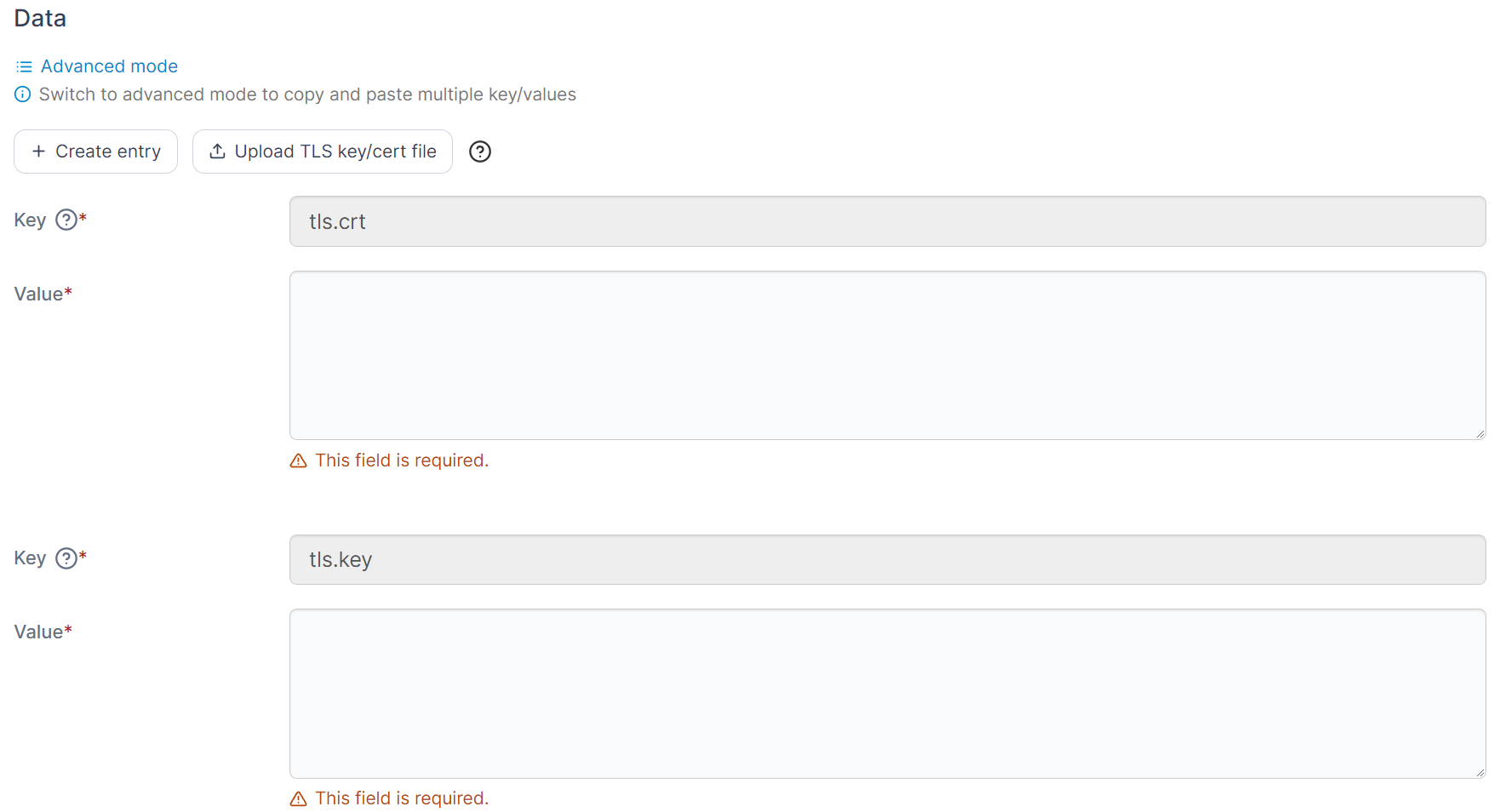
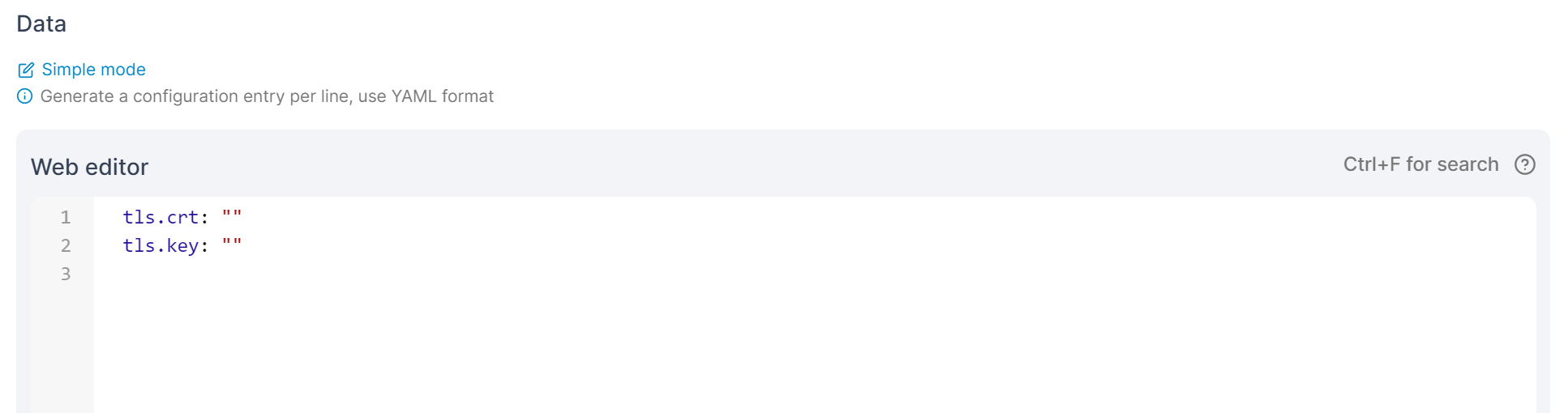
Data fields change to reflect the type of Data to be entered based on the secret type selection above. In the **Data** section you can enter the details of your secret, in either **Simple mode** or **Advanced mode**. Under simple mode you can add entries in a key and value format, and in advanced mode you can paste in multiple values in YAML format.

<figure><img src="https://3850702872-files.gitbook.io/~/files/v0/b/gitbook-x-prod.appspot.com/o/spaces%2FXI7douejaBgpZ6CP2zJf%2Fuploads%2Fgit-blob-530b50c74a393b461e7c1d5195a81531a1c90c94%2F2.16-k8s-secret-data.png?alt=media" alt=""><figcaption><p>Adding data in Simple mode</p></figcaption></figure>

<figure><img src="https://3850702872-files.gitbook.io/~/files/v0/b/gitbook-x-prod.appspot.com/o/spaces%2FXI7douejaBgpZ6CP2zJf%2Fuploads%2Fgit-blob-261a72e72d6fa5bcc8abf3b11449d028f4317a3e%2F2.16-k8s-secret-data-adv.png?alt=media" alt=""><figcaption><p>Adding data in Advanced mode</p></figcaption></figure>

When you have finished defining the secret, click **Create Secret.**