# Edge Jobs
{% hint style="warning" %}
This is a beta feature.
{% endhint %}
Adding an Edge job can be used to schedule jobs in your Edge hosts. Jobs can be used to run any scripts you need, for example running a backup in a specified period of time.
{% hint style="info" %}
This functionality requires you to [enable Edge Compute](https://docs.portainer.io/2.33-lts/admin/settings/edge) features, and is currently only available for Docker Standalone environments that use `/etc/cron.d` for job scheduling.
{% endhint %}
{% hint style="danger" %}
Edge jobs run by modifying the crontab on the underlying host, not in a container. This means that Edge jobs can make changes to the host directly, which is very powerful but also very dangerous, so use with caution.
{% endhint %}
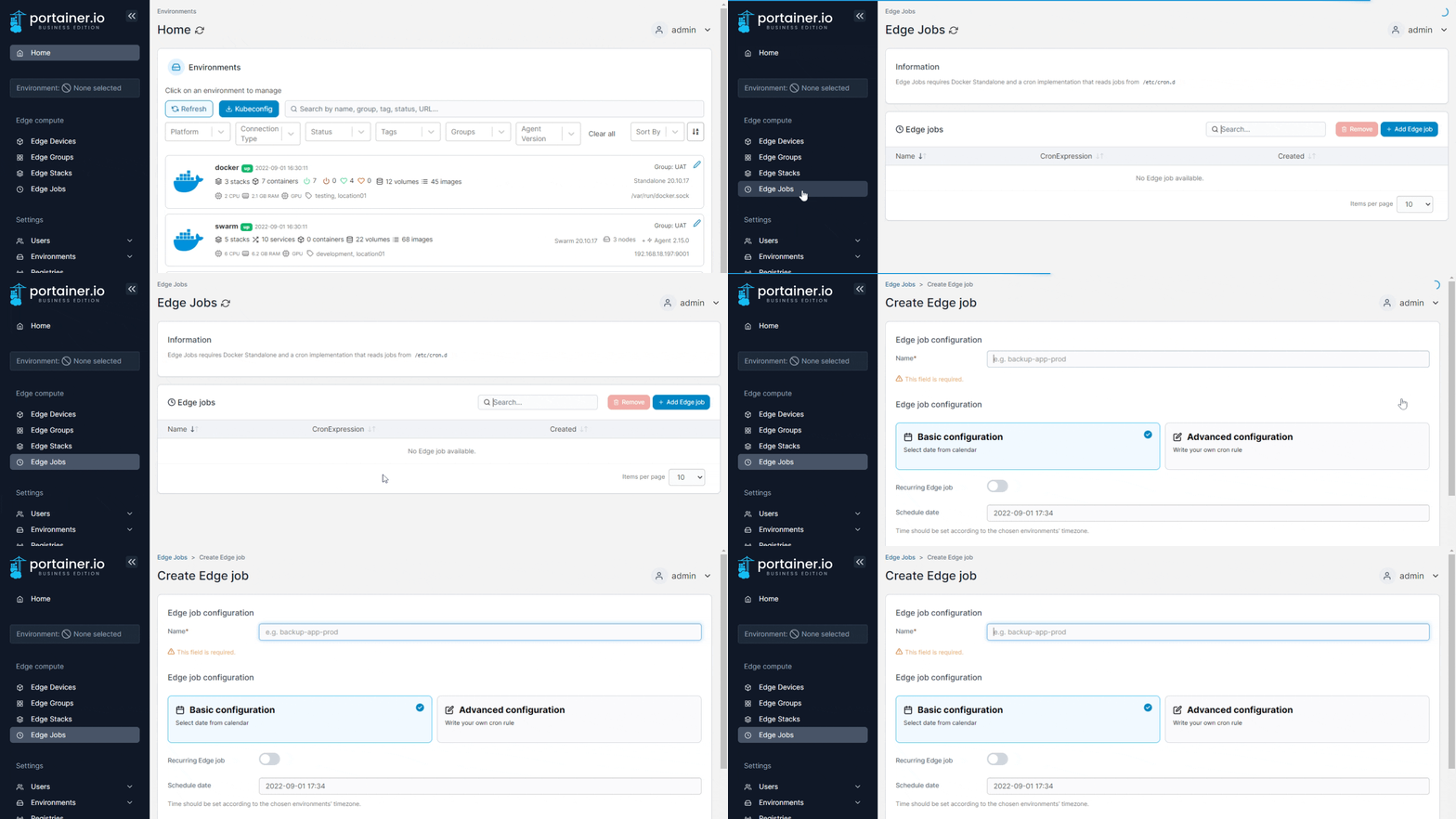
From the menu select **Edge Jobs** then click **Add Edge job**.
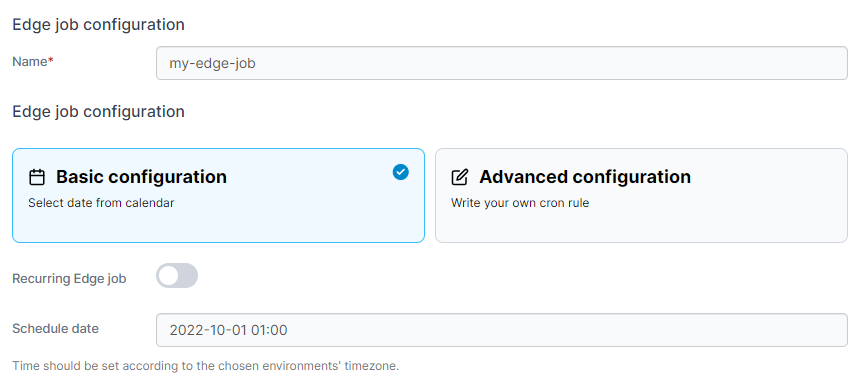
Give the job a descriptive name then select one of the following options:
| Option | Overview |
| ---------------------- | -------------------------------- |
| Basic Configuration | Select a date from the calendar. |
| Advanced Configuration | Write your own `cron` rule. |
If you select **Recurring Edge job** also enter the **Edge job time**.
{% hint style="info" %}
The Edge job time is based on the time on the host, not the Portainer Server. Bear this in mind when scheduling jobs across time zones.
{% endhint %}
You can then use the web editor to write the script or paste a copy in.
Once your script is ready, you can choose where to deploy it. You can select [Edge Groups](https://docs.portainer.io/2.33-lts/user/edge/groups) to deploy to with the **Edge Groups** dropdown.
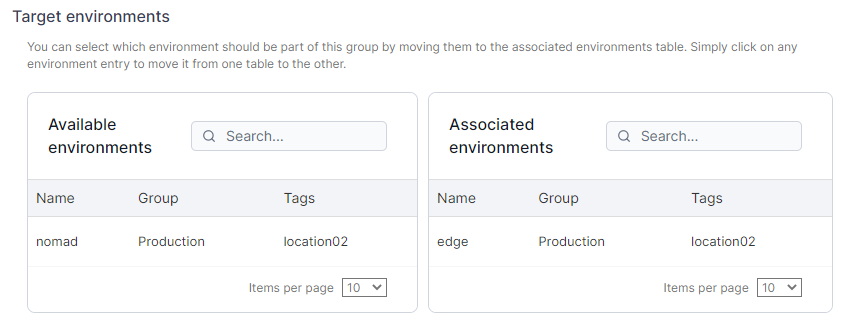
You can also select environments individually in **Target environments**. Click on an environment in the **Available environments** list to move it to the **Associated environments** list as a deployment target.
Once you have made your selections, click **Create edge job** to create and run the job.