# Remove a volume

{% hint style="danger" %}
When you delete a volume, all of the content inside the volume will be erased.
{% endhint %}

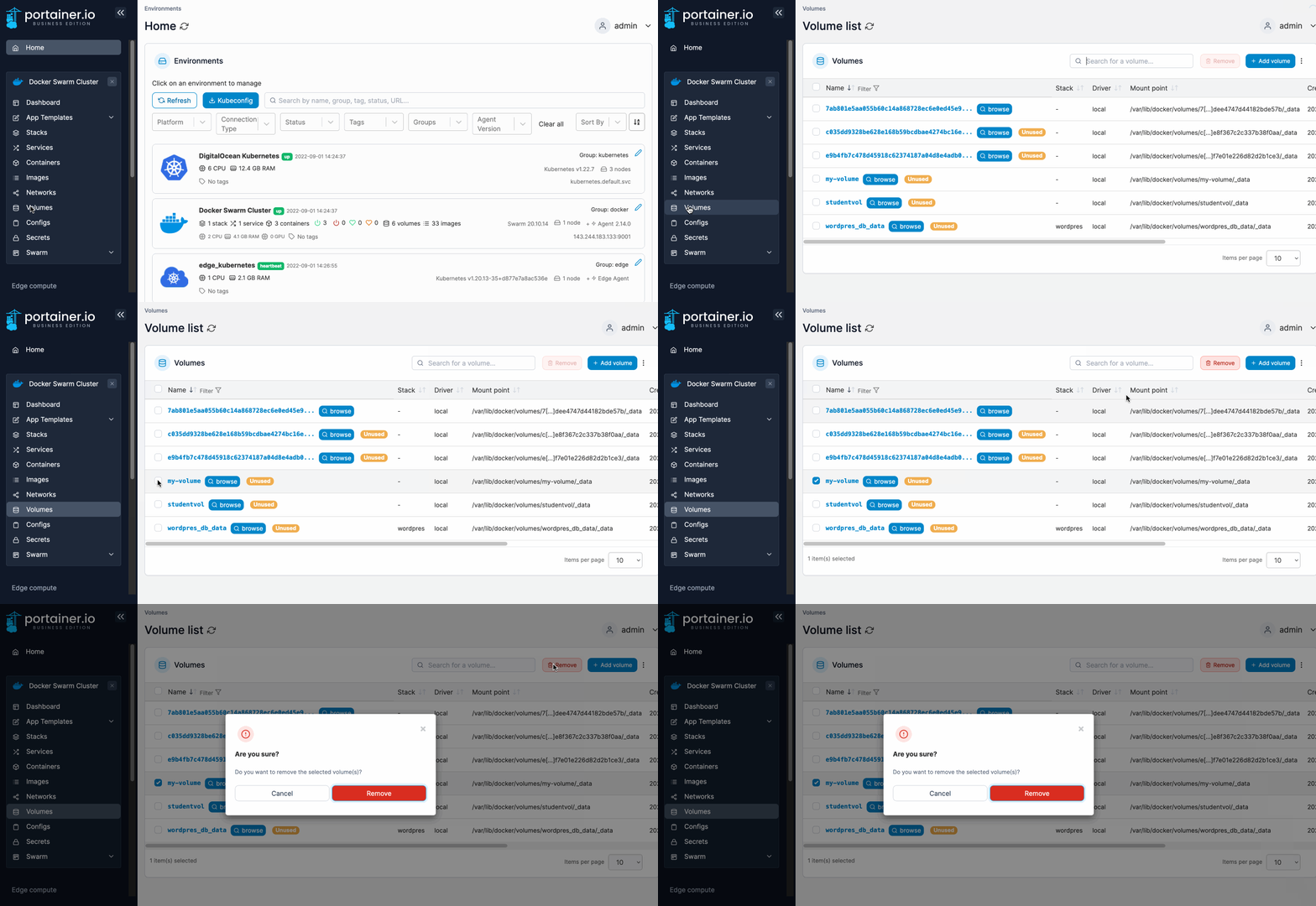
From the menu select **Volumes**, tick the checkbox next to the volume you want remove then click **Remove**.

{% hint style="info" %}
You cannot remove volumes attached to a container. If you want to do this, first remove the container then remove the volumes.
{% endhint %}

<figure><img src="https://3850702872-files.gitbook.io/~/files/v0/b/gitbook-x-prod.appspot.com/o/spaces%2FXI7douejaBgpZ6CP2zJf%2Fuploads%2Fgit-blob-ee516dc266856d1353f69a3d502f9c514e48ae63%2F2.15-docker_volumes_volume_remove.gif?alt=media" alt=""><figcaption></figcaption></figure>

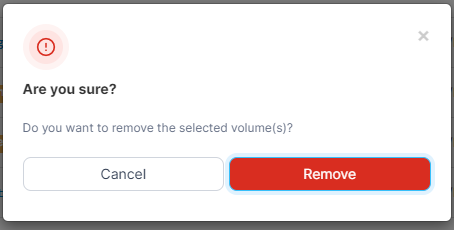
When the confirmation message appears, click **Remove**.
<figure><img src="https://3850702872-files.gitbook.io/~/files/v0/b/gitbook-x-prod.appspot.com/o/spaces%2FXI7douejaBgpZ6CP2zJf%2Fuploads%2Fgit-blob-2436aa5a43bfc1ca346d80e2a2de075ea05ab22c%2F2.15-volumes-remove-confirm.png?alt=media" alt=""><figcaption></figcaption></figure>