# Deploy a container

Portainer lets you deploy a standalone container from the default templates list.

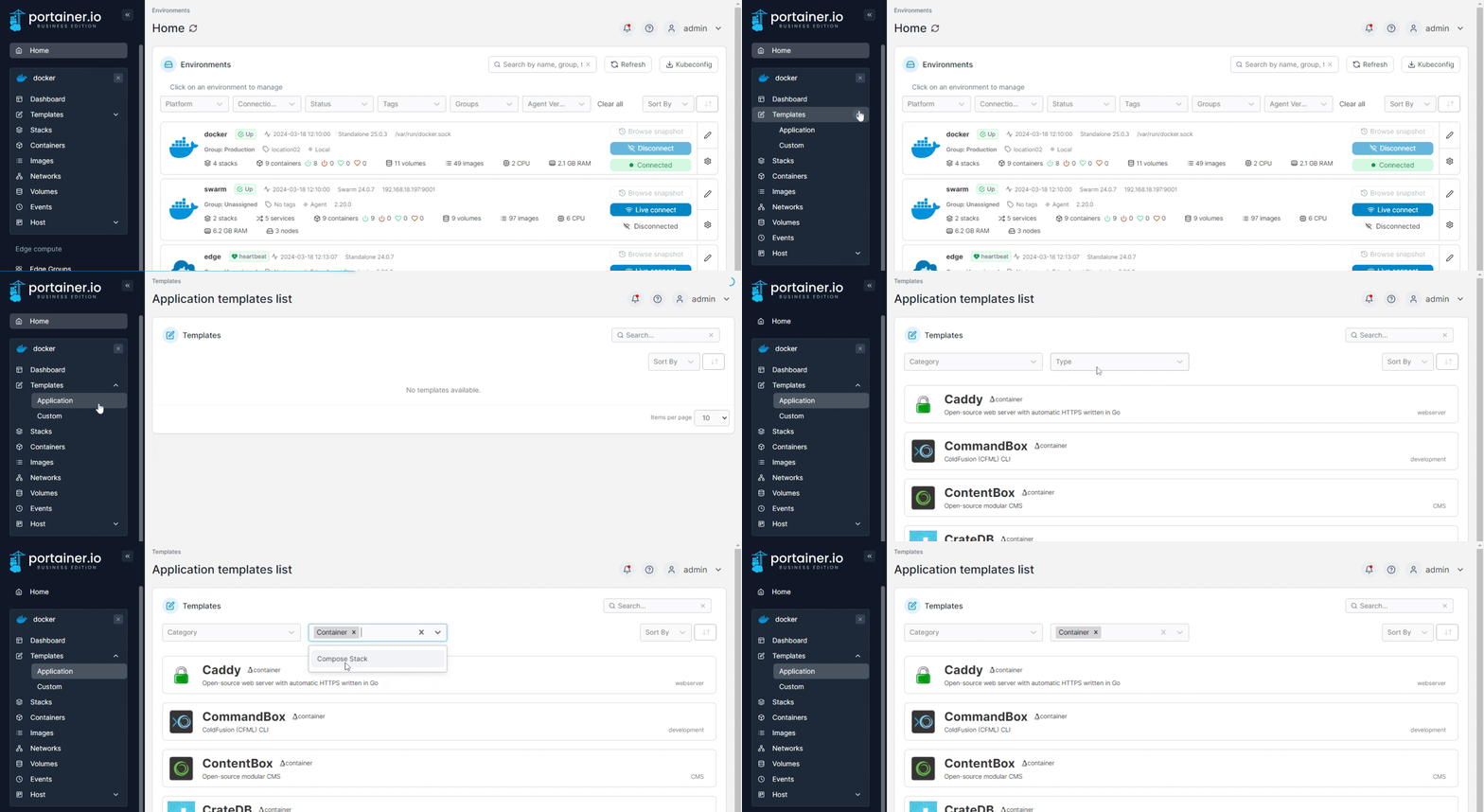
From the menu expand **Templates** then select **Application** or **Custom** (depending on the container). On the Application templates page you can choose to display only Container templates using the **Type** dropdown.

<figure><img src="https://3850702872-files.gitbook.io/~/files/v0/b/gitbook-x-prod.appspot.com/o/spaces%2FXI7douejaBgpZ6CP2zJf%2Fuploads%2Fgit-blob-46e0401f0ab6383a93a19fcb62ff23e14ac7325c%2F2.20-templates-deploy-container.gif?alt=media" alt=""><figcaption></figcaption></figure>

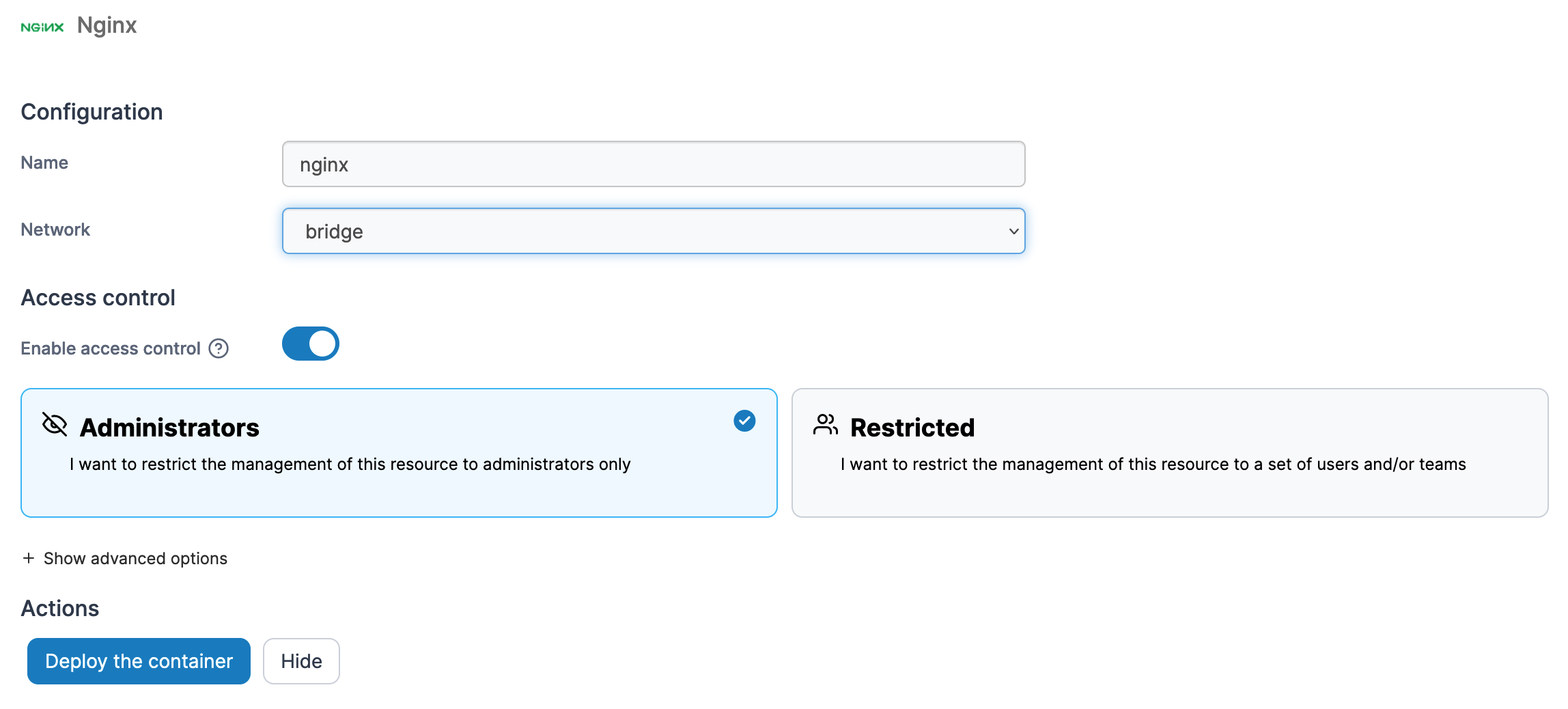
Then, select the container template you want to deploy. Define a name, a network, port mapping and volumes, and toggle **Enable access control** on if needed.

<figure><img src="https://3850702872-files.gitbook.io/~/files/v0/b/gitbook-x-prod.appspot.com/o/spaces%2FXI7douejaBgpZ6CP2zJf%2Fuploads%2Fgit-blob-f30aa8f5e43c91a6efca6d4dde6e3a64c599d078%2F2.15-docker_deploy_container_nginx.png?alt=media" alt=""><figcaption></figcaption></figure>

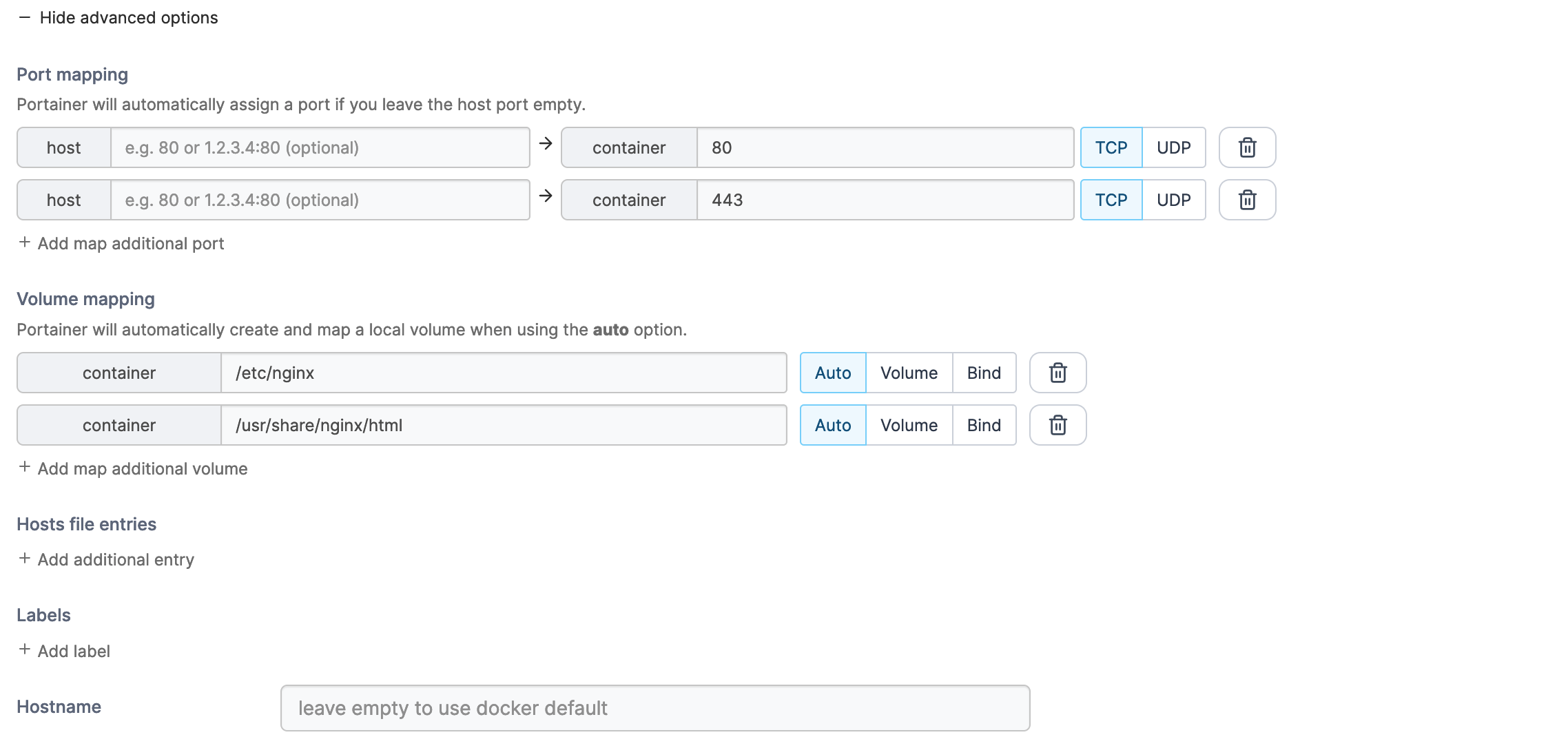
You can also make changes to container settings such as port and volume mapping, host file entries, labels and the hostname by clicking **Show advanced options**.

<figure><img src="https://3850702872-files.gitbook.io/~/files/v0/b/gitbook-x-prod.appspot.com/o/spaces%2FXI7douejaBgpZ6CP2zJf%2Fuploads%2Fgit-blob-332adadb3c554dd4bb7340f88da679bebf61d6f3%2F2.15-docker_deploy_container_nginx_adv_opts.png?alt=media" alt=""><figcaption></figcaption></figure>

Once you have configured the container, click **Deploy the container**.