# View the status of a service task

Services in a Docker Swarm environment are a collection of tasks (or individual containers). This article explains how to quickly see the status of the containers that make up each service.

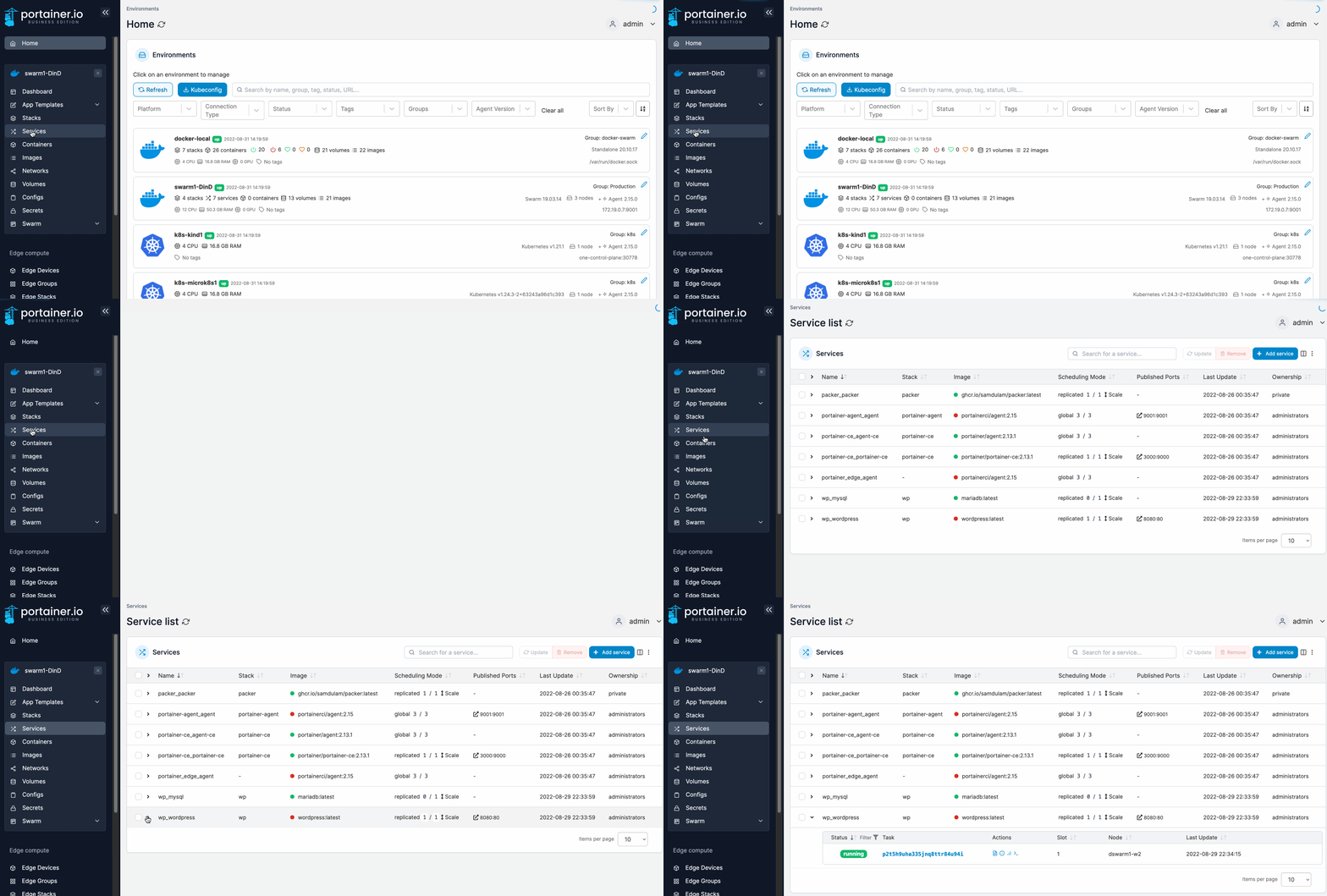
From the menu select **Services** then click the down-arrow to the left of the service you want to inspect. The tasks that make up the service will be shown.

<figure><img src="https://3850702872-files.gitbook.io/~/files/v0/b/gitbook-x-prod.appspot.com/o/spaces%2FXI7douejaBgpZ6CP2zJf%2Fuploads%2Fgit-blob-5c1845c8ce2376ad843b88b04d8b6672ca533fb4%2F2.15-docker_services_service_tasks.gif?alt=media" alt=""><figcaption></figcaption></figure>

Select any individual task to go to the container details page for that task. You can also perform various actions on individual tasks by using the icons in the **Actions** column.

<figure><img src="https://3850702872-files.gitbook.io/~/files/v0/b/gitbook-x-prod.appspot.com/o/spaces%2FXI7douejaBgpZ6CP2zJf%2Fuploads%2Fgit-blob-e4ab5f64d2008da93214a62611ff985b3eb26e0d%2F2.15-docker_services_service_actions.png?alt=media" alt=""><figcaption></figcaption></figure>
