# Add a new service

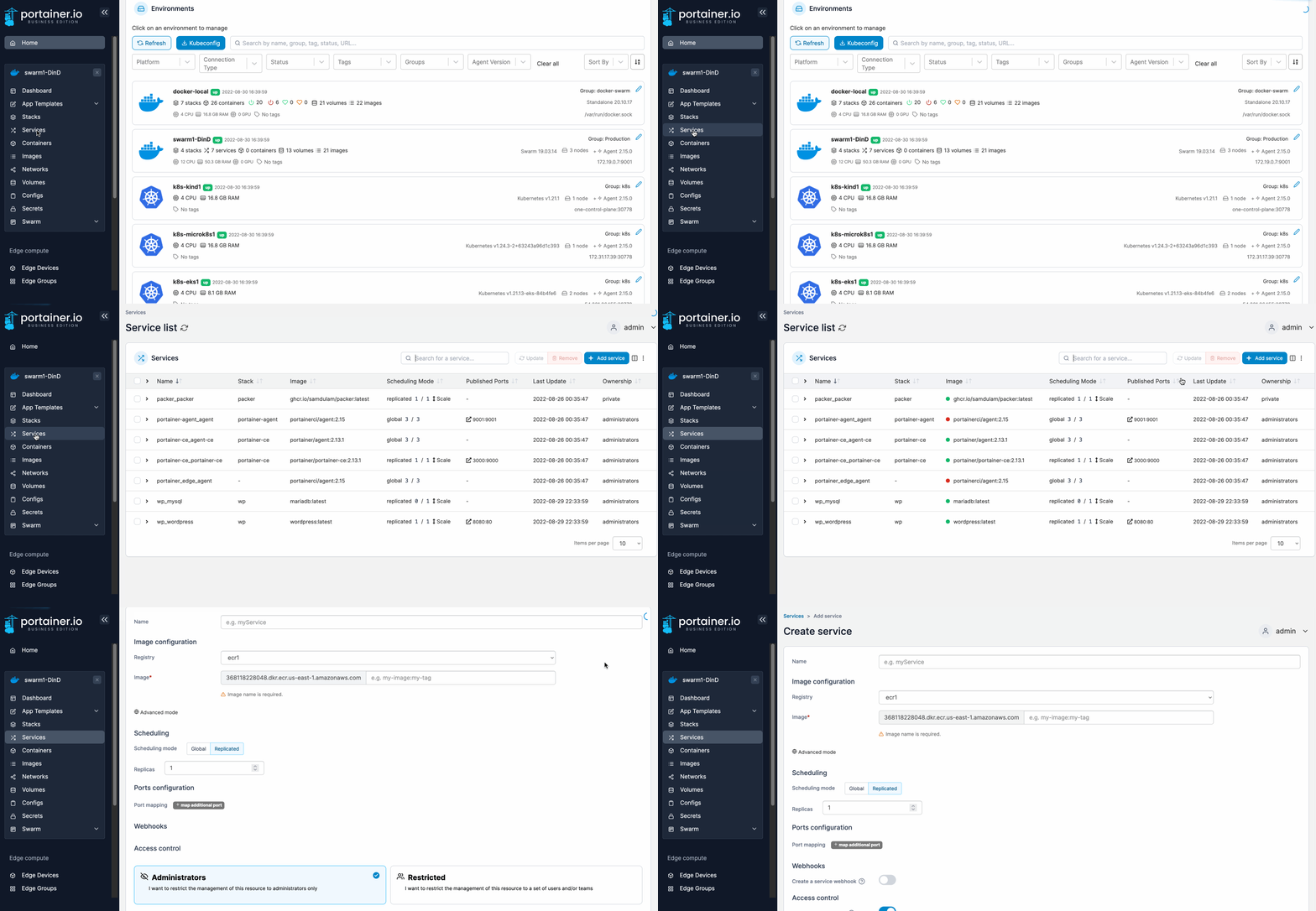
From the menu click **Services** then click **Add service**.

<figure><img src="https://3850702872-files.gitbook.io/~/files/v0/b/gitbook-x-prod.appspot.com/o/spaces%2FXI7douejaBgpZ6CP2zJf%2Fuploads%2Fgit-blob-b041bc8db683037e9dc84d2125734733af9df2e6%2F2.15-docker_services_add_service.gif?alt=media" alt=""><figcaption></figcaption></figure>

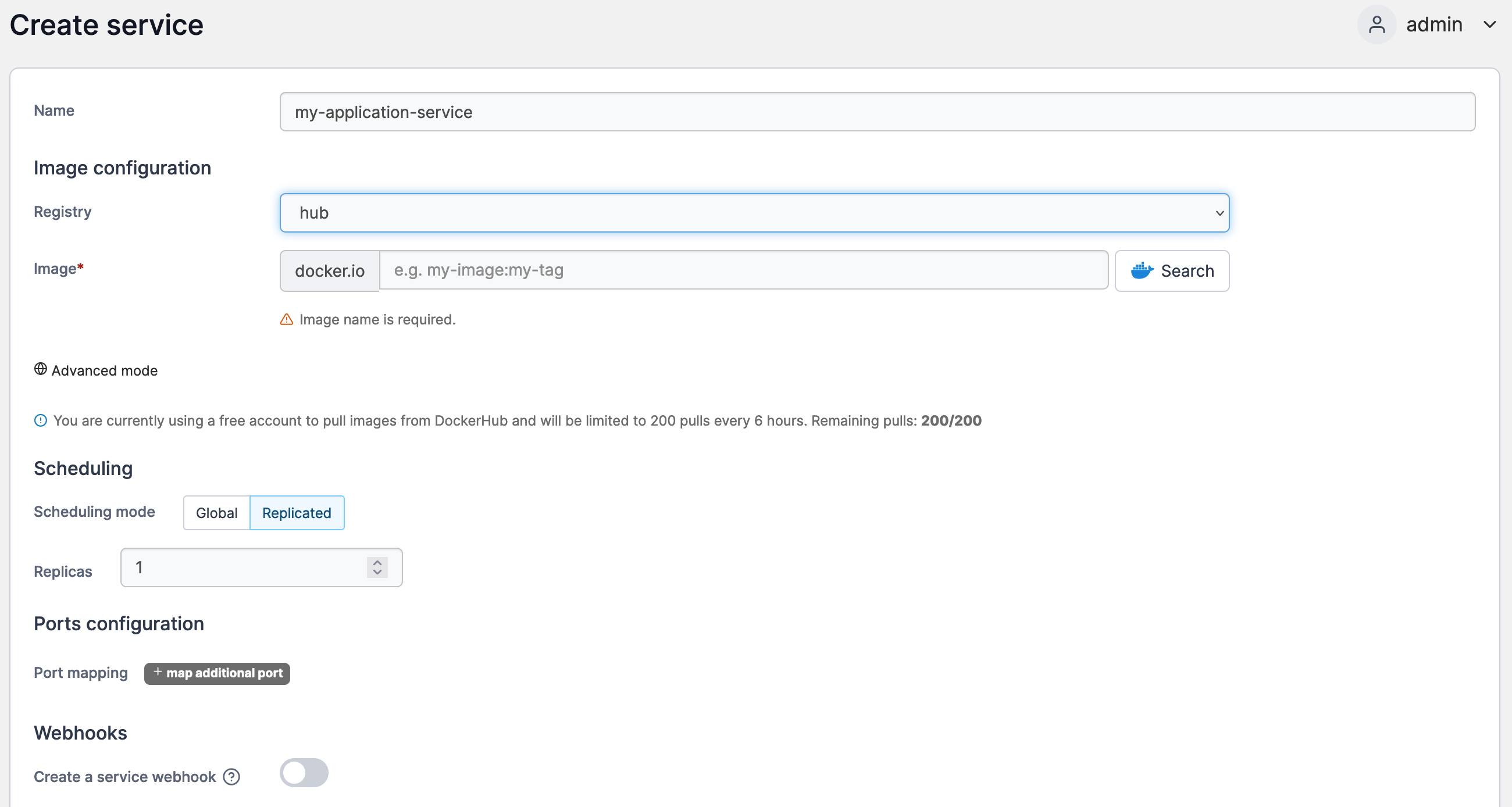
Complete the fields, using the table below as a guide.

| Field/Option             | Overview                                                                                                                                                                                                                                  |
| ------------------------ | ----------------------------------------------------------------------------------------------------------------------------------------------------------------------------------------------------------------------------------------- |
| Name                     | Give the service a descriptive name.                                                                                                                                                                                                      |
| Registry                 | Select the registry that contains the image you wish to use for the service.                                                                                                                                                              |
| Image                    | Enter the name of the image. If you're using Docker Hub you can also search for images from here.                                                                                                                                         |
| Scheduling mode          | Select either to replicate the service on the same host or deploy it globally with one container on each host.                                                                                                                            |
| Replicas                 | Set the number of replicas (only if the scheduling mode is set to **Replicated**).                                                                                                                                                        |
| Port mapping             | Define the ports to expose on the new service.                                                                                                                                                                                            |
| Create a service webhook | Toggle on to create a [webhook](https://docs.portainer.io/2.33-lts/user/docker/services/webhooks) for the service. You can send a POST request to this endpoint to automate pulling the most up-to-date image and re-deploy your service. |

<figure><img src="https://3850702872-files.gitbook.io/~/files/v0/b/gitbook-x-prod.appspot.com/o/spaces%2FXI7douejaBgpZ6CP2zJf%2Fuploads%2Fgit-blob-0111cbf611d1d626affbf1dabe31c9675d24e561%2F2.15-docker_service_create_service.png?alt=media" alt=""><figcaption></figcaption></figure>

You can also configure any advanced options for the service in the bottom section.

When you're finished click **Create the service**.