# Add a new secret

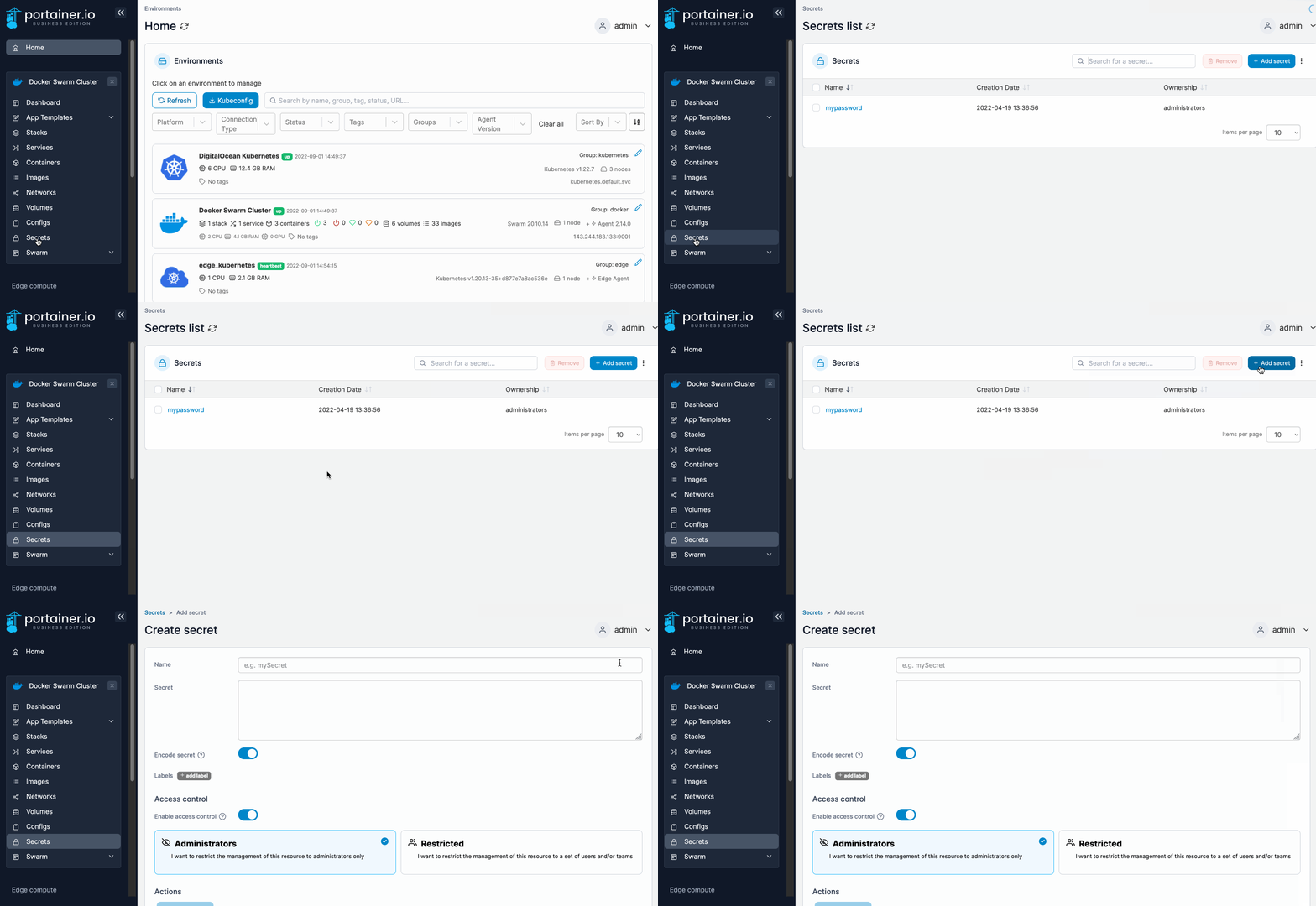
From the menu select **Secrets** then click **Add secret**.

<figure><img src="https://3850702872-files.gitbook.io/~/files/v0/b/gitbook-x-prod.appspot.com/o/spaces%2FXI7douejaBgpZ6CP2zJf%2Fuploads%2Fgit-blob-f18fe8a2c7e274f2edad7699098c0c6ac57836ef%2F2.15-docker_secrets_secret_add.gif?alt=media" alt=""><figcaption></figcaption></figure>

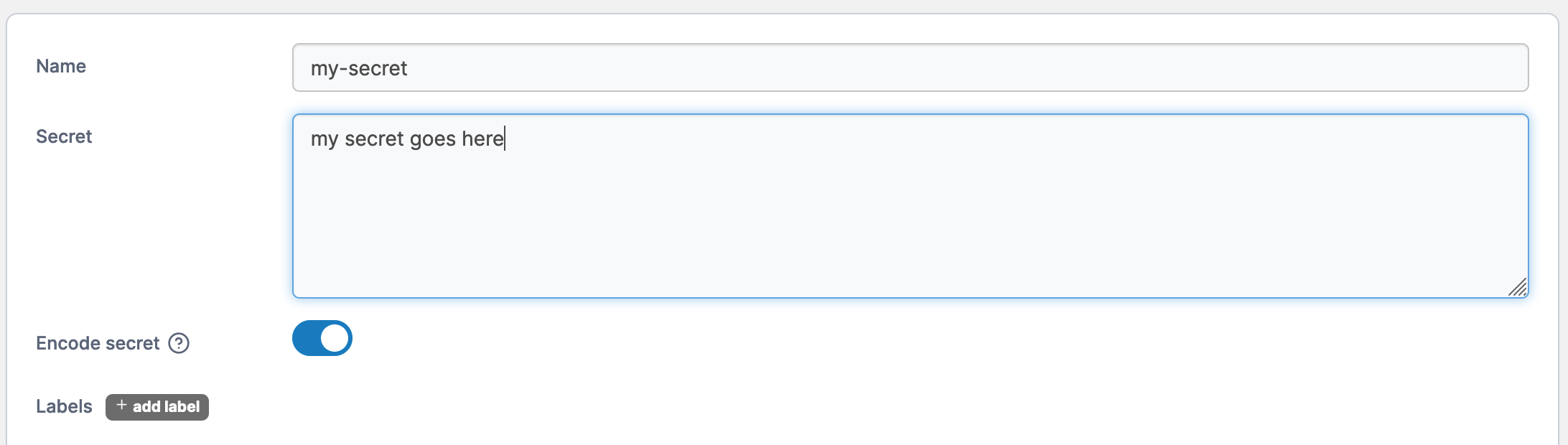
Next, give the secret a descriptive name and write a definition of the secret in the **Secret** field. Toggle **Encode secret** on if you want to encode the secret (useful when you use a plain-text password).

<figure><img src="https://3850702872-files.gitbook.io/~/files/v0/b/gitbook-x-prod.appspot.com/o/spaces%2FXI7douejaBgpZ6CP2zJf%2Fuploads%2Fgit-blob-2642e112004a324a33e127b23ff9d0b9f8f22766%2F2.15-docker_secrets_secret_create.png?alt=media" alt=""><figcaption></figcaption></figure>

&#x20;When you're finished, click **Create the secret**.