# Add a new network

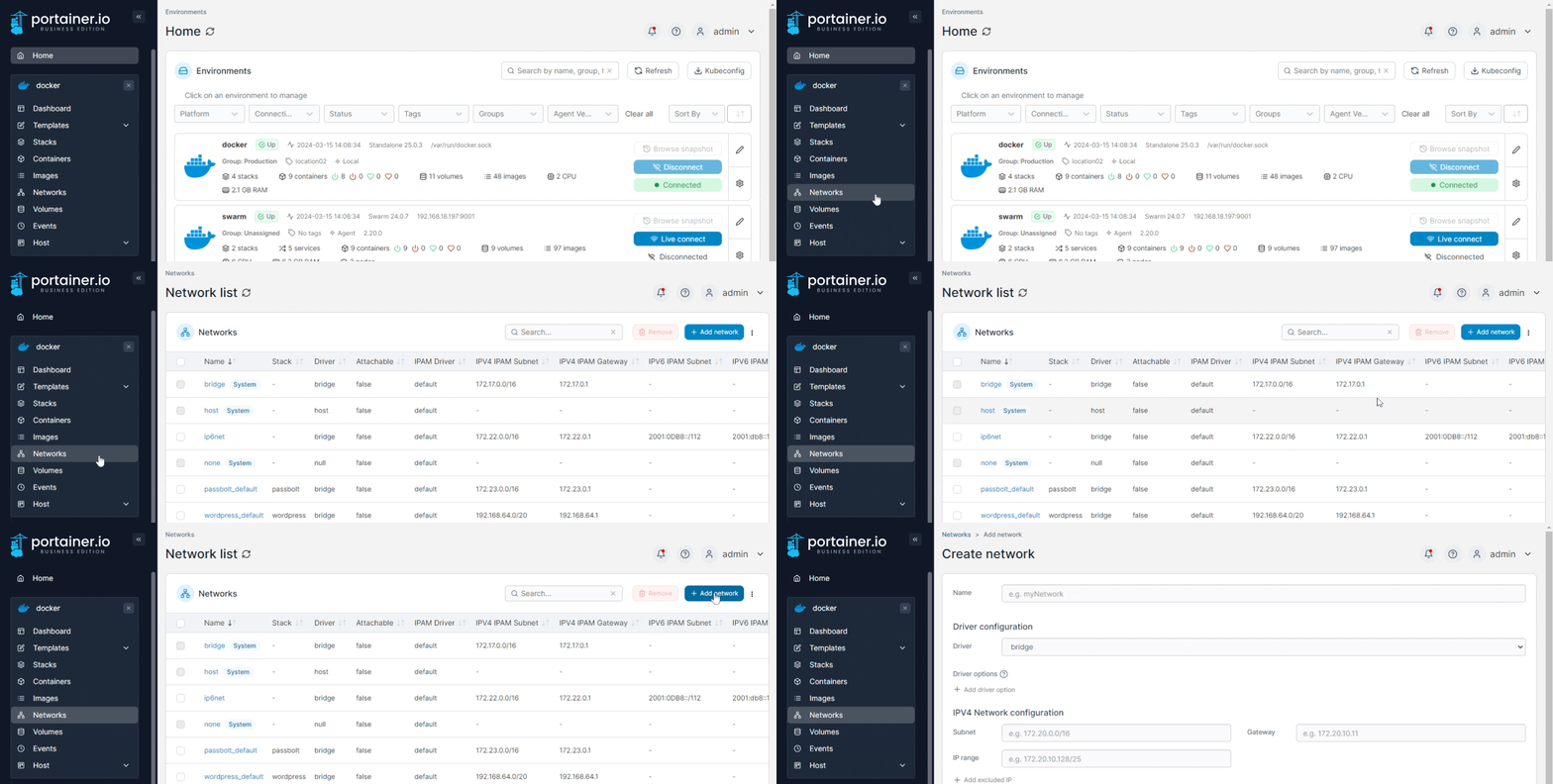
From the menu select **Networks** then click **Add network**.

<figure><img src="https://3850702872-files.gitbook.io/~/files/v0/b/gitbook-x-prod.appspot.com/o/spaces%2FXI7douejaBgpZ6CP2zJf%2Fuploads%2Fgit-blob-576e34c6b10ce26fb817808196d5d4afc285c230%2F2.20-networks-add.gif?alt=media" alt=""><figcaption></figcaption></figure>

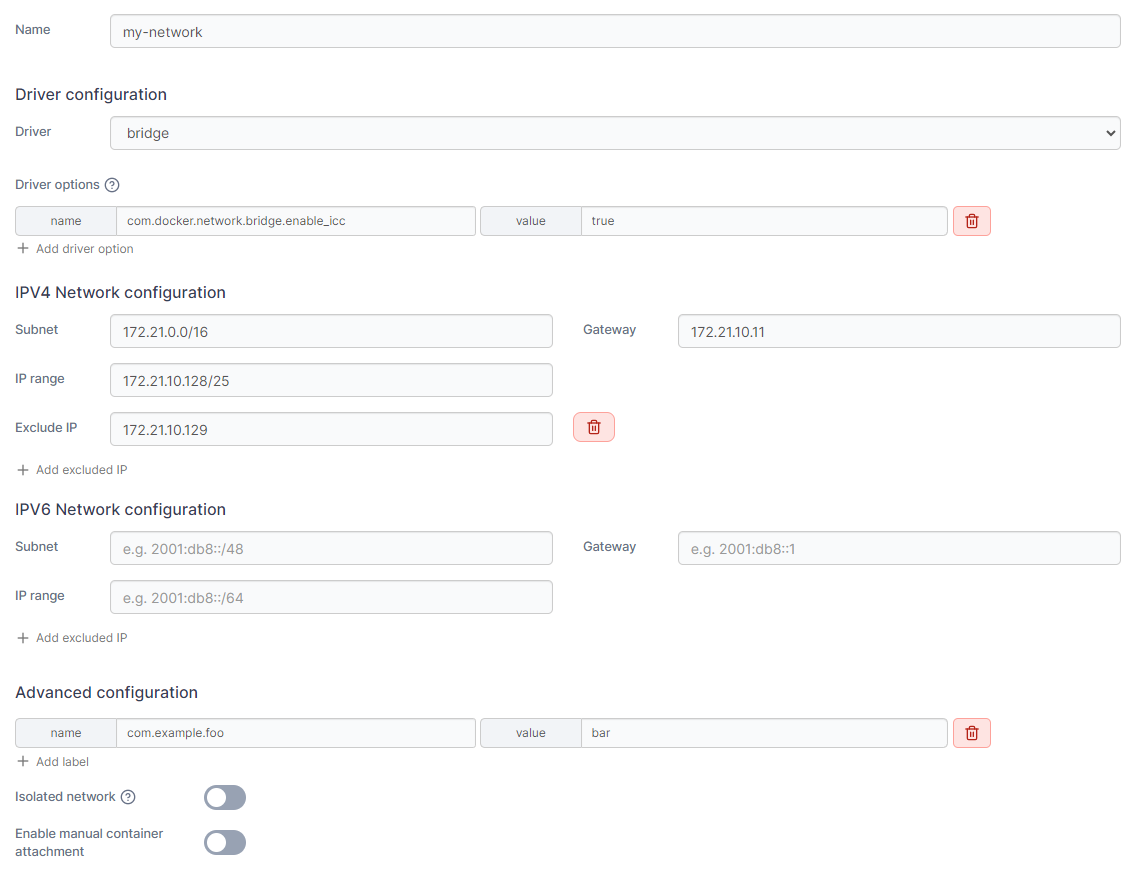
Define the new network, using the table below as a guide.

| Field/Option                       | Overview                                                                                                                                                                                                                                                  |
| ---------------------------------- | --------------------------------------------------------------------------------------------------------------------------------------------------------------------------------------------------------------------------------------------------------- |
| Name                               | Give the network a descriptive name.                                                                                                                                                                                                                      |
| Driver                             | Define the [type of network](https://docs.portainer.io/2.33-lts/user/docker/networks/..#supported-network-types) you will use.                                                                                                                            |
| Driver options                     | Set in place any options related to your network driver, if required.                                                                                                                                                                                     |
| IPv4 Network configuration         | <p>Define IPv4 range, subnet, gateway and exclude IP. If no information is entered here, Docker will automatically assign an IPv4 range.<br>If you need to exclude IPs from the range, click <strong>Add excluded IP</strong> and complete the field.</p> |
| IPv6 Network configuration         | <p>Define IPv6 range, subnet, gateway and exclude IP. If no information is entered here, Docker will automatically assign an IPv6 range.<br>If you need to exclude IPs from the range, click <strong>Add excluded IP</strong> and complete the field.</p> |
| Labels                             | Click **Add label** and complete the name and value fields to specify a label for the network.                                                                                                                                                            |
| Isolated network                   | Toggle this option on to isolate any containers created in this network to this network only, with no inbound or outbound connectivity.                                                                                                                   |
| Enable manual container attachment | Toggle this option on to allow users to attach the network to running containers.                                                                                                                                                                         |
| Deployment                         | On multi-node clusters, select the node where the network will be created.                                                                                                                                                                                |

<figure><img src="https://3850702872-files.gitbook.io/~/files/v0/b/gitbook-x-prod.appspot.com/o/spaces%2FXI7douejaBgpZ6CP2zJf%2Fuploads%2Fgit-blob-4f5cffc436fd34bfaf88acb5832f526957f50203%2F2.20-networks-add-details.png?alt=media" alt=""><figcaption></figcaption></figure>

When you're finished, click **Create the network**.