# Registries

**Registries** lets you manage access to each of the registries that are currently available.

{% hint style="warning" %}
Registry access assigned here only applies to the selected environment. It is not global.
{% endhint %}

## Adding a new registry

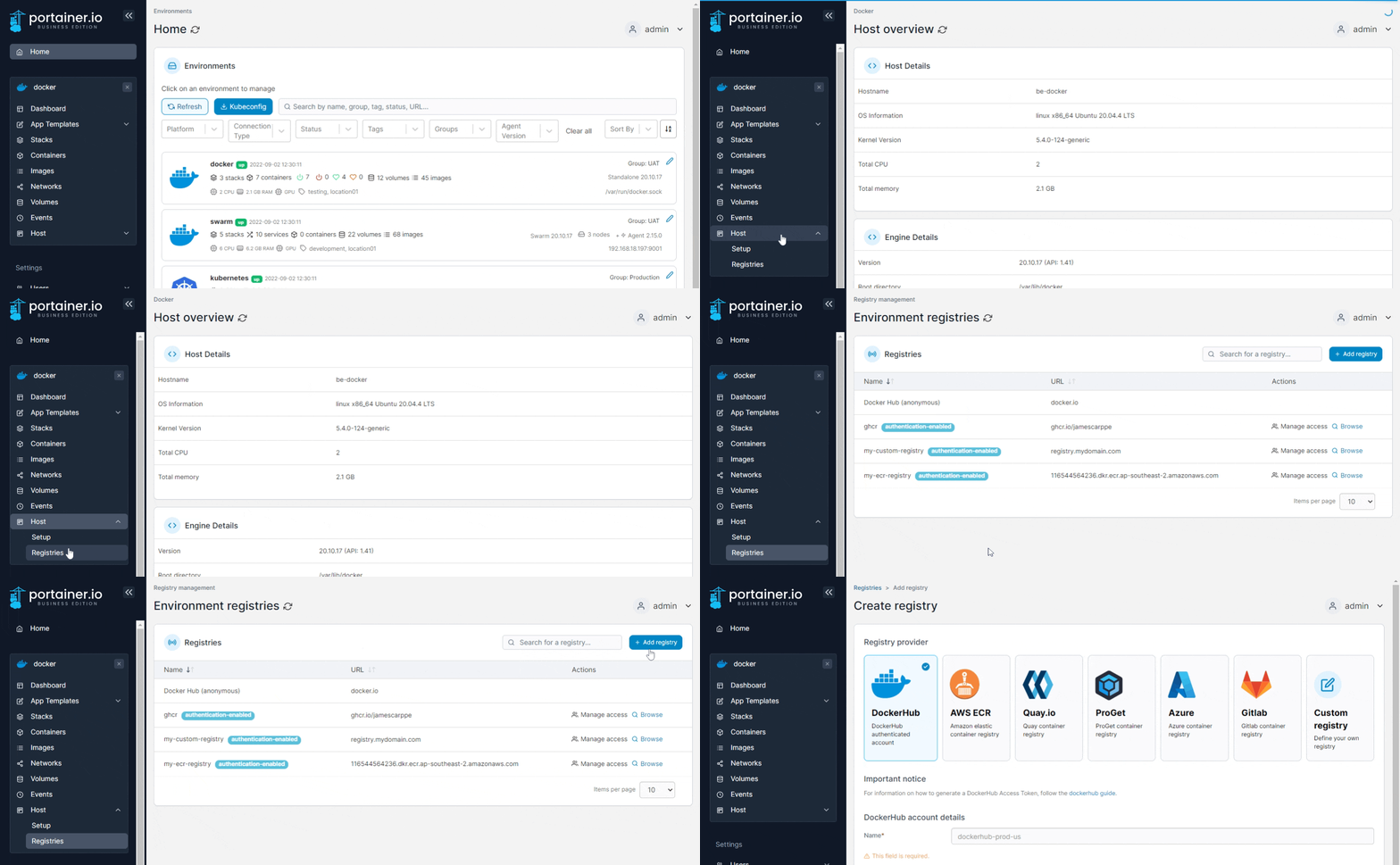
From the menu select **Host**, select **Registries** then click **Add registry**. When the global registries page appears, follow [these instructions](https://docs.portainer.io/2.33-lts/admin/registries/add).

<figure><img src="https://3850702872-files.gitbook.io/~/files/v0/b/gitbook-x-prod.appspot.com/o/spaces%2FXI7douejaBgpZ6CP2zJf%2Fuploads%2Fgit-blob-c284b429cfd830b24a5c37ba0f913ddbdc8fcc48%2F2.15-host-registries-add.gif?alt=media" alt=""><figcaption></figcaption></figure>

## Managing access

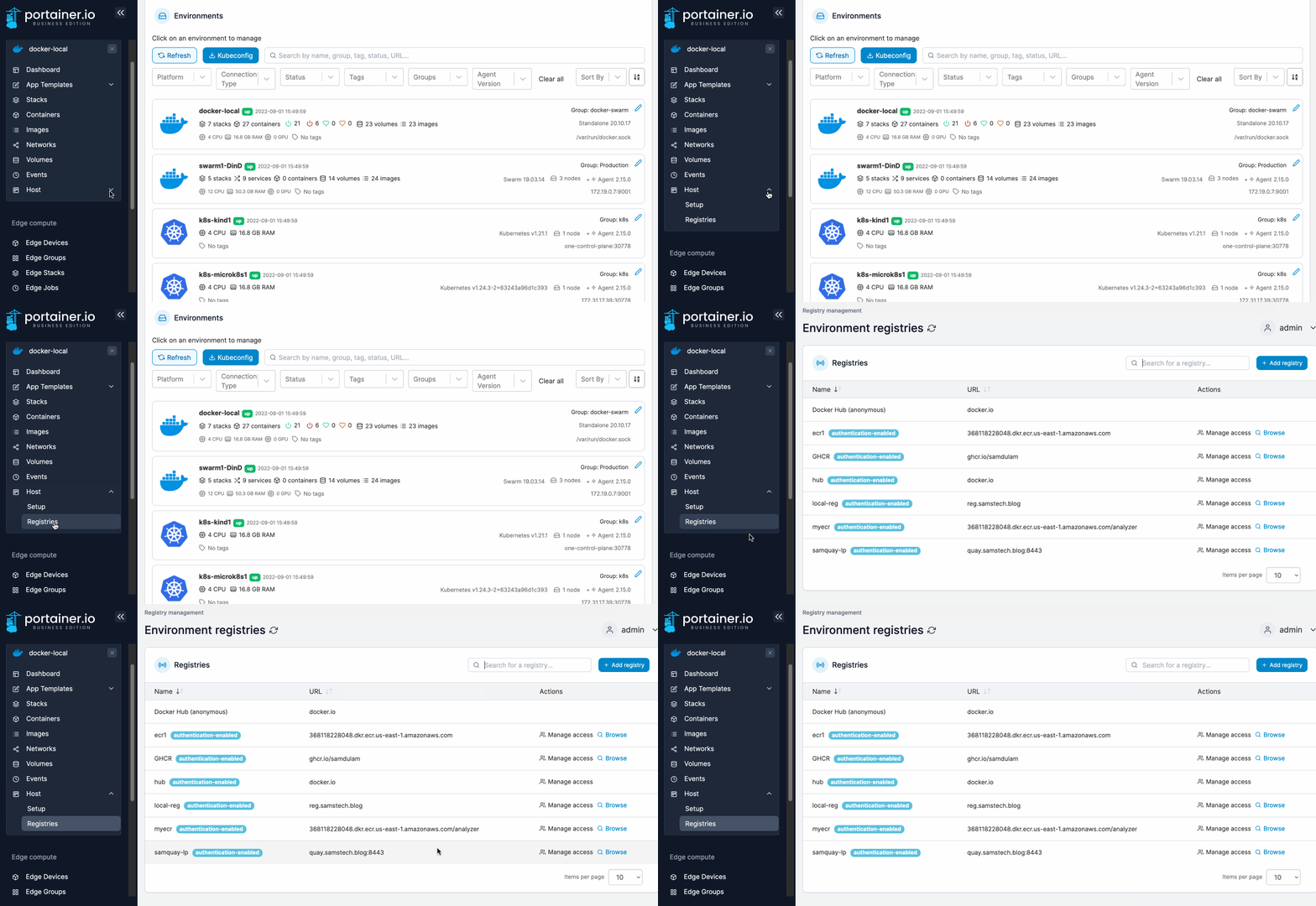
To configure access to a registry, from the menu select **Host** then select **Registries**.

<figure><img src="https://3850702872-files.gitbook.io/~/files/v0/b/gitbook-x-prod.appspot.com/o/spaces%2FXI7douejaBgpZ6CP2zJf%2Fuploads%2Fgit-blob-0457419cf270f29be533b37cd75b77aaf0122de9%2F2.15-docker_hosts_registries.gif?alt=media" alt=""><figcaption></figcaption></figure>

Find the registry you want to manage then select **Manage access**.&#x20;

<figure><img src="https://3850702872-files.gitbook.io/~/files/v0/b/gitbook-x-prod.appspot.com/o/spaces%2FXI7douejaBgpZ6CP2zJf%2Fuploads%2Fgit-blob-d6decd273aea201391ad1d02dbc91d1b155563cc%2F2.15-docker_hosts_registries_manage_access.png?alt=media" alt=""><figcaption></figcaption></figure>

From the dropdown, select the users or teams that you would like to have access, then click **Create access**.
<figure><img src="https://3850702872-files.gitbook.io/~/files/v0/b/gitbook-x-prod.appspot.com/o/spaces%2FXI7douejaBgpZ6CP2zJf%2Fuploads%2Fgit-blob-2998f139b6ba998ff08fdbffb3b4b08dc9a630c4%2F2.15-docker_hosts_registries_access.png?alt=media" alt=""><figcaption></figcaption></figure>