# View a container's details

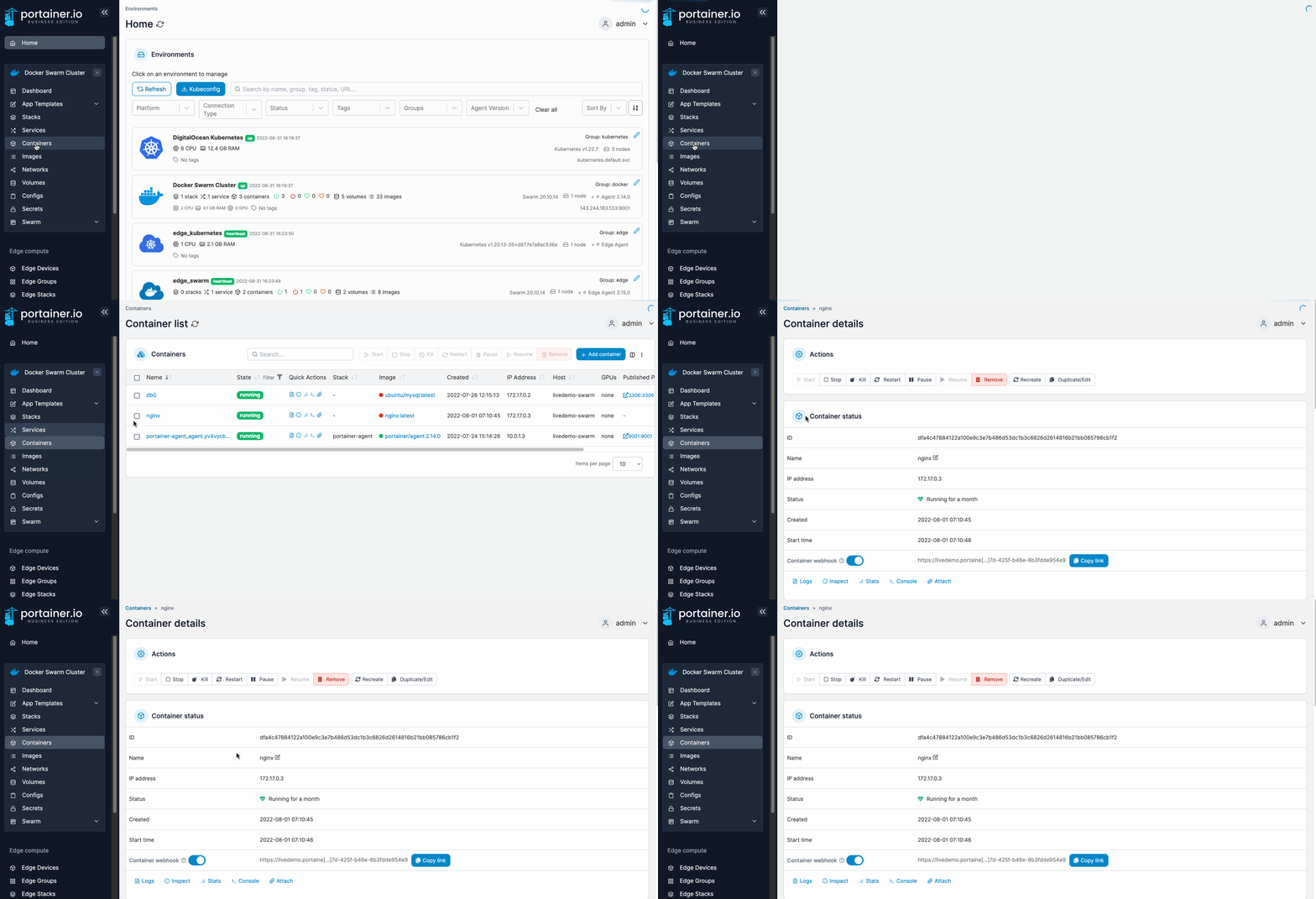
From the menu select **Containers**, then select the container you want to view.

<figure><img src="https://3850702872-files.gitbook.io/~/files/v0/b/gitbook-x-prod.appspot.com/o/spaces%2FXI7douejaBgpZ6CP2zJf%2Fuploads%2Fgit-blob-9b0d1732aea4718fa0914293a4a343ca6134d84f%2F2.15-docker_containers_container_details.gif?alt=media" alt=""><figcaption></figcaption></figure>

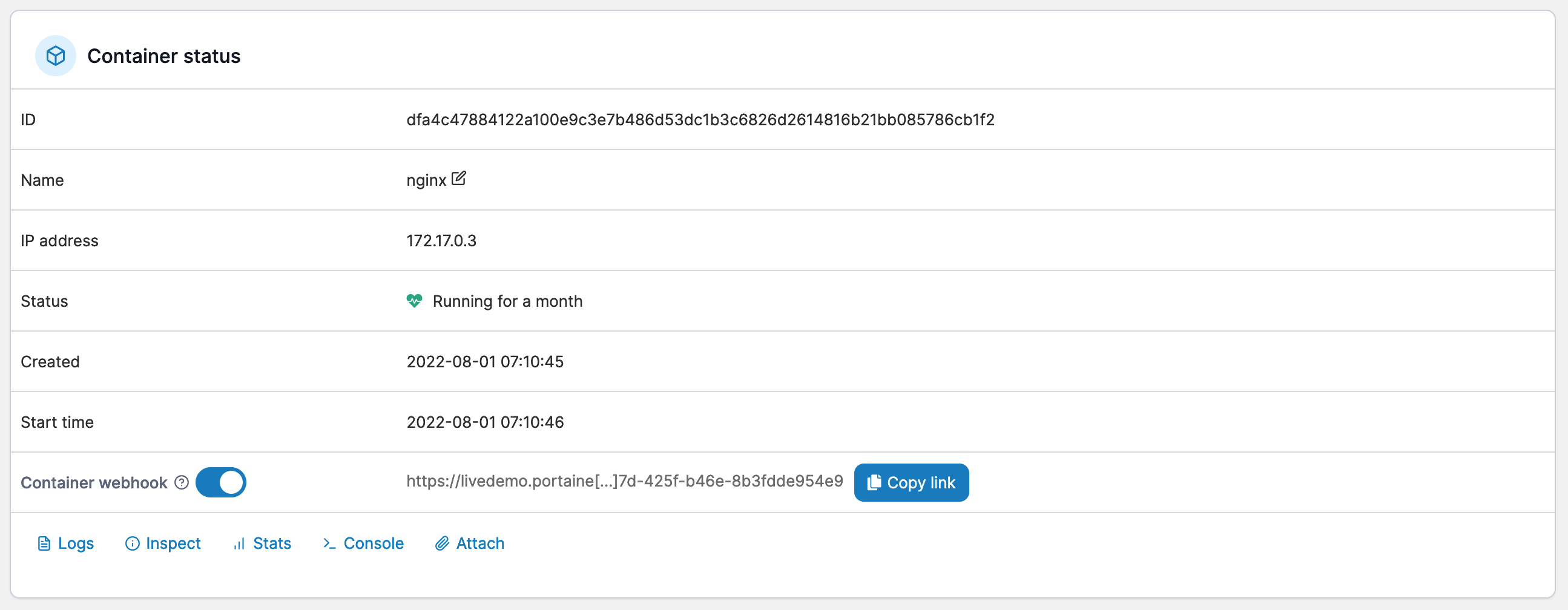
Here you can view the container's status and details, including port configurations, environment variables, labels, attached volumes and networks, and more. You also have a number of actions available, including starting, stopping and removing the container.

<figure><img src="https://3850702872-files.gitbook.io/~/files/v0/b/gitbook-x-prod.appspot.com/o/spaces%2FXI7douejaBgpZ6CP2zJf%2Fuploads%2Fgit-blob-1c0486314f5a1c066500941471c3bd2a3e99f789%2F2.15-docker_containers_details_actions.png?alt=media" alt=""><figcaption></figcaption></figure>

You can also toggle the container [webhook](https://docs.portainer.io/2.33-lts/user/docker/containers/webhooks), view the [container logs](https://docs.portainer.io/2.33-lts/user/docker/containers/logs), [inspect](https://docs.portainer.io/2.33-lts/user/docker/containers/inspect) the container's configuration, view container [stats](https://docs.portainer.io/2.33-lts/user/docker/containers/stats), access the [console](https://docs.portainer.io/2.33-lts/user/docker/containers/console), and (if the container is running in interactive mode) attach to the running container.

<figure><img src="https://3850702872-files.gitbook.io/~/files/v0/b/gitbook-x-prod.appspot.com/o/spaces%2FXI7douejaBgpZ6CP2zJf%2Fuploads%2Fgit-blob-98d11a3d8d3c9e95788ce60507667bef714c5c01%2F2.15-docker_containers_container_status.png?alt=media" alt=""><figcaption></figcaption></figure>

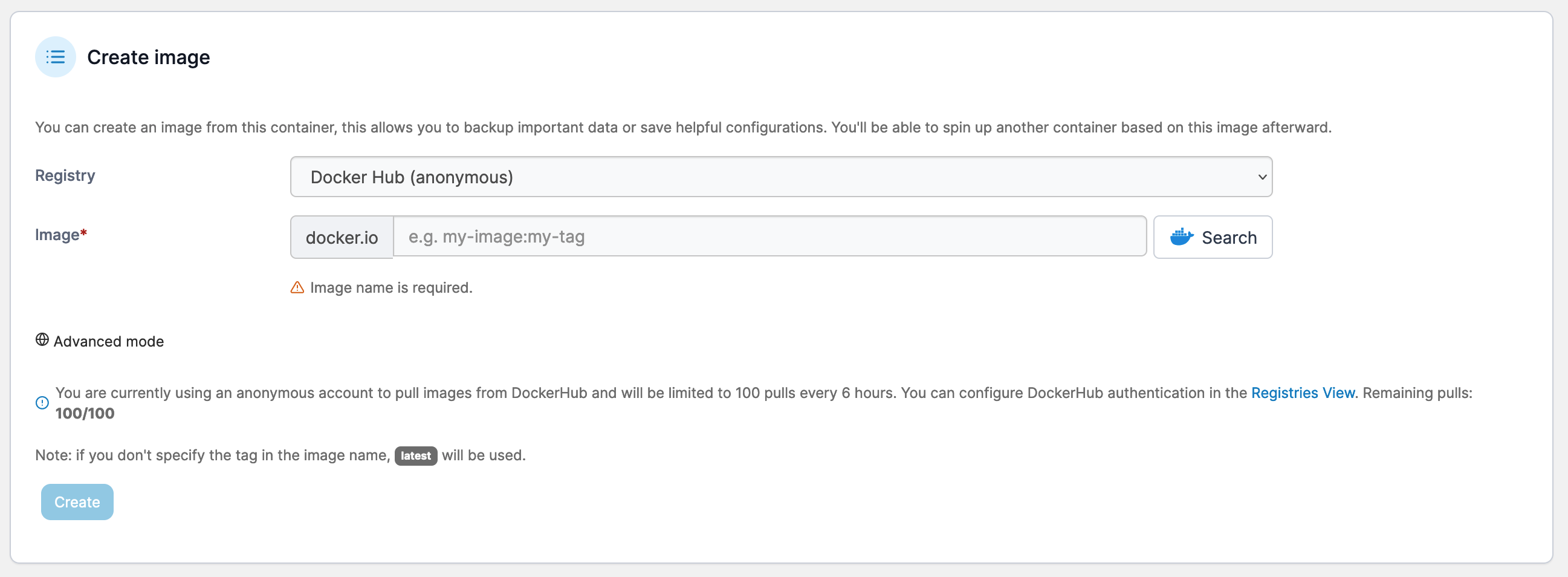
You can create an image from a deployed container to use when creating other containers.
<figure><img src="https://3850702872-files.gitbook.io/~/files/v0/b/gitbook-x-prod.appspot.com/o/spaces%2FXI7douejaBgpZ6CP2zJf%2Fuploads%2Fgit-blob-adf5d850adcbdc290fa5a9d52e06535ecc094e5e%2F2.15-docker_containers_container_create_image.png?alt=media" alt=""><figcaption></figcaption></figure>