# Remove a container

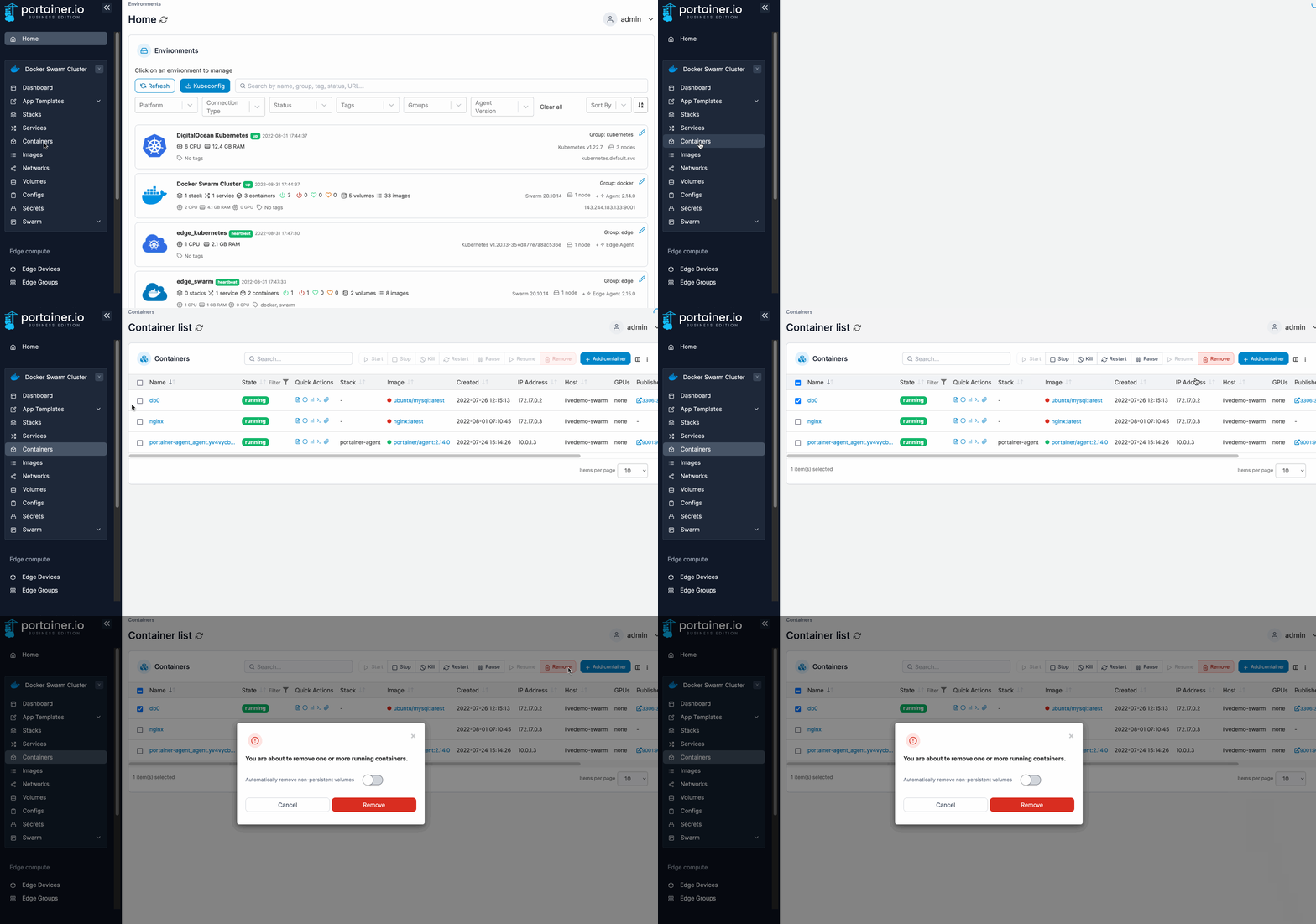
From the menu select **Containers**, tick the checkbox next to the container you want to remove then click **Remove**.

<figure><img src="https://3850702872-files.gitbook.io/~/files/v0/b/gitbook-x-prod.appspot.com/o/spaces%2FXI7douejaBgpZ6CP2zJf%2Fuploads%2Fgit-blob-b0d3e4cc1f1afc4305dd7d069930fa688ed6b863%2F2.15-docker_containers_container_remove.gif?alt=media" alt=""><figcaption></figcaption></figure>

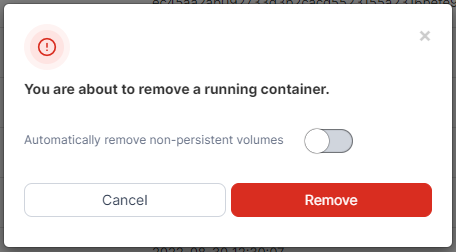
When the confirmation message appears, opt whether or not to automatically remove non-persistent volumes then click **Remove**.
<figure><img src="https://3850702872-files.gitbook.io/~/files/v0/b/gitbook-x-prod.appspot.com/o/spaces%2FXI7douejaBgpZ6CP2zJf%2Fuploads%2Fgit-blob-b8611161c5181d88796cb5ee63838c49f30a941a%2F2.15-container-remove-confirm.png?alt=media" alt=""><figcaption></figcaption></figure>
