# Inspect a container

View information about any container, such as network settings, volumes and images.

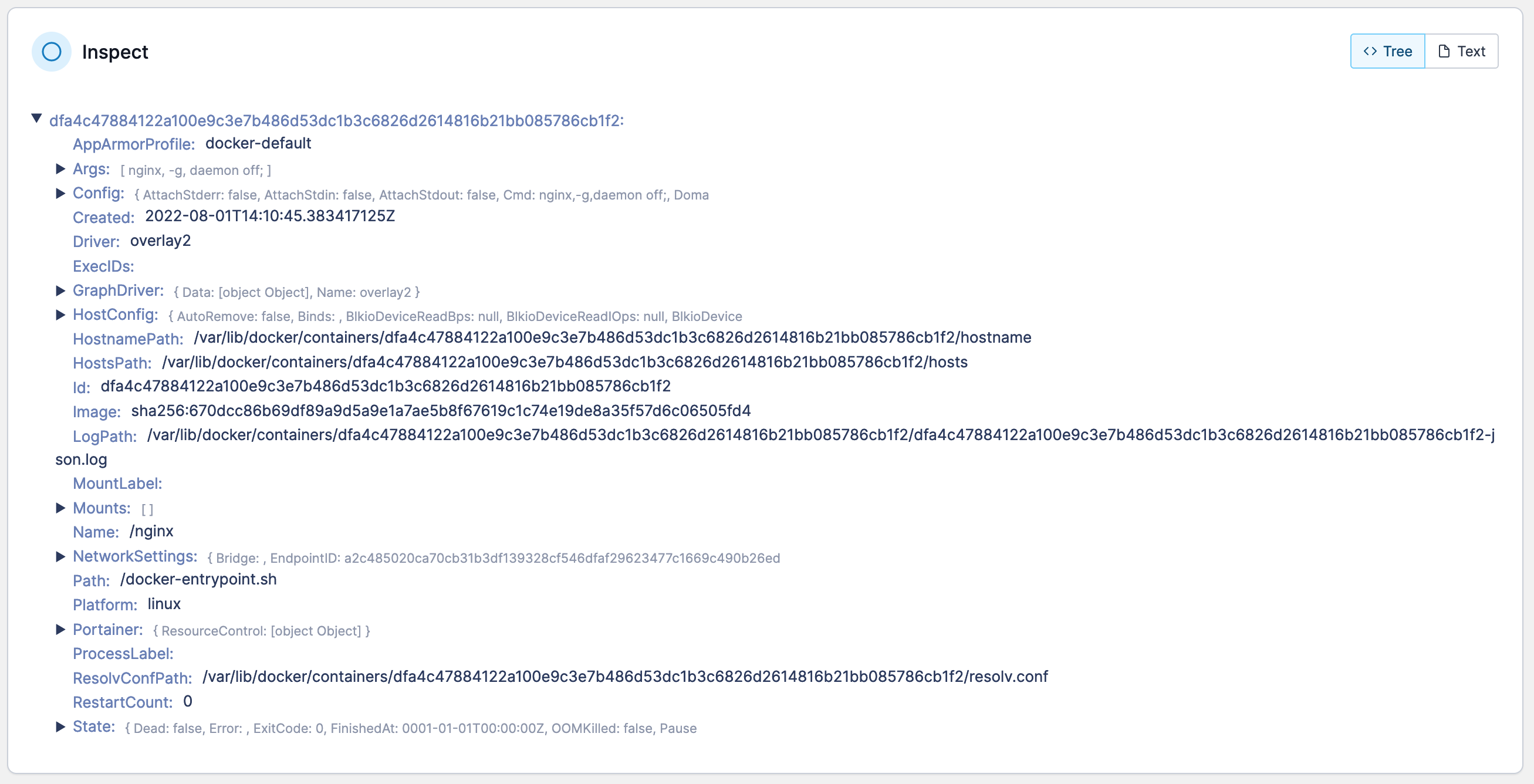
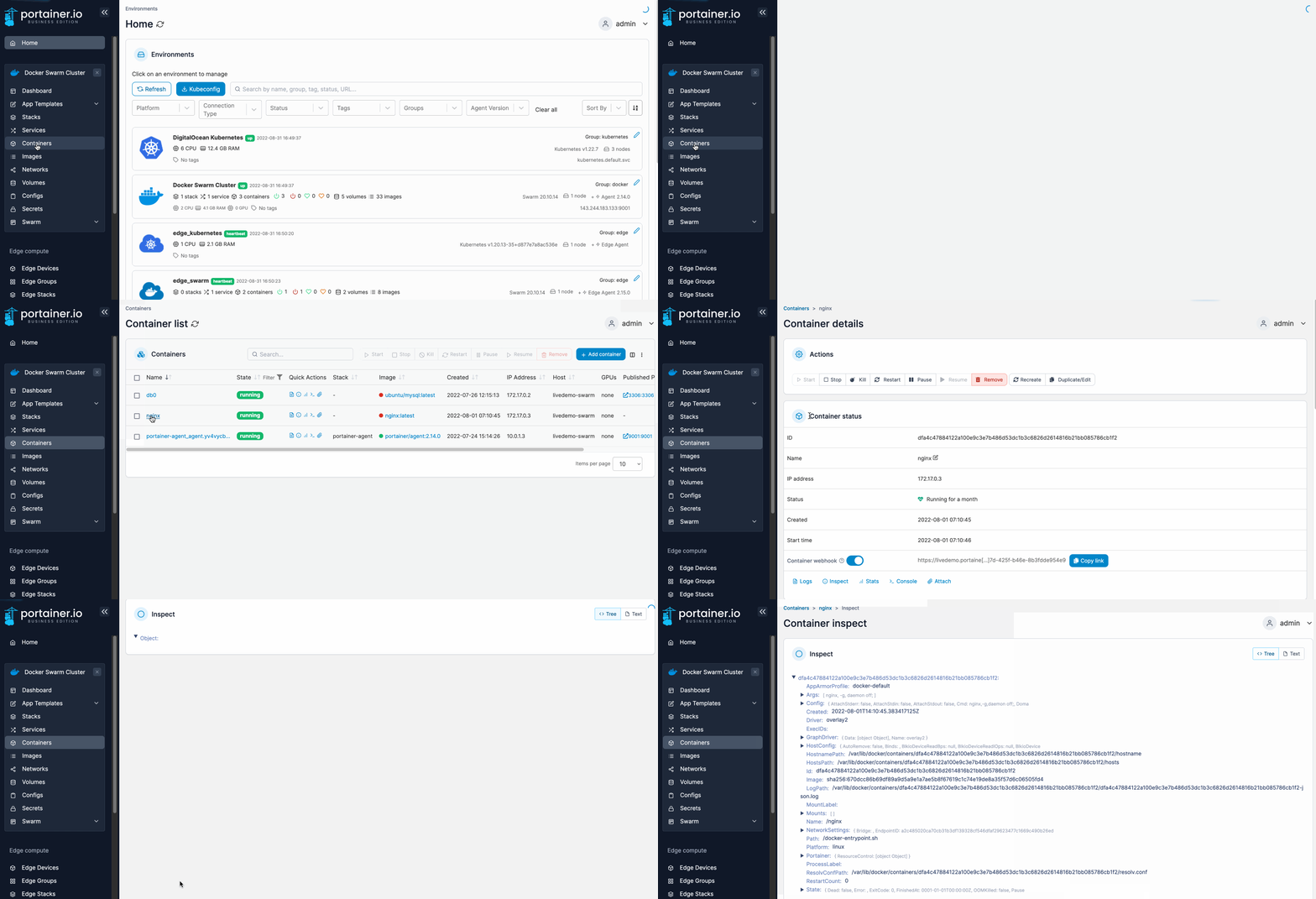
From the menu select **Containers**, select the container then select **Inspect**.

<figure><img src="https://3850702872-files.gitbook.io/~/files/v0/b/gitbook-x-prod.appspot.com/o/spaces%2FXI7douejaBgpZ6CP2zJf%2Fuploads%2Fgit-blob-dc7b26484c16ebfeaa50234f036f5f2e9f85c1f2%2F2.15-docker_containers_container_inspect.gif?alt=media" alt=""><figcaption></figcaption></figure>

All of the information about the container will display in a tree view. Select any parameter to show more details (if available).

<figure><img src="https://3850702872-files.gitbook.io/~/files/v0/b/gitbook-x-prod.appspot.com/o/spaces%2FXI7douejaBgpZ6CP2zJf%2Fuploads%2Fgit-blob-aa928e5ee5bbf36c5dabd9857f240055880ceb07%2F2.15-docker_containers_container_inspect.png?alt=media" alt=""><figcaption></figcaption></figure>

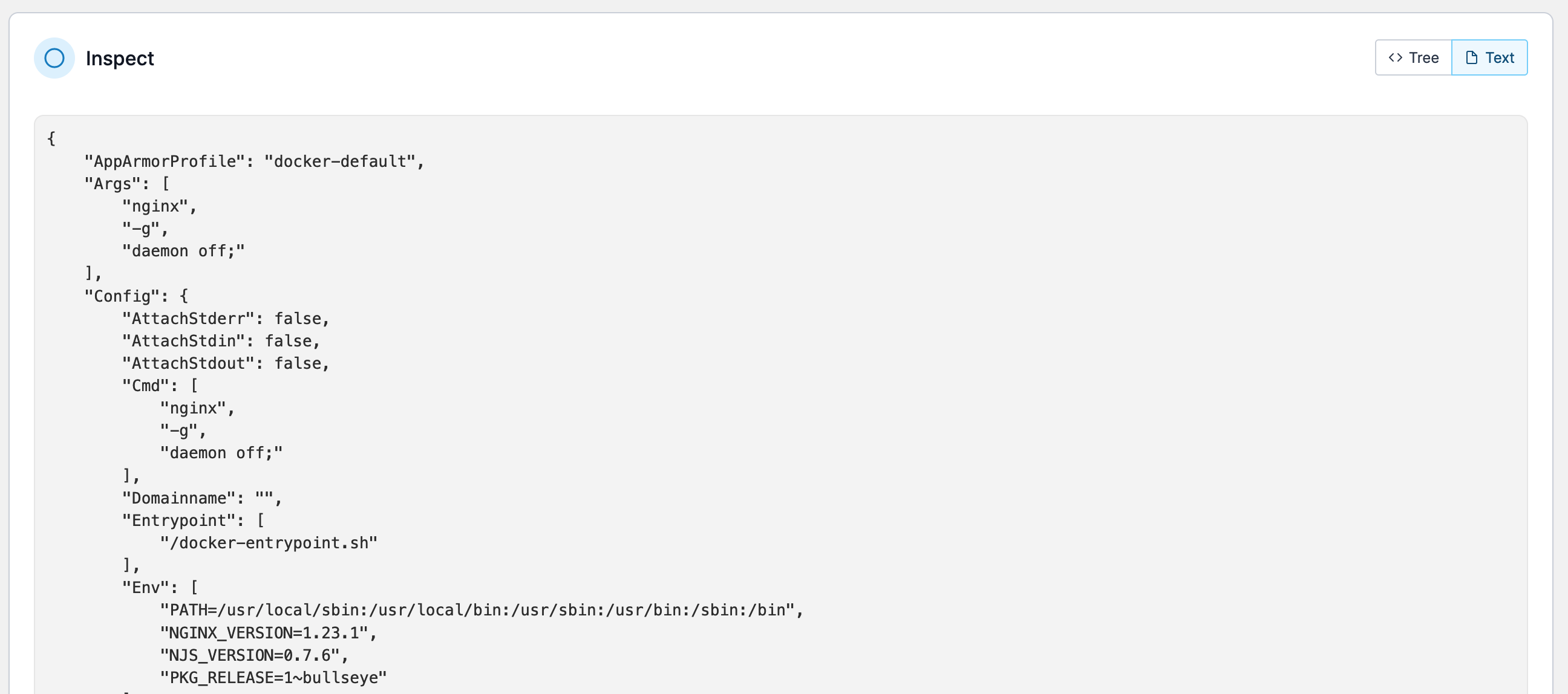
You can also inspect the container in a raw JSON format by clicking **Text**.
<figure><img src="https://3850702872-files.gitbook.io/~/files/v0/b/gitbook-x-prod.appspot.com/o/spaces%2FXI7douejaBgpZ6CP2zJf%2Fuploads%2Fgit-blob-d047bd9bdc9d3dffde998ad0cec265fe5c49a5cb%2F2.15-docker_containers_container_inspect_text.png?alt=media" alt=""><figcaption></figcaption></figure>