# Access a container's console

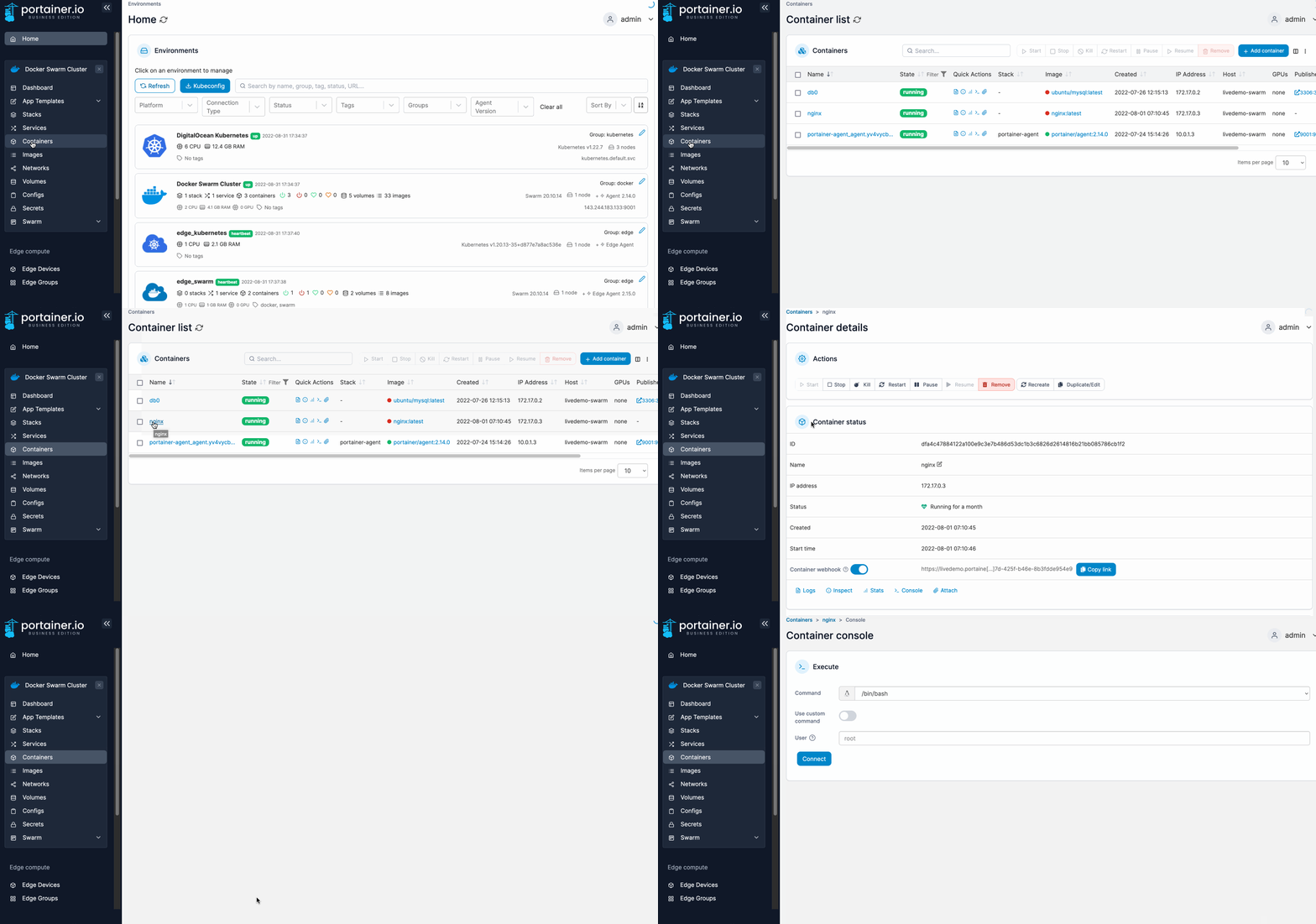
From the menu select **Containers**, select the container then select **Console**.

<figure><img src="https://3850702872-files.gitbook.io/~/files/v0/b/gitbook-x-prod.appspot.com/o/spaces%2FXI7douejaBgpZ6CP2zJf%2Fuploads%2Fgit-blob-9ae05ed17c14b5afdcb243195820751f148b725e%2F2.15-docker_containers_container_console.gif?alt=media" alt=""><figcaption></figcaption></figure>

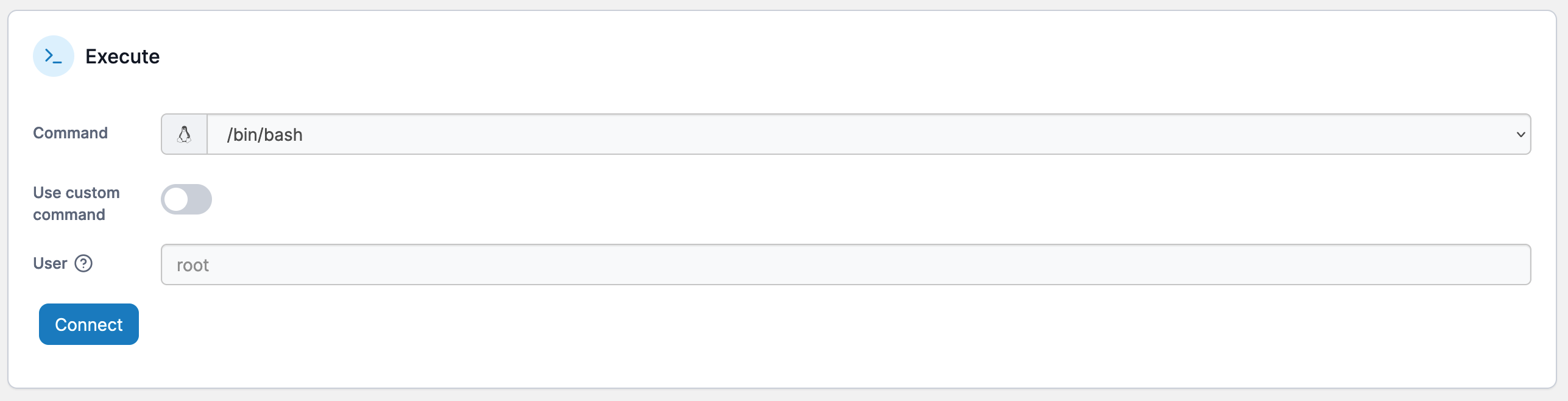
Select the command and the user you want to give access to, then click **Connect**.

{% hint style="info" %}
For Alpine Linux containers, you must select the`/bin/ash` command.
{% endhint %}

<figure><img src="https://3850702872-files.gitbook.io/~/files/v0/b/gitbook-x-prod.appspot.com/o/spaces%2FXI7douejaBgpZ6CP2zJf%2Fuploads%2Fgit-blob-ed80462828e93084ef9df00b14cd3764f286bba9%2F2.15-docker_containers_container_console_execute.png?alt=media" alt=""><figcaption></figcaption></figure>

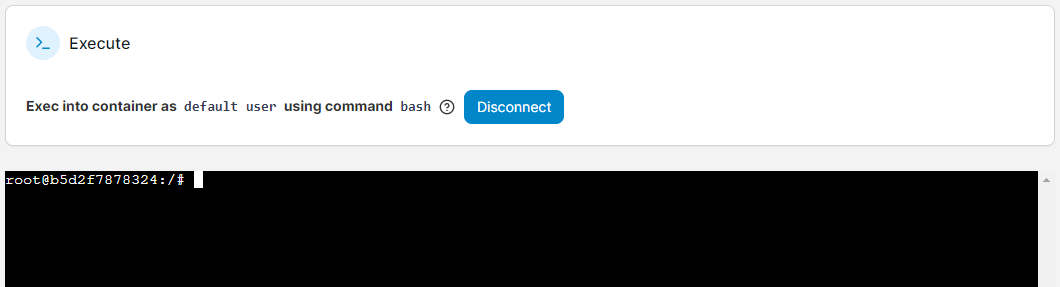
If you need to define a command other than those provided, toggle the **Use custom command** option on. Once connected, you can run commands in the console the same as any other Linux system.

<figure><img src="https://3850702872-files.gitbook.io/~/files/v0/b/gitbook-x-prod.appspot.com/o/spaces%2FXI7douejaBgpZ6CP2zJf%2Fuploads%2Fgit-blob-aec890f6c4b302967218ddad6a3366d63e22d338%2F2.20-containers-console-connected.png?alt=media" alt=""><figcaption></figcaption></figure>

To disconnect from the console session, click the **Disconnect** button.