# Container instances
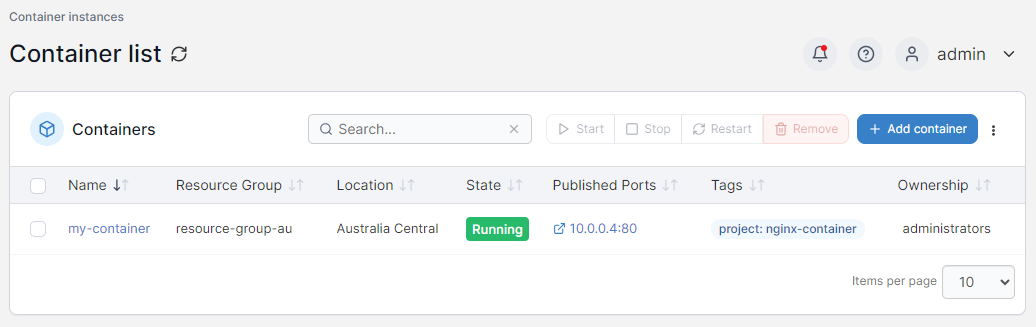
The **Container Instances** page allows you to interact with containers in your Azure application, letting you add and remove containers as needed.
You can click on a container name to view details about that container.
{% content-ref url="containers/details" %}
[details](https://docs.portainer.io/2.33-lts/user/aci/containers/details)
{% endcontent-ref %}
From this page you can add a new container or remove existing containers:
{% content-ref url="containers/add" %}
[add](https://docs.portainer.io/2.33-lts/user/aci/containers/add)
{% endcontent-ref %}
{% content-ref url="containers/remove" %}
[remove](https://docs.portainer.io/2.33-lts/user/aci/containers/remove)
{% endcontent-ref %}