# How do I change the way I connect to an environment without losing my existing stacks?
{% hint style="info" %}
Note that these steps apply to Docker environments only.
{% endhint %}
In the case of changing the way you connect to an environment (for example by moving from connecting to the Docker socket directly to using a socket proxy) you can move your stacks by:
{% stepper %}
{% step %}
### Removing the current environment connection in Portainer
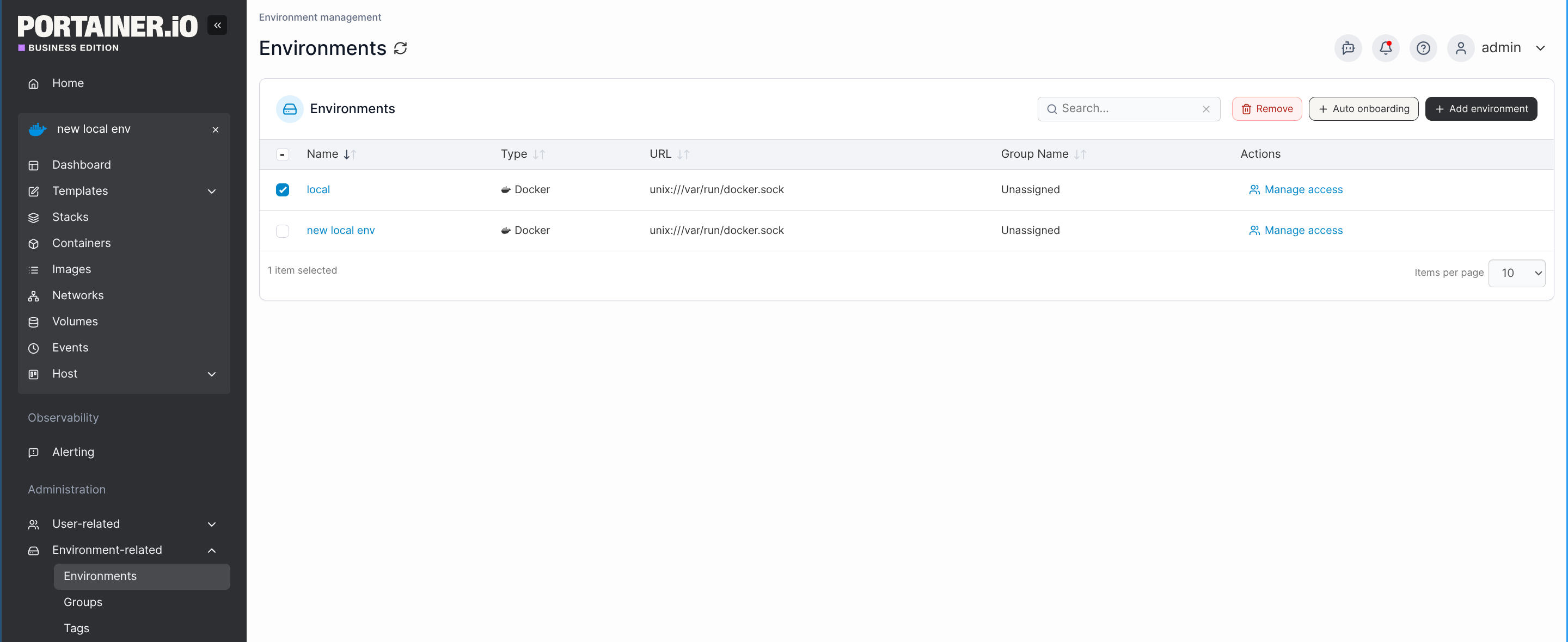
Under **Administration**, navigate to **Environment-related**, then to **Environments**. Select the environment you would like to remove and click **Remove.** The stacks in this environment will become orphaned, and therefore available to be re-associated once you re-add the environment in the next step.
{% endstep %}
{% step %}
### Adding a new environment using the new connection method
[Add the environment again](https://docs.portainer.io/2.33-lts/admin/environments/add) using the new connection method.
{% endstep %}
{% step %}
### Re-associating the orphaned stacks with the new environment
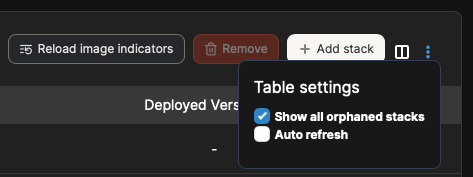
Within the environment that you want to associate your orphaned stacks with, click **Stacks** in the left hand menu. At the Stacks list, click on the three dots in the top right corner and select **Show all orphaned stacks**. Your stack list will then update to include any orphaned stacks.
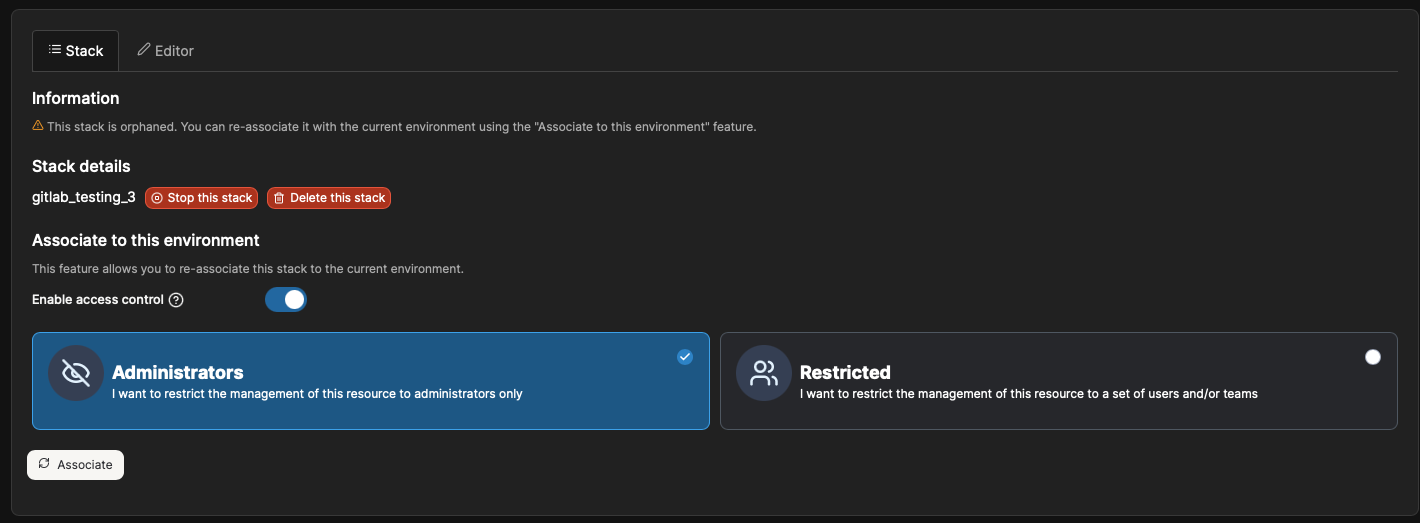
Click into the stack that you want to recover, and select **Associate.**
Your stack will now appear in your stack list with total control. Repeat this process for each stack you want to re-associate.
{% endstep %}
{% endstepper %}