# Reset a user's password

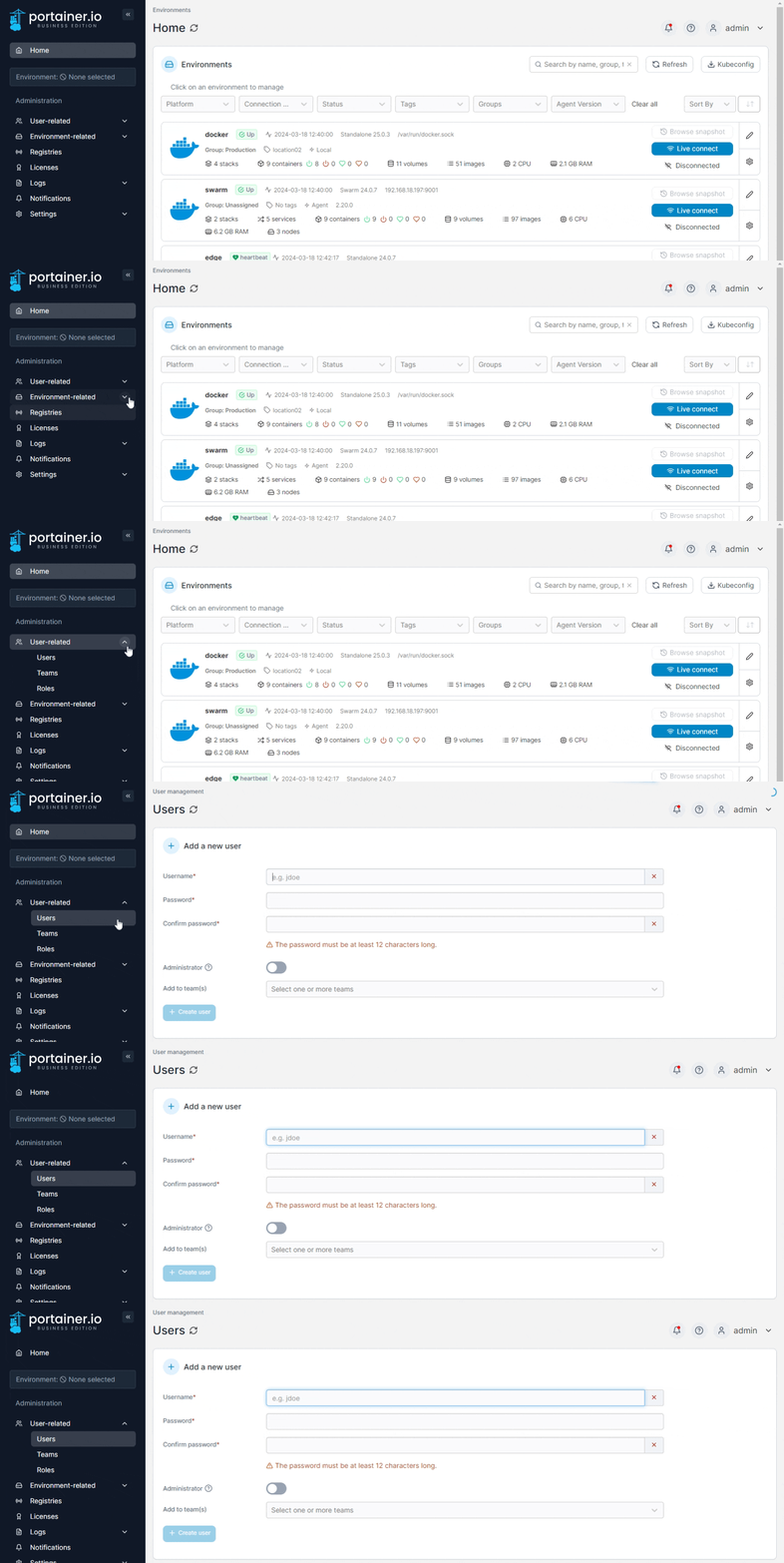
From the menu expand **User-related** then select **Users**.&#x20;

<figure><img src="https://3850702872-files.gitbook.io/~/files/v0/b/gitbook-x-prod.appspot.com/o/spaces%2FXI7douejaBgpZ6CP2zJf%2Fuploads%2Fgit-blob-3a581cbcff5a12d122b0c961d10e521fced122e3%2F2.20-users-users.gif?alt=media" alt=""><figcaption></figcaption></figure>

Click the username of the user whose password you want to reset. In the **Change user password** section, enter a new strong password, re-enter the password to confirm it then click **Update password**.
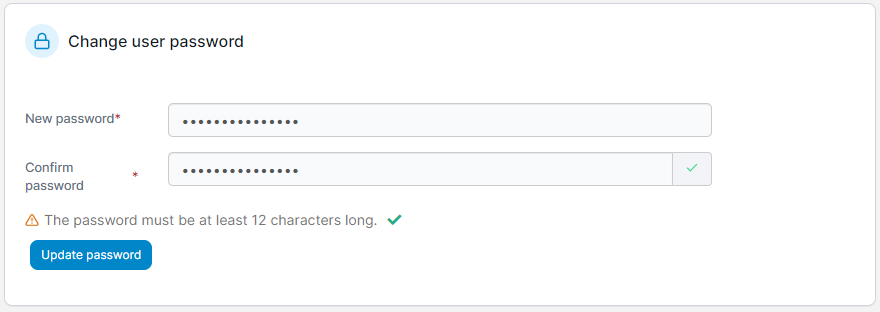
<figure><img src="https://3850702872-files.gitbook.io/~/files/v0/b/gitbook-x-prod.appspot.com/o/spaces%2FXI7douejaBgpZ6CP2zJf%2Fuploads%2Fgit-blob-274864e52582d333c1e021f31a4e3eef292af4d6%2F2.15-settings-users-changepw.png?alt=media" alt=""><figcaption></figcaption></figure>
