# Add a new user

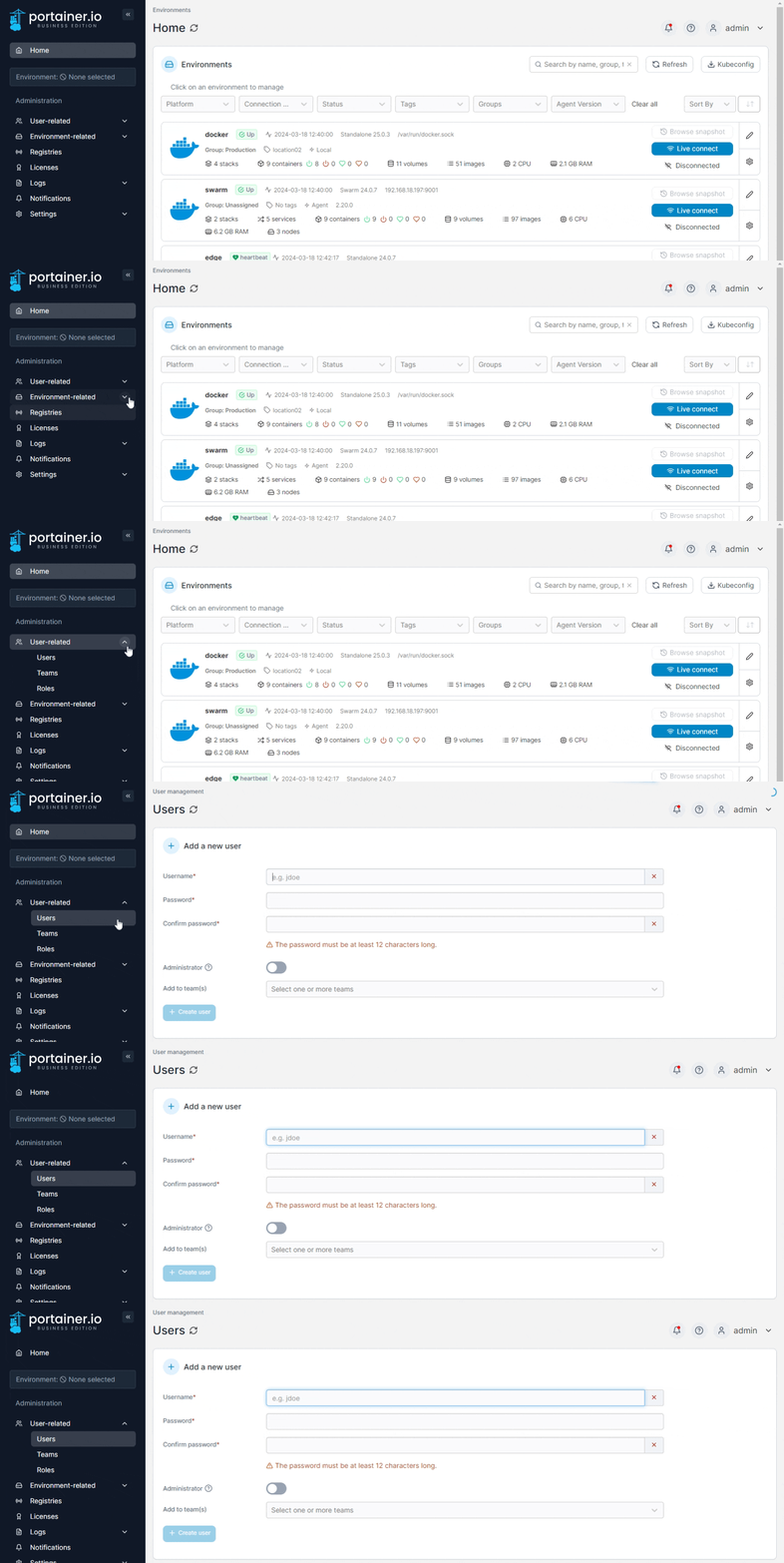
From the menu expand **User-related** and select **Users**.&#x20;

<figure><img src="https://3850702872-files.gitbook.io/~/files/v0/b/gitbook-x-prod.appspot.com/o/spaces%2FXI7douejaBgpZ6CP2zJf%2Fuploads%2Fgit-blob-3a581cbcff5a12d122b0c961d10e521fced122e3%2F2.20-users-users.gif?alt=media" alt=""><figcaption></figcaption></figure>

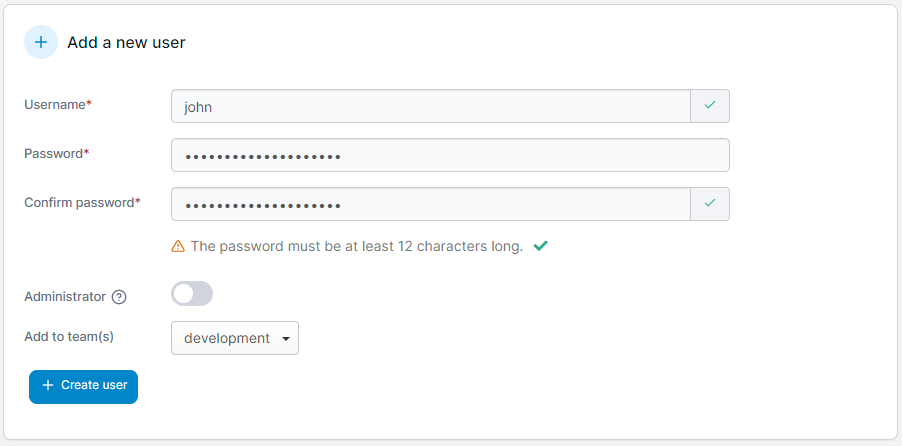
Enter a username and a strong password (and confirm it). You can also set whether this user is an Administrator as well as add the user to any teams you have created.&#x20;

<figure><img src="https://3850702872-files.gitbook.io/~/files/v0/b/gitbook-x-prod.appspot.com/o/spaces%2FXI7douejaBgpZ6CP2zJf%2Fuploads%2Fgit-blob-c283c8ffff86d153c23b440d018c172385f5c313%2F2.15-settings-users-add.png?alt=media" alt=""><figcaption></figcaption></figure>

Once you're ready, click **Create user**.