# Add a custom registry

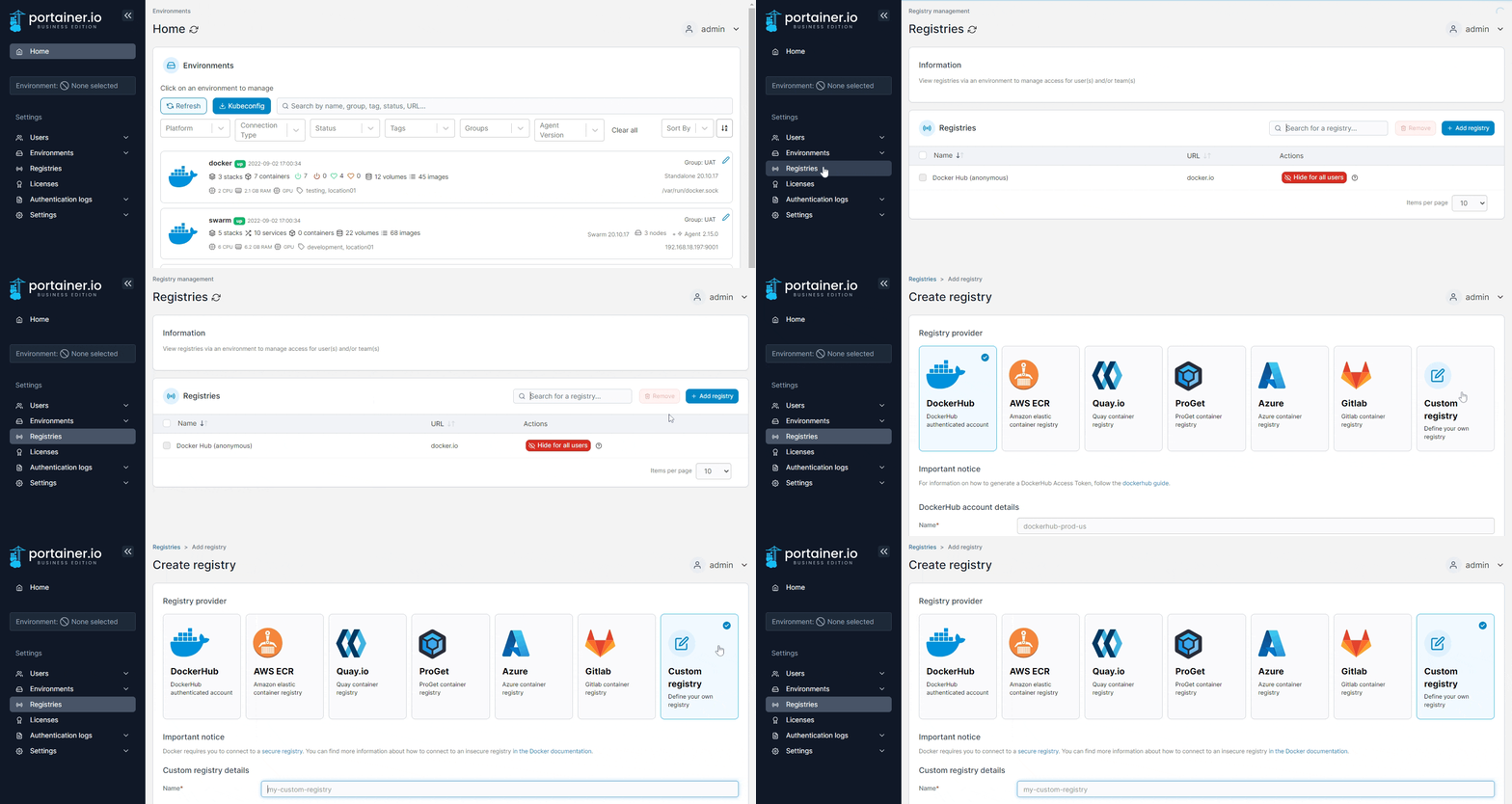
From the menu select **Registries** then click **Add registry**. Ensure **Custom registry** is selected.

<figure><img src="https://3850702872-files.gitbook.io/~/files/v0/b/gitbook-x-prod.appspot.com/o/spaces%2FXI7douejaBgpZ6CP2zJf%2Fuploads%2Fgit-blob-5cc6d361441809d030e8755fad4b473fcf4faa66%2F2.15-settings-registries-add-custom.gif?alt=media" alt=""><figcaption></figcaption></figure>

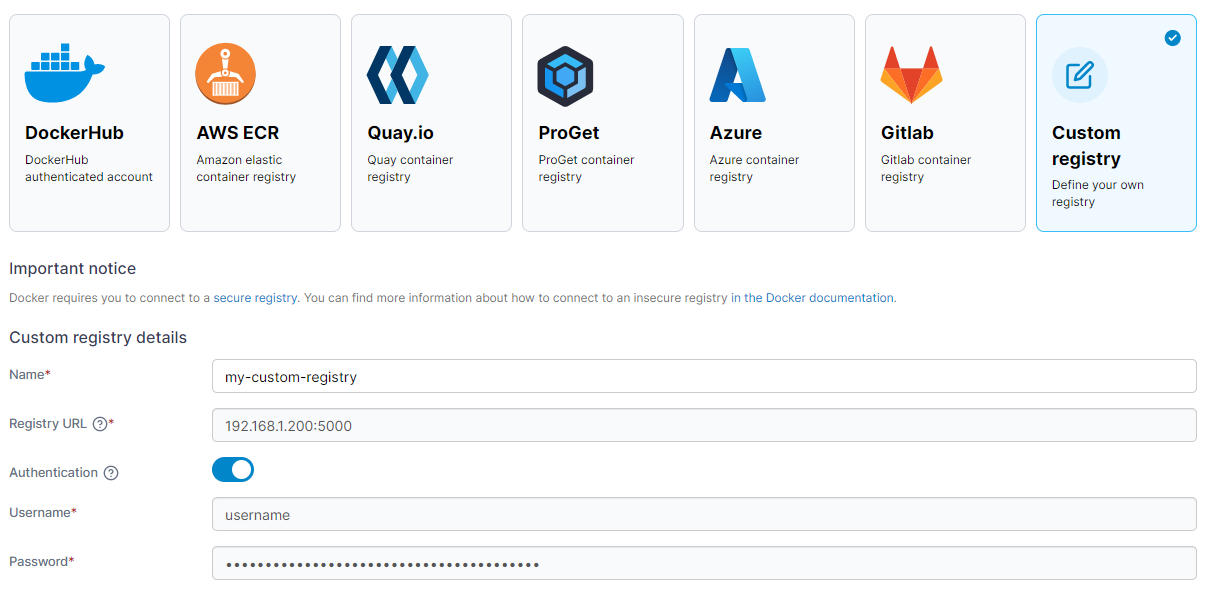
In the **Custom registry details** section, enter the registry name and URL (both mandatory). If authentication is required, toggle **Authentication** on and enter the username and password.&#x20;

<figure><img src="https://3850702872-files.gitbook.io/~/files/v0/b/gitbook-x-prod.appspot.com/o/spaces%2FXI7douejaBgpZ6CP2zJf%2Fuploads%2Fgit-blob-956cf14b77e98d7dc9440e7d93f6ce39a307e6c7%2F2.15-settings-registries-add-custom-details.png?alt=media" alt=""><figcaption></figcaption></figure>

When you're finished, click **Add registry**.