# Add an Azure registry

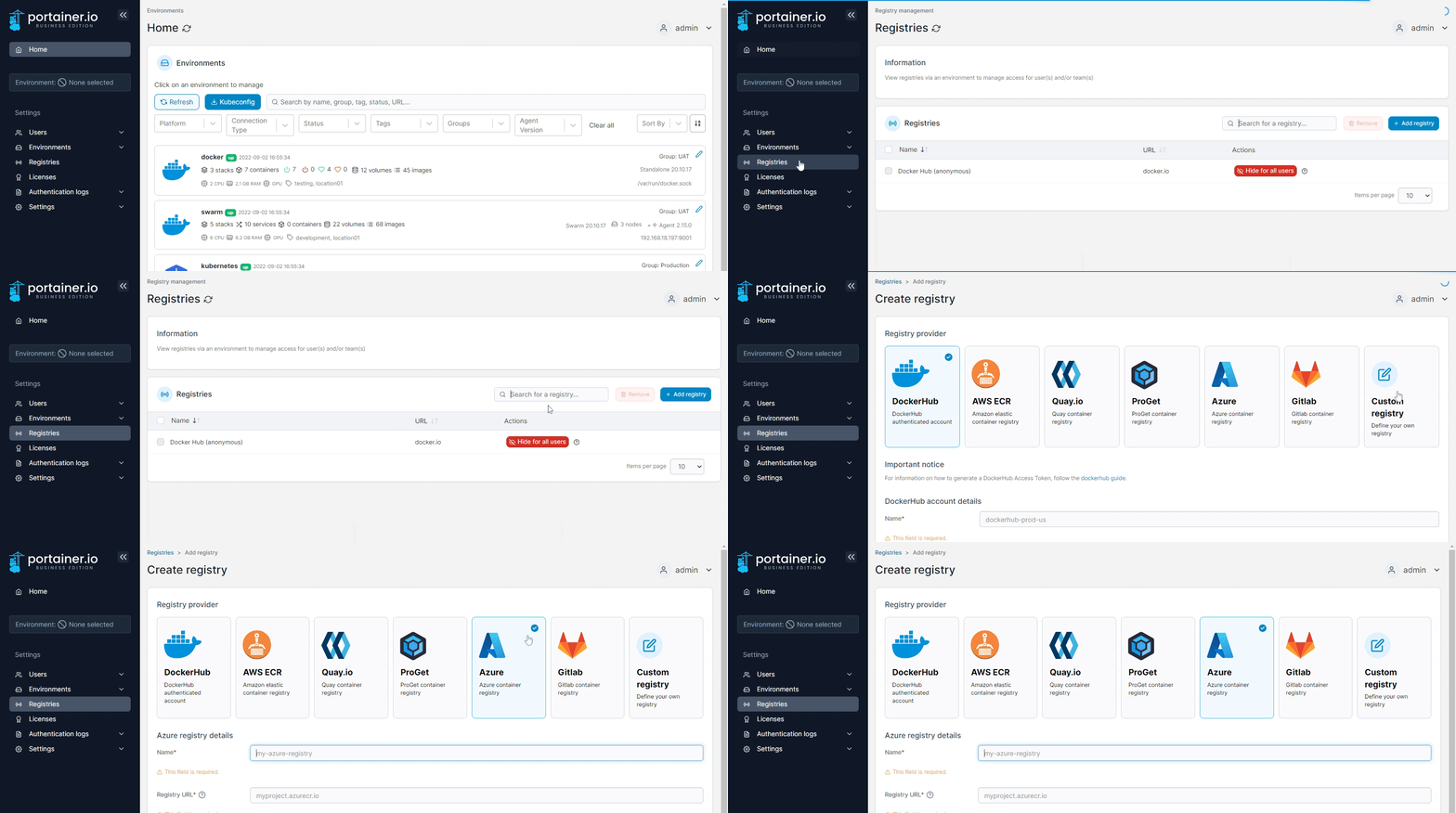
From the menu select **Registries** then click **Add registry** and select **Azure** as the registry provider.

<figure><img src="https://3850702872-files.gitbook.io/~/files/v0/b/gitbook-x-prod.appspot.com/o/spaces%2FXI7douejaBgpZ6CP2zJf%2Fuploads%2Fgit-blob-75b0ece3b0e9288309ef82e29f6b8a4c900af1f2%2F2.15-settings-registries-add-azure.gif?alt=media" alt=""><figcaption></figcaption></figure>

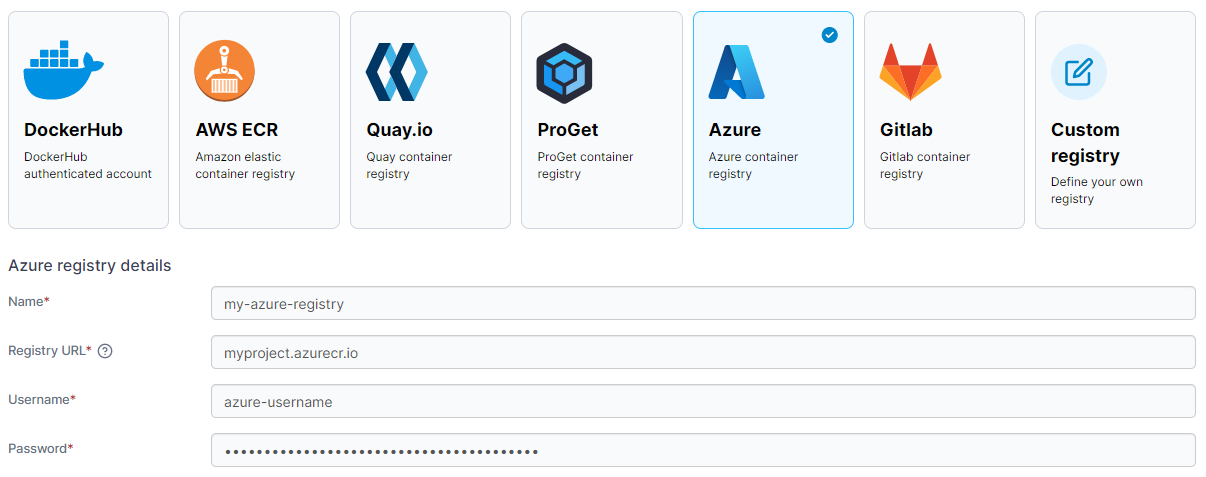
Complete the form, using the table below as a guide.

| Field/Option | Overview                                                         |
| ------------ | ---------------------------------------------------------------- |
| Name         | Enter the name you'd like to use in Portainer for your registry. |
| Registry URL | Enter the URL of your Azure registry.                            |
| Username     | Enter the username you use to log into your Azure registry.      |
| Password     | Enter the password that corresponds to the username above.       |

<figure><img src="https://3850702872-files.gitbook.io/~/files/v0/b/gitbook-x-prod.appspot.com/o/spaces%2FXI7douejaBgpZ6CP2zJf%2Fuploads%2Fgit-blob-980317760e497f20e44223e06768df6c93121d5f%2F2.15-settings-registries-add-azure-details.png?alt=media" alt=""><figcaption></figcaption></figure>

When the form is complete, click **Add registry**.