# Authentication

Within the Portainer Business Edition UI you can view a log of all authentication actions. The log is read-only and cannot be edited.

{% hint style="info" %}
Portainer also provides the ability to view [detailed activity logs](https://docs.portainer.io/2.33-lts/admin/logs/activity).
{% endhint %}

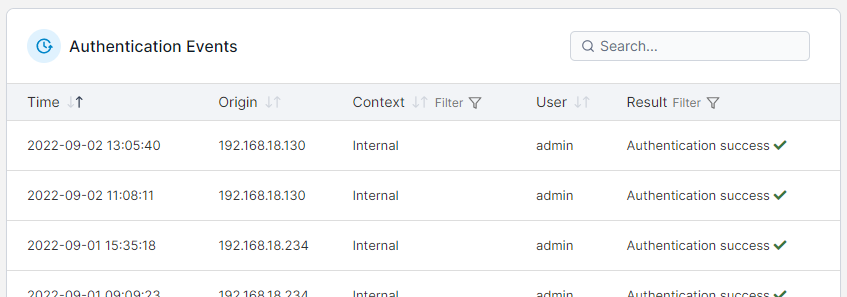
From the menu expand **Logs** and select **Authentication**.

<figure><img src="https://3850702872-files.gitbook.io/~/files/v0/b/gitbook-x-prod.appspot.com/o/spaces%2FXI7douejaBgpZ6CP2zJf%2Fuploads%2Fgit-blob-c9d6816f140637d4aa018c0f1b55258f37118506%2F2.20-logs-authentication.gif?alt=media" alt=""><figcaption></figcaption></figure>

If you want to export logs, filter by date range then click **Export to CSV**.

<figure><img src="https://3850702872-files.gitbook.io/~/files/v0/b/gitbook-x-prod.appspot.com/o/spaces%2FXI7douejaBgpZ6CP2zJf%2Fuploads%2Fgit-blob-fd682d1194947433cd33c1689074137998231c60%2F2.15-settings-authlogs-export.png?alt=media" alt=""><figcaption></figcaption></figure>

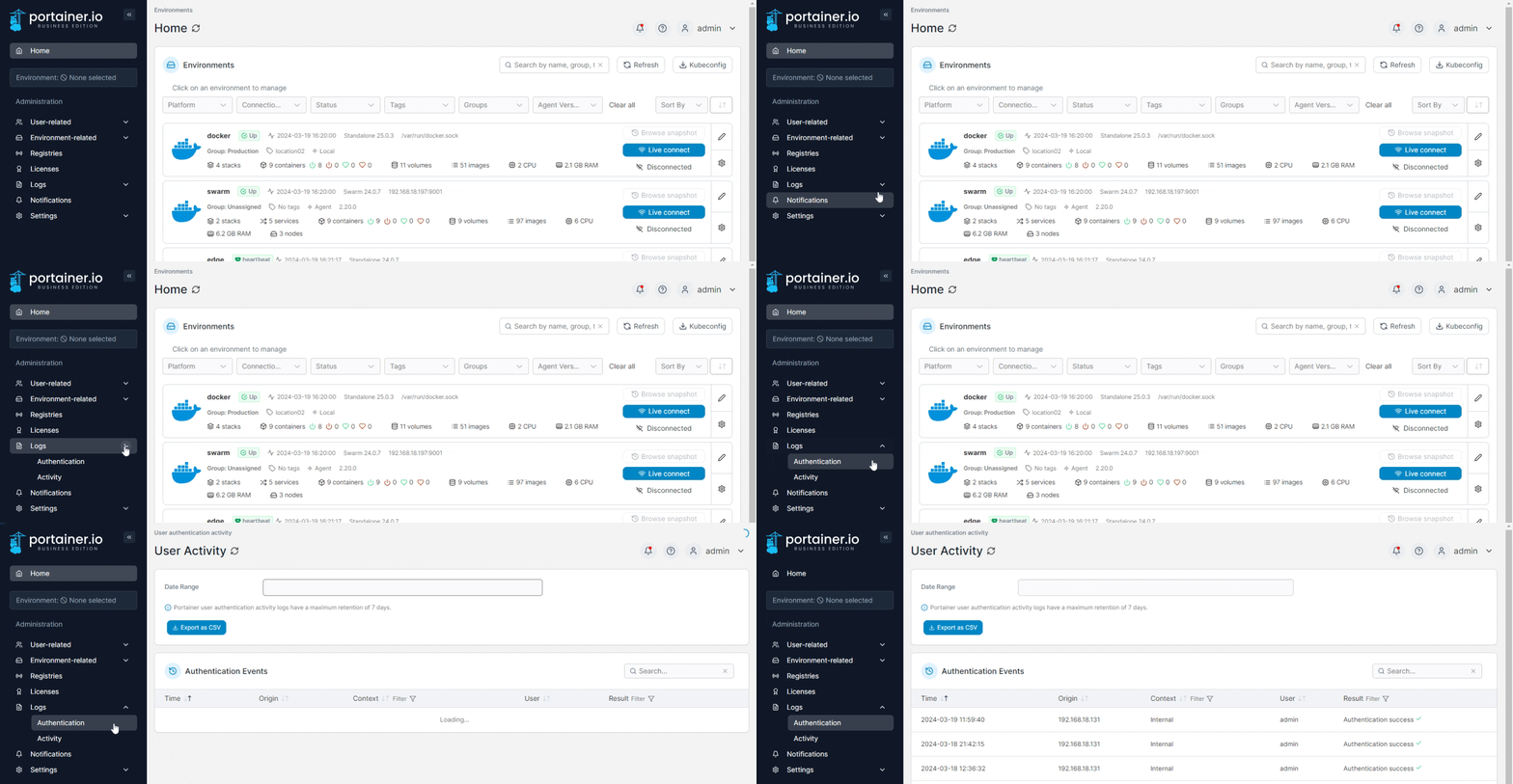
Authentication events are searchable and filterable, and the date and time, origin IP address, context, user and result are provided for each.

<figure><img src="https://3850702872-files.gitbook.io/~/files/v0/b/gitbook-x-prod.appspot.com/o/spaces%2FXI7douejaBgpZ6CP2zJf%2Fuploads%2Fgit-blob-06431cab8f6bc50529fda5d99c78e3c1f255d29c%2F2.15-settings-authlogs-list.png?alt=media" alt=""><figcaption></figcaption></figure>